Risk & Impact Analysis
Risk & Impact Analysis enables you to evaluate how security breaches, operational disruptions, or data exposure events affect your data ecosystem through intuitive, natural language prompts. By simply describing a scenario or area of concern, you can instantly analyze dependencies, assess exposure, and understand both upstream and downstream impact across connected assets.
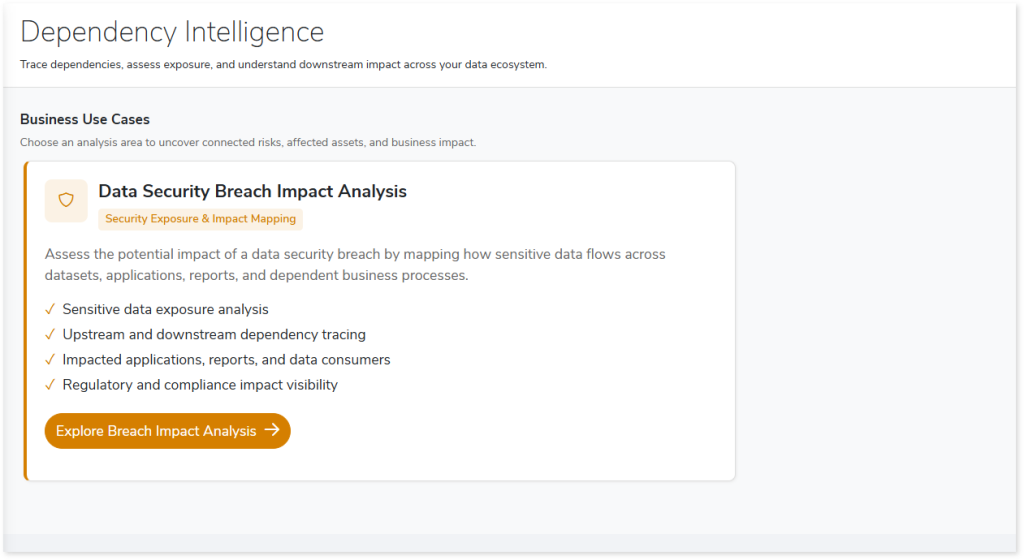
The capability supports security exposure and impact mapping by helping you explore how sensitive data flows across datasets, applications, reports, and business processes. It allows you to uncover connected risks, affected assets, and overall business impact with minimal effort. Additionally, you can assess breach impact across connected datasets, applications, reports, and compliance areas, ensuring that critical vulnerabilities and regulatory implications are clearly identified.
Key Capabilities
The key capabilities include:
- Natural Language Analysis: Enter prompts in plain language to evaluate risks, dependencies, and exposure without requiring complex queries or technical syntax.
- Breach Impact Assessment: Assess breach impact across connected datasets, applications, reports, and compliance areas to understand potential exposure.
- Dependency Exploration: Trace upstream and downstream dependencies to analyze how risks propagate across interconnected data assets.
- Sensitive Data Exposure Insights: Identify how sensitive data flows across datasets, applications, and business processes, and detect potential exposure points.
- Impact Mapping Across Data Assets: Identify impacted tables, datasets, columns, applications, and reports linked to the analyzed scenario, with clear traceability.
- Business Impact Visibility: Uncover connected risks, affected assets, and business implications to support informed decision-making.
In This Topic:
How to Perform Risk & Impact Analysis
Follow these steps to analyze breach impact and explore risks using natural language prompts:
- Log in to your Impetus LeapLogic Lineage account.
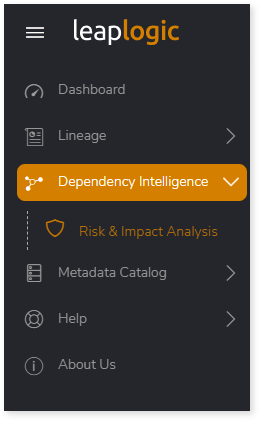
- From the left navigation pane, select Dependency Intelligence > Risk & Impact Analysis.
- In the Business Use Cases section, choose an analysis area to uncover connected risks, affected assets, and business impact. For example, select Explore Breach Impact Analysis.
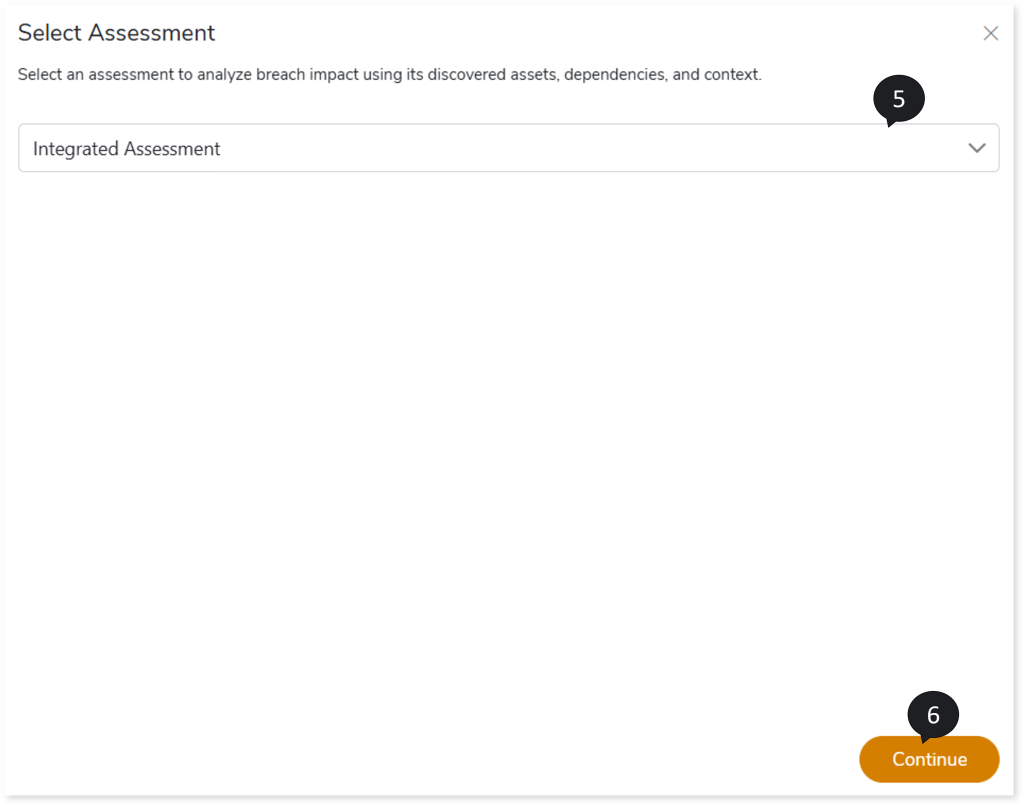
- The Select Assessment window appears.
- Choose an assessment to analyze breach impact using its discovered assets, dependencies, and contextual information.
- Click Continue.
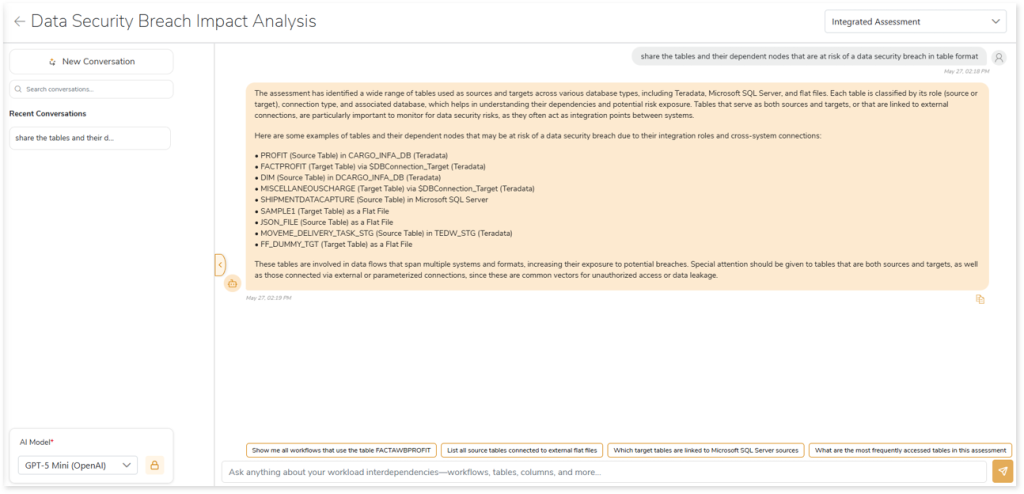
- The Data Security Breach Impact Analysis page opens.
- Select the required AI model.
- Provide the credentials for the selected model.
- In the input field, enter your query in natural language (for example, ask about affected business areas, datasets, or applications).
- Click Send to submit the prompt.
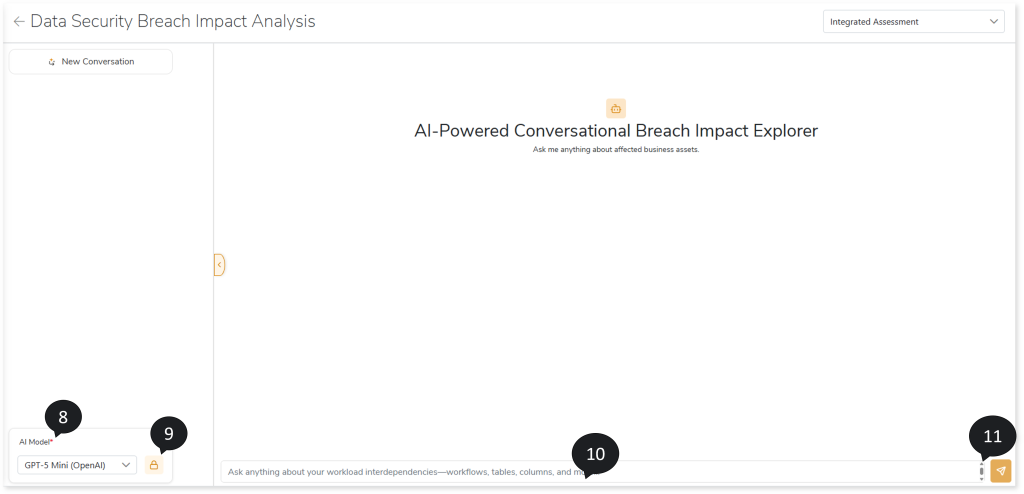
- The AI-Powered Conversational Breach Impact Explorer processes the request and returns detailed insights on dependencies, risks, and impacted assets.
 Leaplogic