Set Up Data Sources for AI
This section allows you to configure source and target systems required for AI-driven transformation of legacy workloads. By defining source and target mappings, the system enables AI Augmentation to transform queries using supported AI models, including Open-source AI Models (LeapLogic) and Enterprise AI Models such as Amazon Bedrock, Databricks Mosaic AI Platform, Github Copilot, etc. No additional infrastructure or prompt configuration is required, making the setup simple and efficient.
This setup enables you to define and configure any source and target combination for AI-driven transformation, including sources and targets (such as Databricks Lakebase) that are not natively supported in LeapLogic Transformation Module. By configuring custom source-to-target mappings, AI Augmentation (Transformation Module) enables agentic AI-driven conversion to generate accurate target-equivalent transformation outputs. These configurations serve as foundational inputs for the AI engine, allowing it to understand workload patterns and deliver precise, context-aware transformations.
To add new sources and targets, follow these steps:
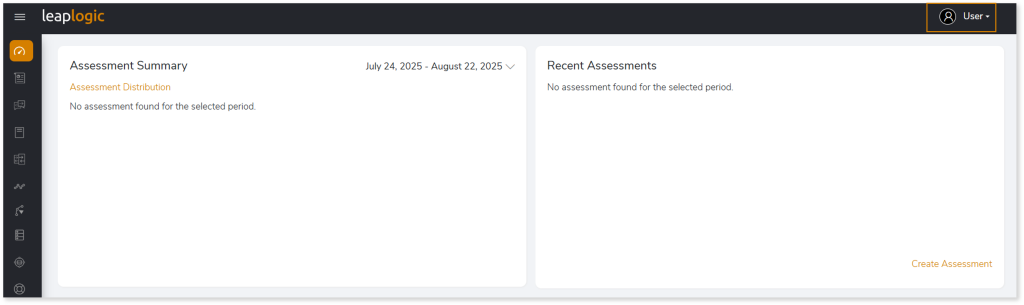
- Click your username at the top right corner of the screen.
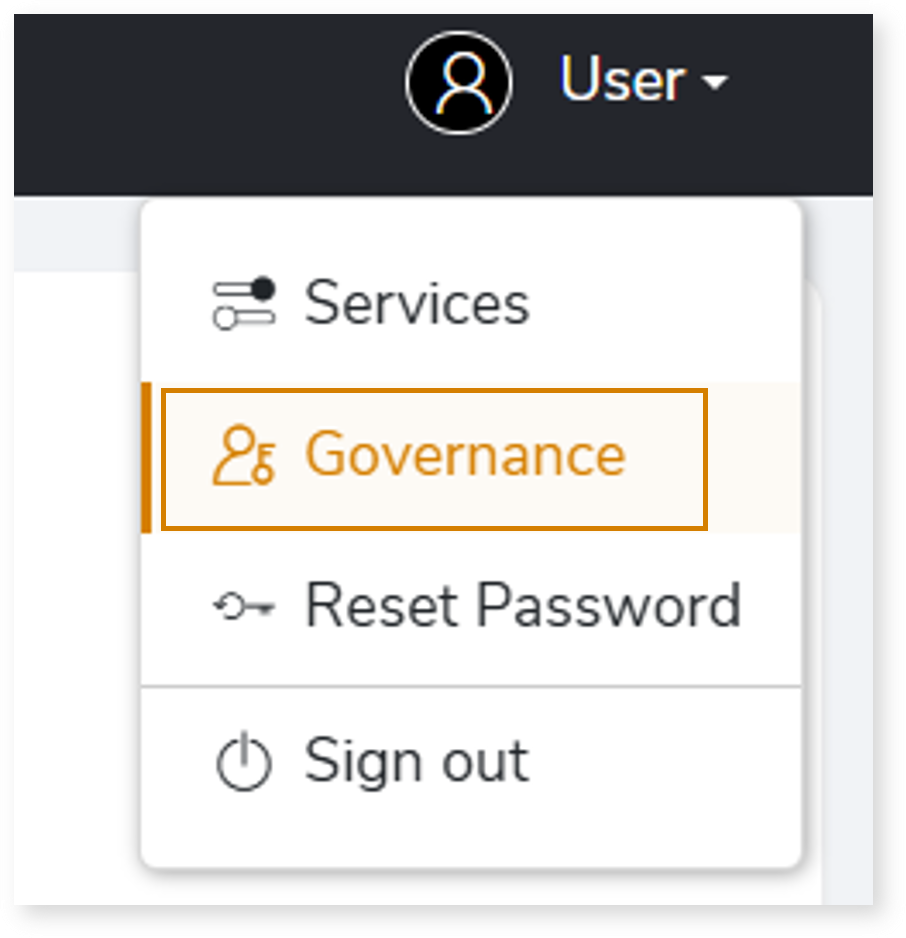
- Click Governance from the menu.
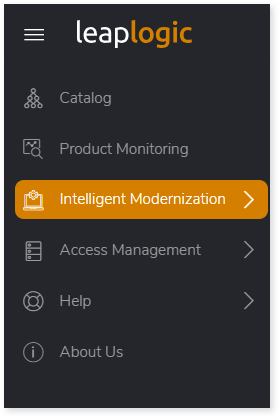
- From the left navigation menu, select Intelligent Modernization.
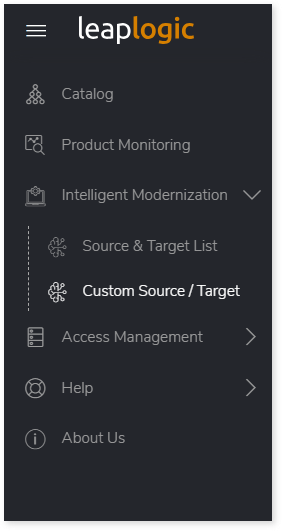
- Click on Custom Source / Target option.
- The Set Up Data Sources for AI page opens. In Type, select your source type such as EDW, ETL, etc., that you want to convert via LeapLogic AI.
- In Source Name, specify the source from which workloads need to be transformed, irrespective of whether it is supported by LeapLogic.
- In Target Name, specify the target such as Databricks Lakebase, Snowflake, AWS Glue, etc., to which workloads need to be transformed, irrespective of whether it is supported by LeapLogic.
- In Output Type, specify the output format in which the converted artifacts should be generated.
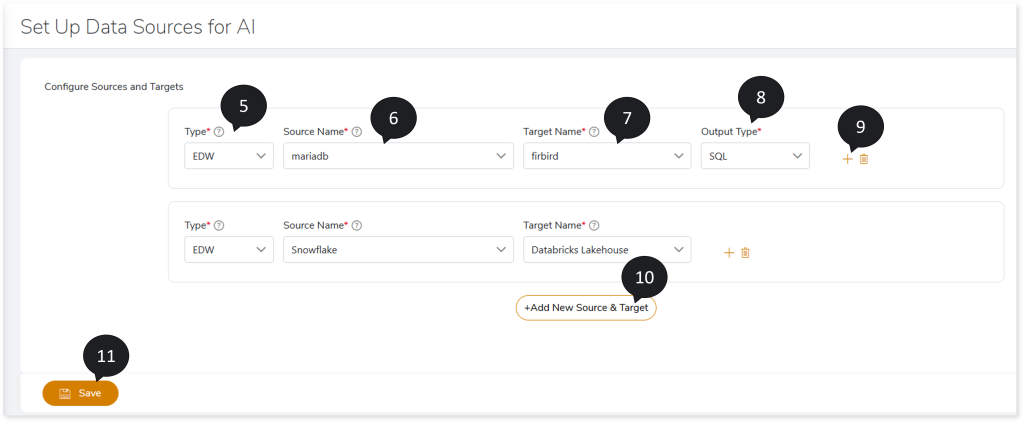
- Click
 to add another target and conversion pattern to the existing source.
- Click +Add New Source & Target to incorporate another source and target pair.
- Click Save.
After completing these configurations, you can transform your legacy workloads to a modern cloud platform using AI Augmentation.
To view the detailed steps for configuring the EDW transformation, click here.
 Leaplogic