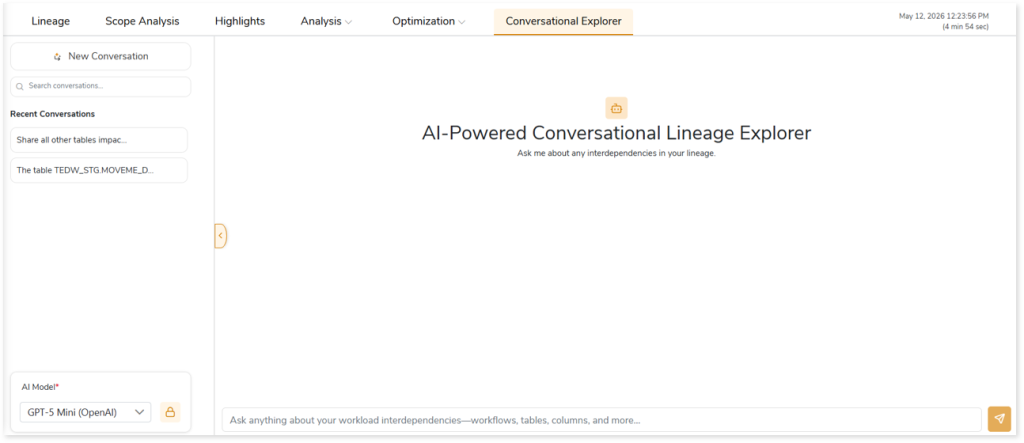
AI-Powered Conversational Lineage Explorer
The AI-Powered Conversational Lineage Explorer enables intuitive exploration of lineage data using natural language queries. Instead of navigating multiple reports, you can directly ask context-aware questions and retrieve relevant insights derived from the assessment. The system interprets each query, analyzes underlying metadata and lineage relationships, and returns accurate, context-driven results.
This capability simplifies lineage discovery by enabling analysis of transformations, dependencies, downstream lineage, data-breach impact, and other related insights in a unified and accessible manner. It supports faster analysis, improves traceability, and enhances overall data impact understanding across the ecosystem.
Key capabilities include:
- Query lineage relationships using natural language
- Analyze transformations and upstream/downstream dependencies
- Identify data impact and potential data-breach propagation paths
- Explore workload interdependencies, including tables, columns, and workflows
- Retrieve contextual insights directly from assessment outputs
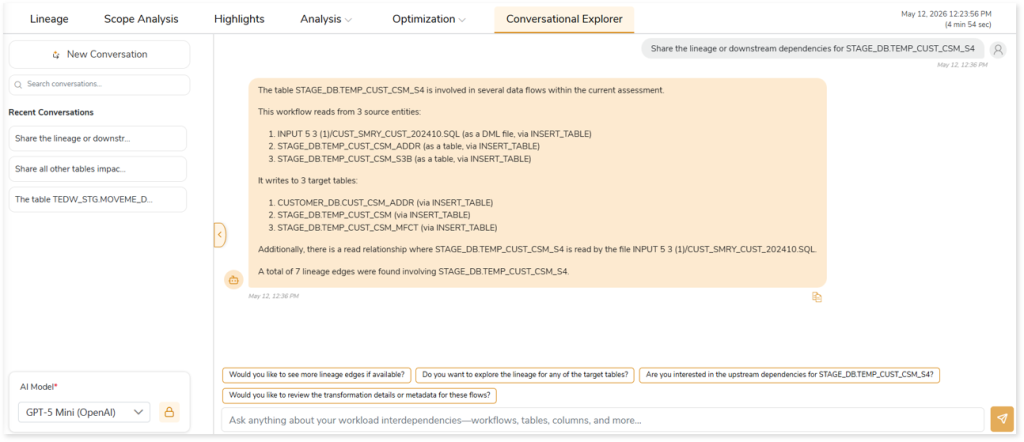
The Conversational Lineage Explorer processes each request and returns the corresponding output in an appropriate format, enabling efficient and interactive lineage analysis.
In This Topic:
Overview
The Conversational Lineage Explorer allows you to ask questions in natural language to explore insights from the assessment, including transformations, dependencies, downstream lineage, data-breach impact, and more. Based on your prompt or question, the AI-Powered Conversational Lineage Explorer returns accurate and relevant insights from the assessment.
How to Use the Conversational Explorer
Use the Conversational Explorer to submit natural-language prompts and retrieve AI-generated insights from the assessment.
Follow the steps below to get started:
- Create and execute an assessment.
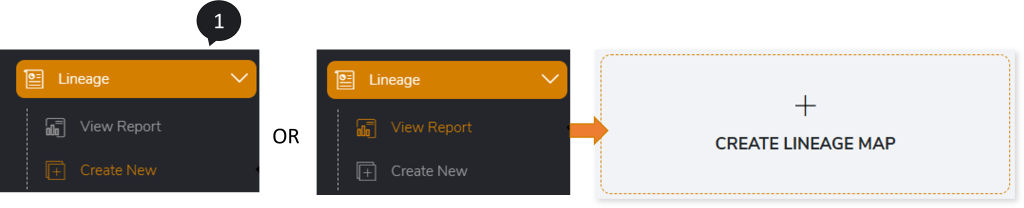
- Navigate to Lineage > Create New or Lineage > View Report > CREATE LINEAGE MAP from the left navigation pane.
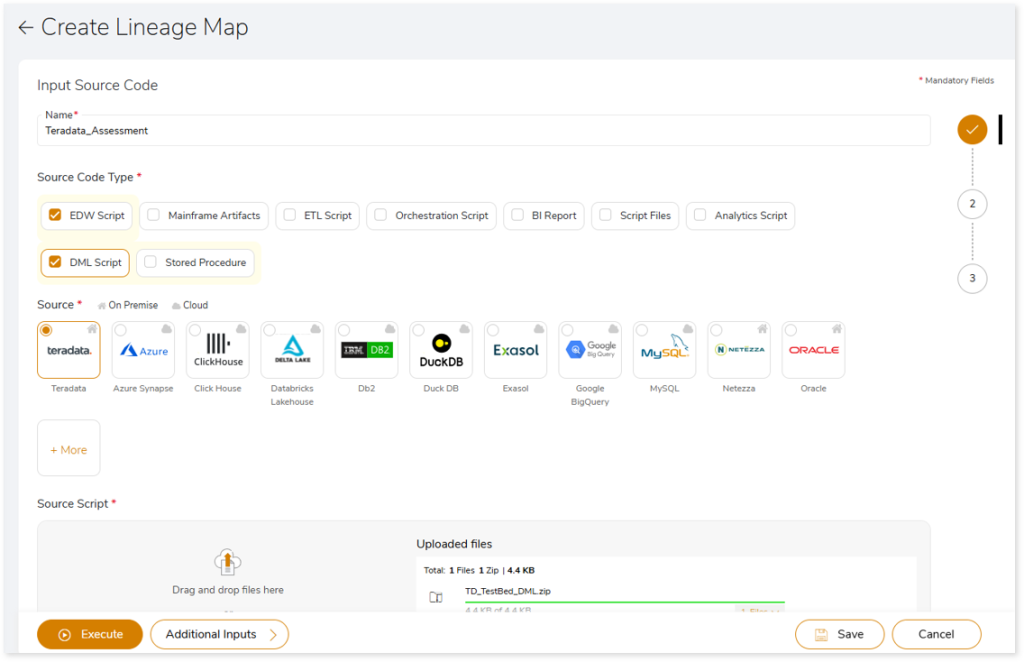
- Provide the required details and execute the lineage.
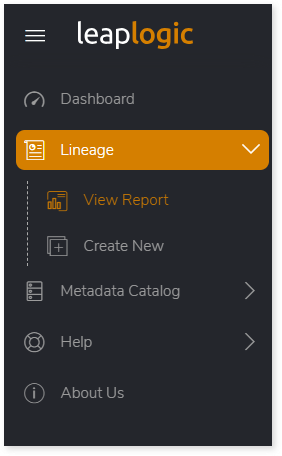
- Navigate to Lineage > View Report to access the generated reports.
- Select the generated Lineage report.
- Go to the Conversational Explorer tab.
- Select the required AI model.
- Provide the credentials for the selected model.
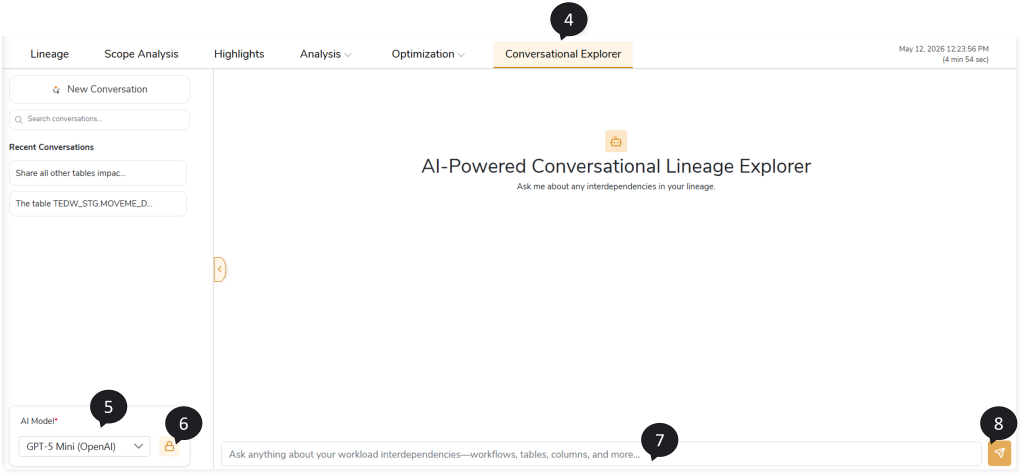
- Enter your prompt or question in natural language.
- Send the prompt for analysis.
- The AI-Powered Conversational Lineage Explorer processes the request and returns the corresponding output.
 Leaplogic