AI-Powered Wave Planning
AI-Powered Wave Planning enables a structured and intelligent approach to organizing migration workloads into manageable, production‑ready waves. By leveraging assessment insights such as workload complexity, dependency relationships, data volume, and effort estimation, the system generates optimized wave sequencing, scope, and timelines. This ensures a predictable and efficient migration planning approach while minimizing risks and bottlenecks.
Using a conversational, chat‑driven interface, you can dynamically generate and refine wave plans with minimal manual effort, helping standardize and streamline migration planning activities.
Key Capabilities
The key capabilities include:
- Dependency-aware grouping of assessed workloads.
- Intelligent wave sequencing and prioritization based on readiness.
- Effort and timeline estimation at the wave level.
- Clear visibility into wave-wise scope and planned timelines.
- Generation of structured, production-ready wave plans.
In This Topic:
Generating a Wave Plan Using AI-Powered Wave Planner
Use the AI-Powered Wave Planner to generate a structured wave plan by grouping assessed workloads based on assessment insights and planning inputs.
Steps to Generate the Wave Plan:
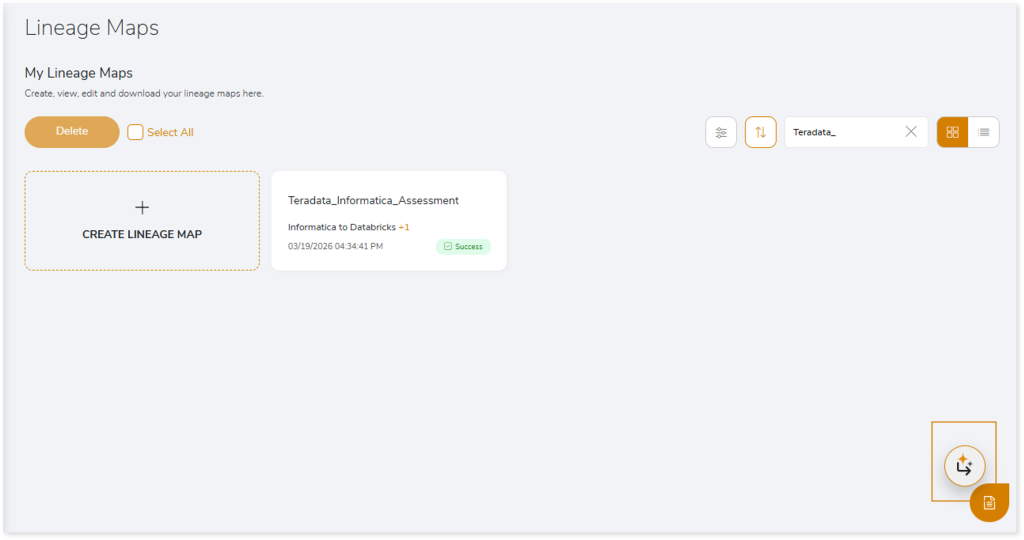
- Navigate to the Assessment Listing page.
- Click the AI Wave Planner icon.
- If you select an already executed assessment, the wave planner displays the corresponding assessment details.
- In Select Model, choose an AI model to generate the wave plan.
- In Credentials, provide the required token to connect to the selected AI model.
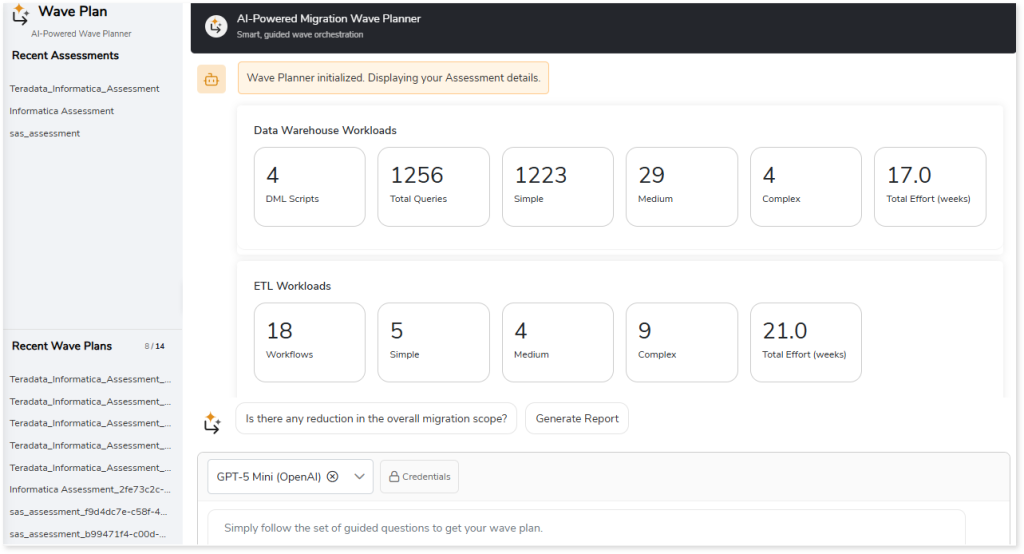
- Follow the guided questions in the interactive, chat driven interface, or ask your own questions in natural language to define wave planning criteria.
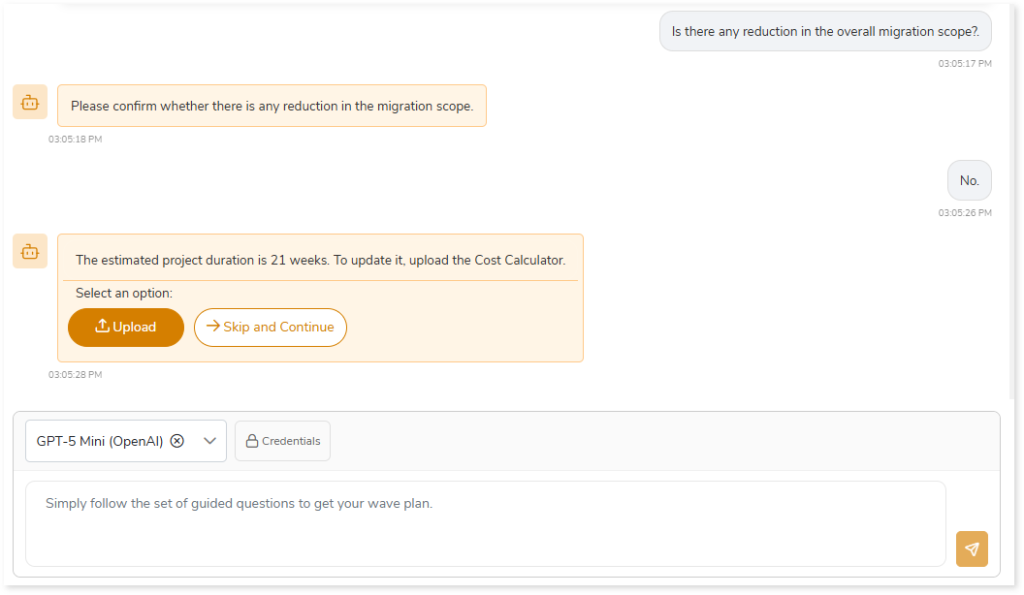
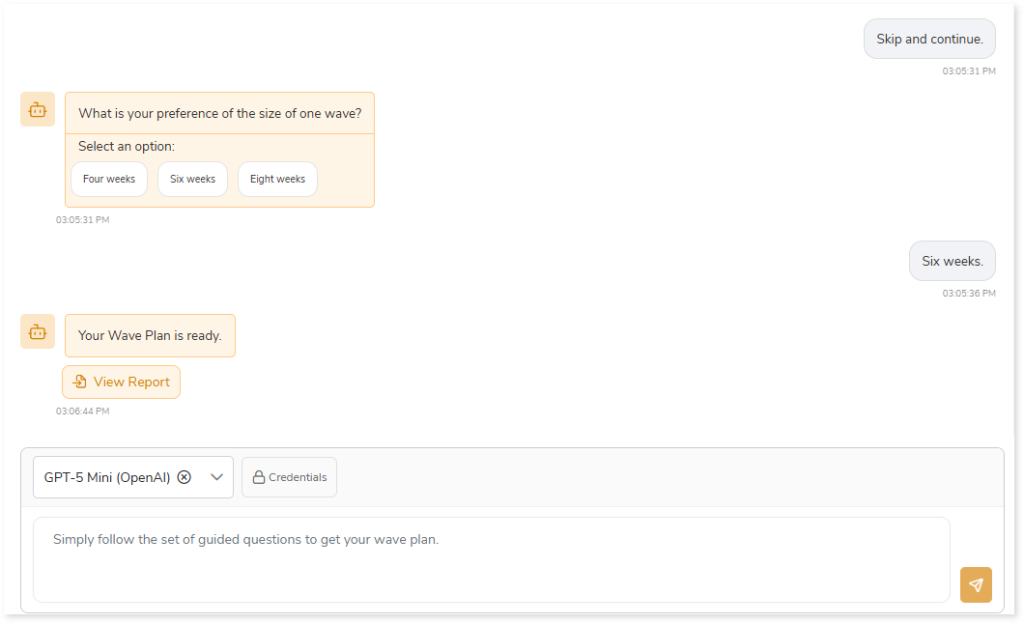
- Once all required details are provided, the system generates the Wave Plan.
- Click View Report to open the generated Wave Plan and view the wave plan summary and detailed wave-wise information.
Wave Plan Report
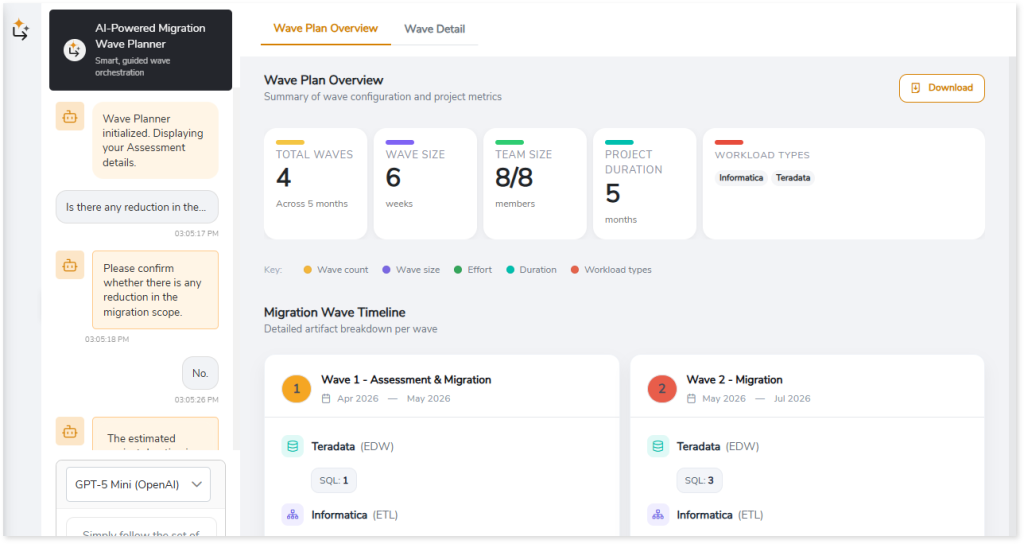
The Wave Plan Report provides a consolidated view of the generated wave plan, helping you analyze wave level configuration, effort distribution, workload breakdown, and scheduling. It is divided into two sections—Wave Plan Overview and Wave Details—providing both high level metrics and detailed wave wise information.
Wave Plan Overview
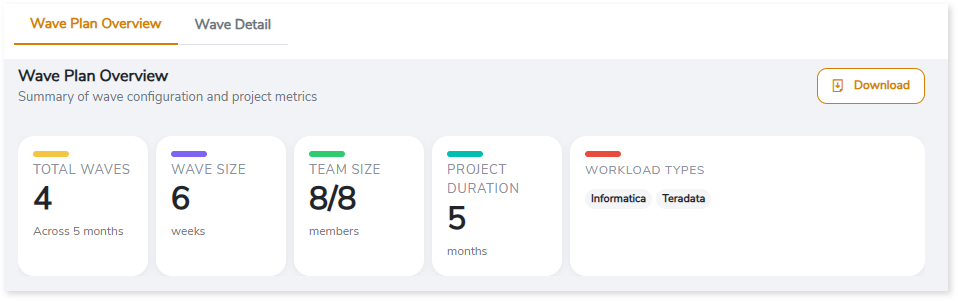
The Wave Plan Overview summarizes key configuration and project level metrics across all planned migration waves. This view helps you understand how assessed workloads are organized across migration waves and how effort, resources, and timelines are allocated
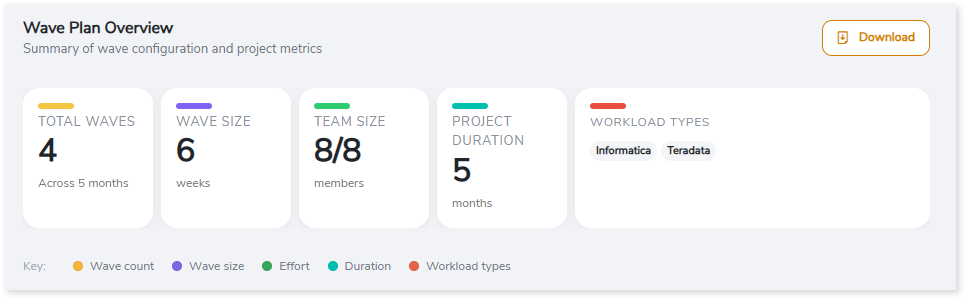
Overview Summary Cards
The summary cards provide a high-level understanding of planning scope and scale. This section includes:
- Total Waves: Total number of waves in the plan and the overall duration.
- Wave Size: Duration of each wave in weeks.
- Team Size: Number of resources allocated per wave.
- Project Duration: Total planned duration across all waves.
- Workload Types: Workload types or platforms included in the wave plan (for example, Teradata, Informatica, etc.).
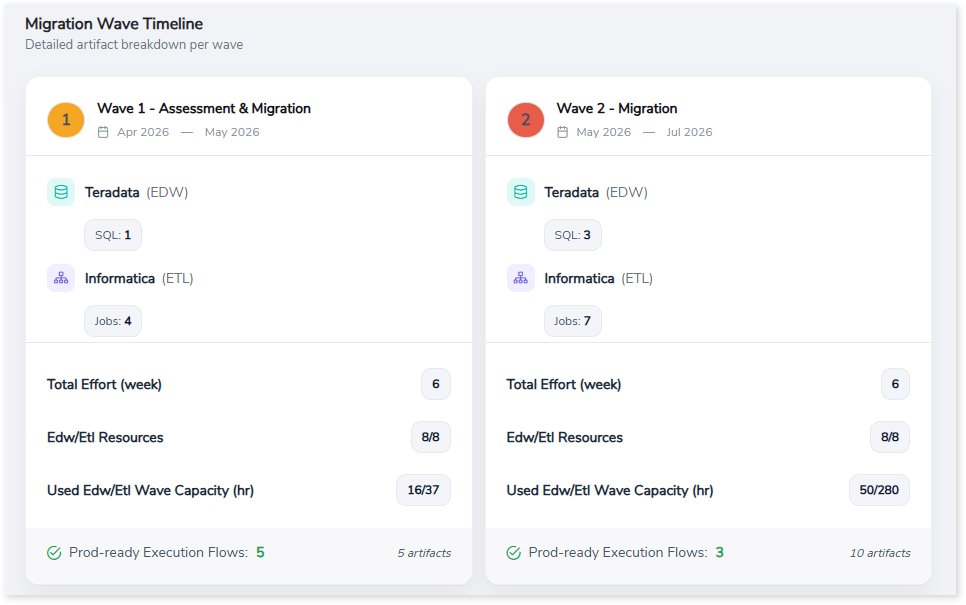
Migration Wave Timeline
The Migration Wave Timeline section shows a wave wise breakdown of workloads and planning metrics. For each wave, you can view:
- Wave name and planned date range
- Associated workload types (such as Teradata and Informatica)
- Total effort per wave (in weeks)
- Allocated EDW/ETL resources
- Used wave capacity
- Count of production ready execution flows included in the wave
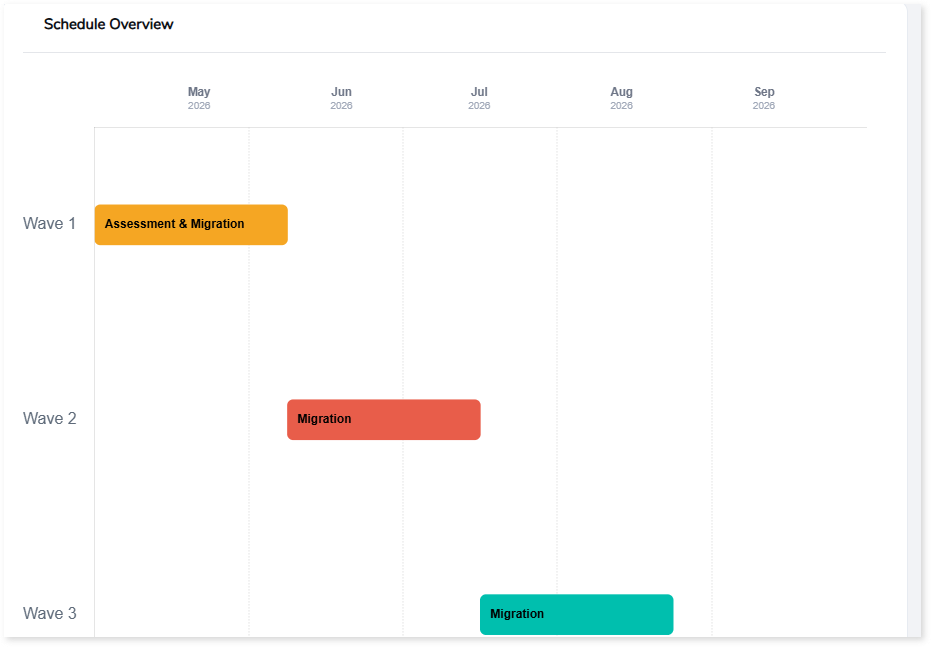
Schedule Overview
The Schedule Overview visualizes the wave plan across a timeline, displaying when each wave is planned to run over the project duration. It provides a clear, time-based view of wave sequencing, making it easier to understand overlaps, duration, and overall scheduling.
To download the wave plan for offline use, click Download.
The Wave Plan Downloaded Report provides an offline summary of the generated wave plan, including high‑level metrics and wave‑wise workload distribution details.
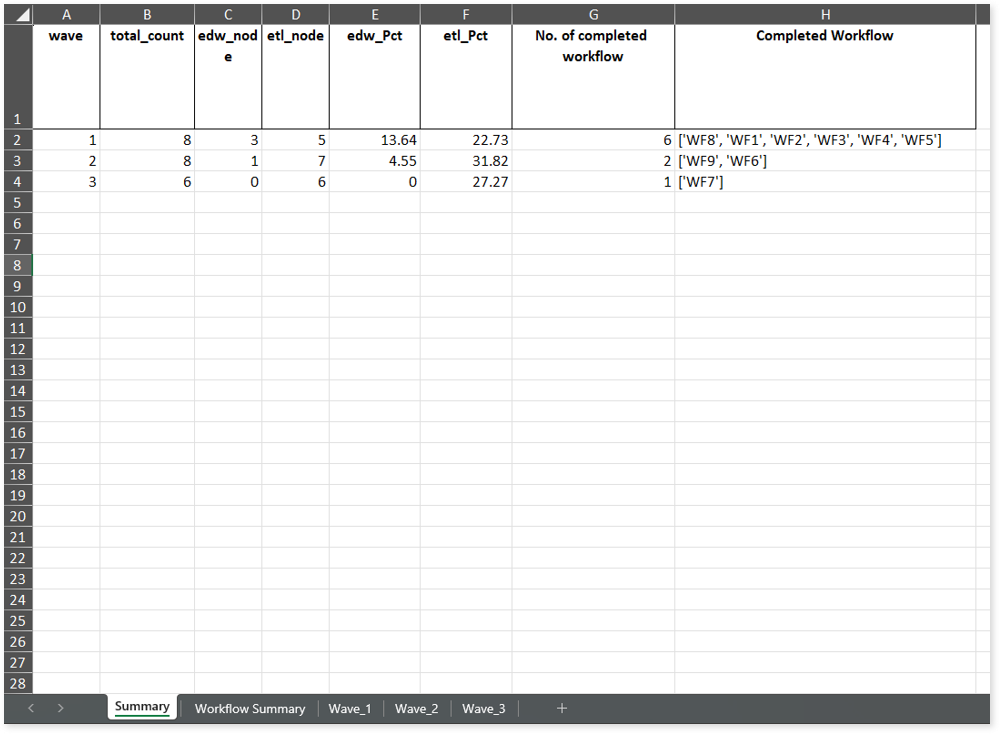
The report includes:
- Summary: Displays wave-wise workload counts, EDW/ETL distribution, completed workflow details, and more.
- Workflow Summary: Displays workflow-wise mapping to migration waves along with the related node details.
- Wave: Provides wave-wise workflow details, including associated artifacts, workflow IDs, job types, jobs, and more.
Wave Details
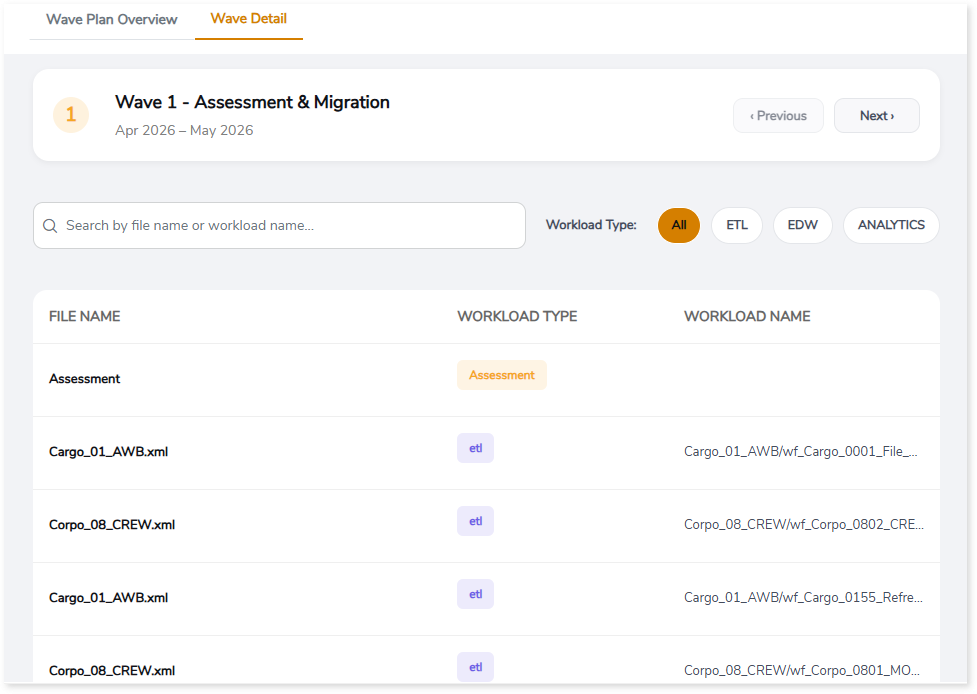
The Wave Details section provides a detailed, wave specific view of the workloads included in each migration wave. This view helps you review workload composition, workload types, and associated files for individual waves defined in the wave plan.
You can quickly locate specific workloads by searching by file name or workload name. The view also allows you to focus on specific workload categories—such as ETL, EDW, or Analytics—by applying workload type filters, helping narrow the list for targeted analysis.
 Leaplogic