Data Mesh Architecture
The Data Mesh architecture enables you to organize tables based on business domains, supporting a decentralized and domain-driven approach to data management. It focuses on aligning data ownership and organization with business functions, enabling scalable and independent data product development.
In This Topic:
Classifying Tables into Domains
You can classify tables into business domains based on ownership and functional context.
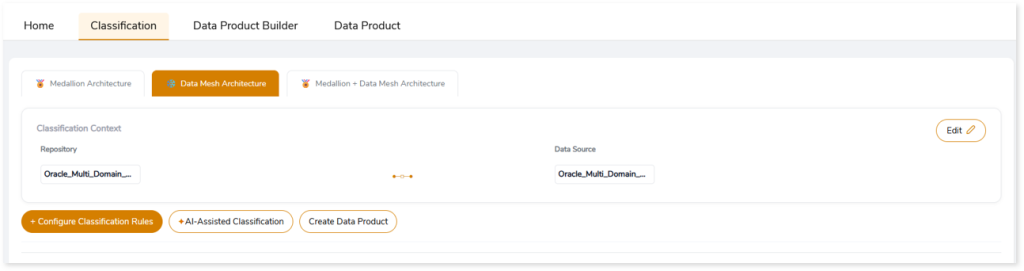
- Configure Classification Rules: Manually assign tables to domains based on business requirements.
- AI-Assisted Classification: Automatically classify tables into appropriate domains using AI-driven recommendations.
- Create Data Product: After classifying tables, click Create Data Product to design and build governed, domain-aligned data products with rich business and technical context.
Configuring Classification Rules
To manually classify tables into domains:
- Click + Configure Classification Rules.
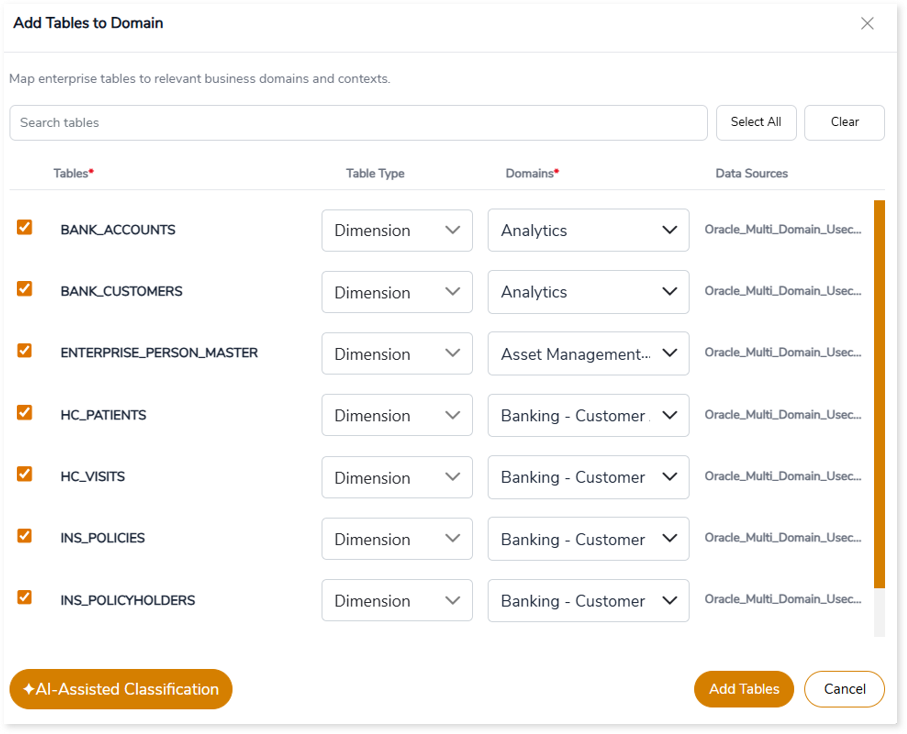
- In the Add Tables to Domain window, select the required tables.
- Assign each table to a Domain.
- Click Add Tables.
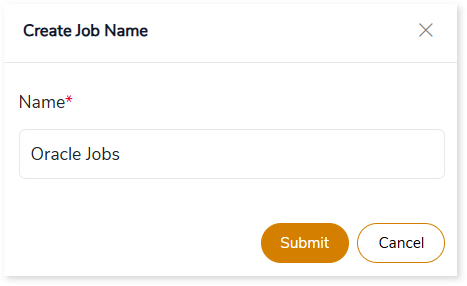
- In the Create Job Name window, enter a Job Name.
- Click Submit.
A confirmation message is displayed once the tables are successfully classified.

AI-Assisted Classification
To automatically classify tables using AI:
- Click + AI-Assisted Classification.
- The system analyzes the tables and assigns them to appropriate domains.
A confirmation message is displayed once the classification is complete.

Viewing Classified Tables
After classification, the system generates the Data Mesh – Table Classifications view, providing a consolidated summary of the classified data.
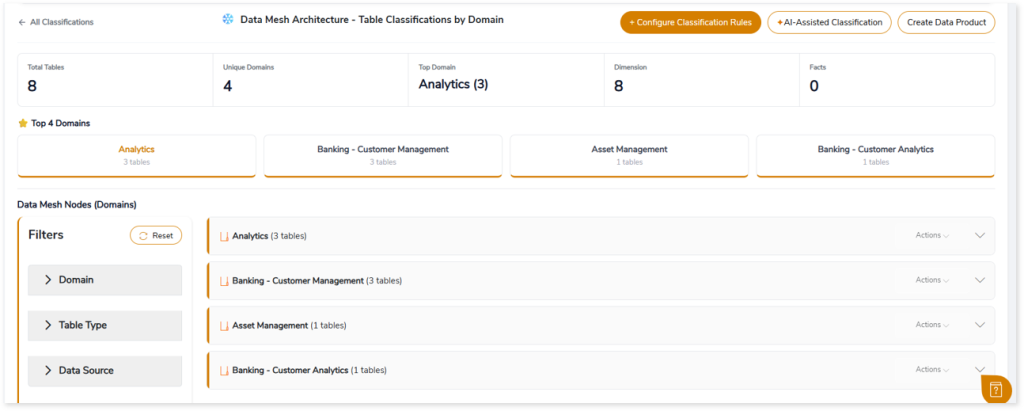
The summary section provides an overview of the classified data, including:
- Total number of tables.
- Number of unique domains.
- The top domain based on table count.
- Distribution across table types, such as Dimensions and Facts.

This overview helps you understand how tables are grouped across business domains.
Viewing Table Details
You can further explore the classified data in the domain view. Expand a domain to view detailed table-level information such as data sources, number of columns, PII fields, and more.
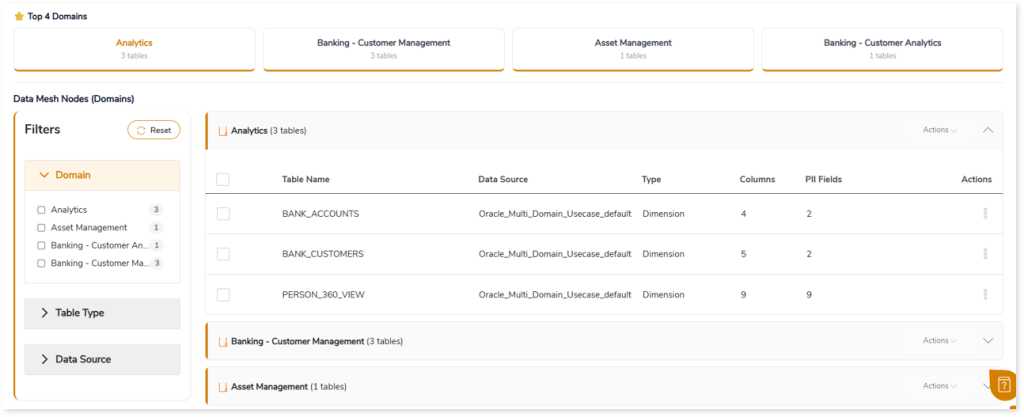
You can also use filters to refine the view based on Domain, Table Type, or Data Source.
Creating Data Products
Once the tables are classified into domains, you can create data products directly from this page.
- Click Create Data Product.
- Proceed to the Data Product Builder to design and define domain-aligned data products.

This allows you to move from classification to creating governed, domain-aligned data products with rich business and technical context.
 Leaplogic