Context-Aware Lineage
Context-Aware Lineage enhances traditional lineage by introducing domain-driven semantics that align technical data flows with business understanding. It bridges the gap between technical lineage—where assets are represented as tables or entities—and business lineage, which organizes information based on domains of business entities. This approach enables users to interpret lineage through a more intuitive, domain-centric perspective.
Context-Aware Lineage generates semantic lineage (with domain context) that connects data, code, and processes across fragmented ecosystems. It also provides business-first impact analysis across upstream and downstream dependencies, data products, and critical assets.
To use this feature, enable Context-Aware Lineage in the Lineage Configuration page and configure the associated repositories.
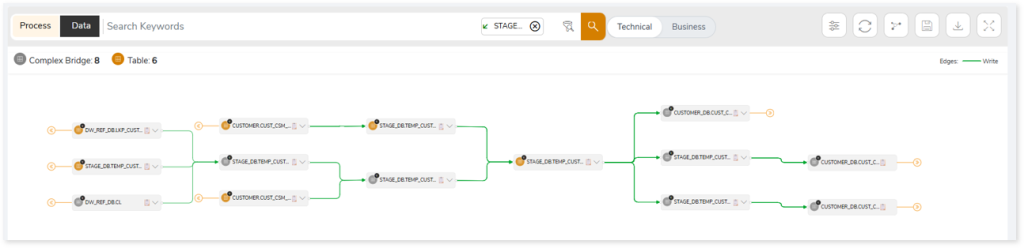
Lineage Views
Once enabled, you can switch between the following views in the lineage graph:
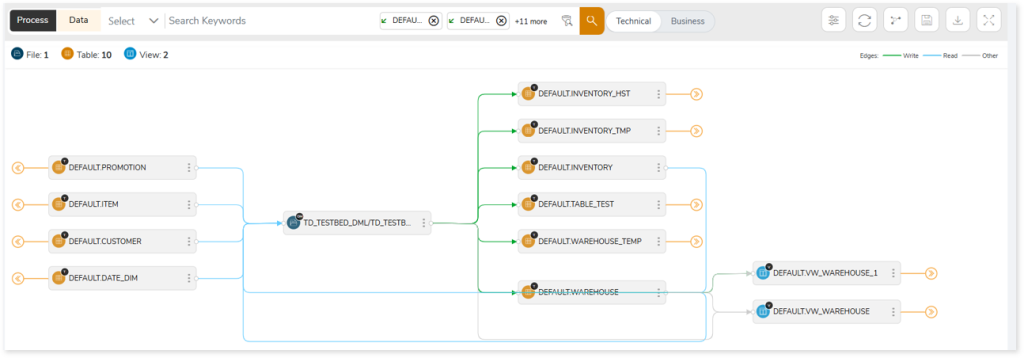
Technical Lineage
Click Technical to view lineage where nodes represent table names, showing the detailed technical flow of data.
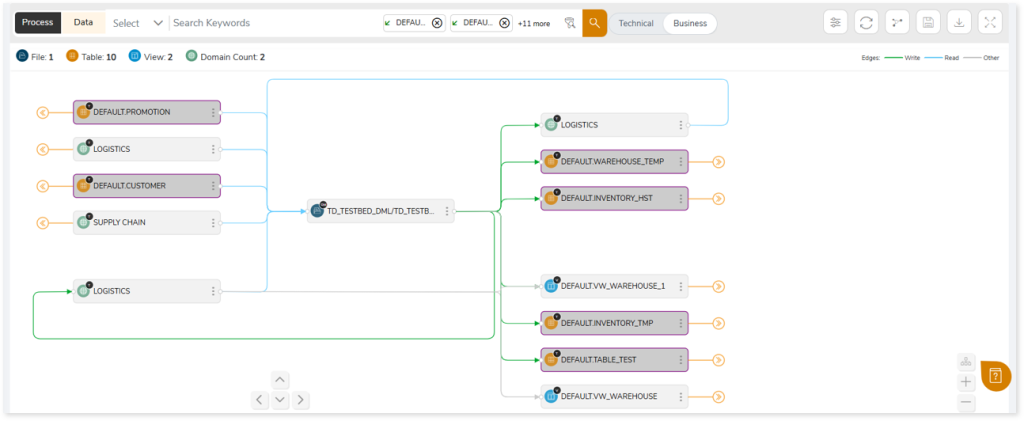
Business Lineage
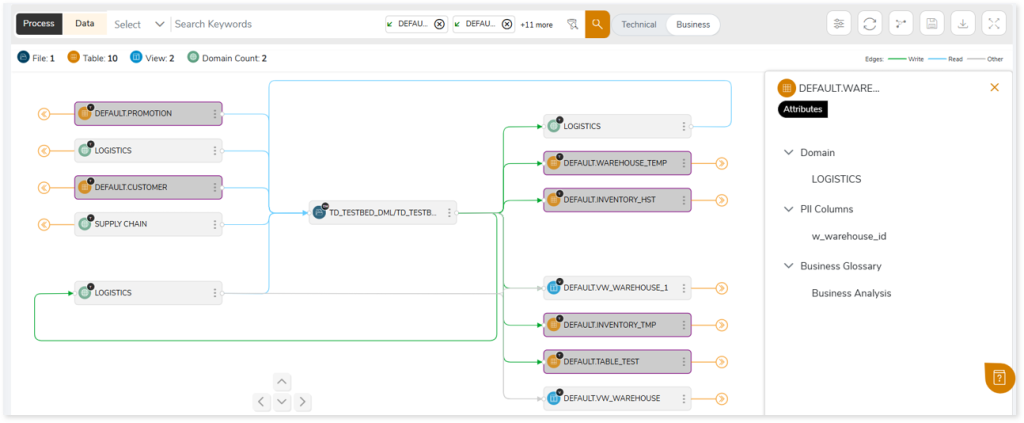
Click Business to view lineage where nodes represent domain names associated with the tables, providing a business-level perspective of data flow.
Additional Details in Business Lineage
Business Lineage provides enriched semantic context, including domain, sub-domain, data product, glossary, ownership, and criticality information.
To view these details:
- Click the three dots (⋮) on a domain node in the lineage graph.
- Select Metadata.
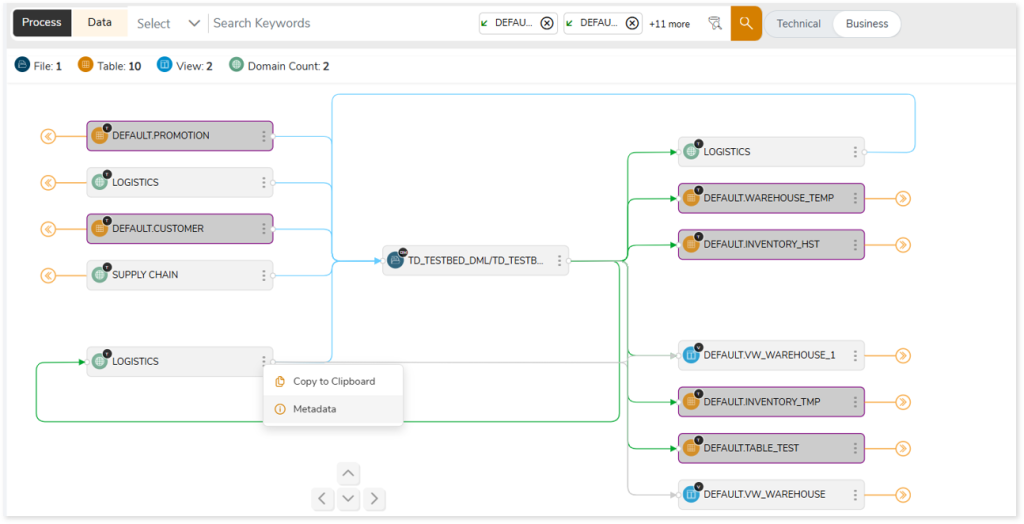
- The metadata view opens in the right-hand panel and displays additional attributes such as PII columns, business glossary terms, and more, providing deeper insights into the data and its business context.
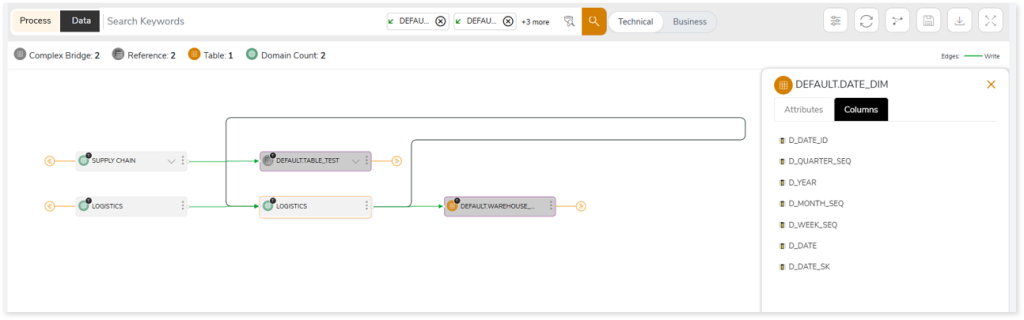
Additionally, in Column-Level Lineage, the panel displays all columns associated with the selected table within the domain.
 Leaplogic