Databricks Jobs Lineage Report
The Databricks Jobs Lineage Report provides insights into job configurations and execution dependencies within a Databricks environment. It helps you understand how jobs are structured, how tasks are interconnected, and identifies patterns that support modernization readiness. The supported input file formats for Databricks Jobs lineage are IPYNB, JSON, ZIP, and CSV.
In This Topic:
Highlights
The Highlights section provides a high-level overview of the assessment performed on the Databricks Jobs.
Summary
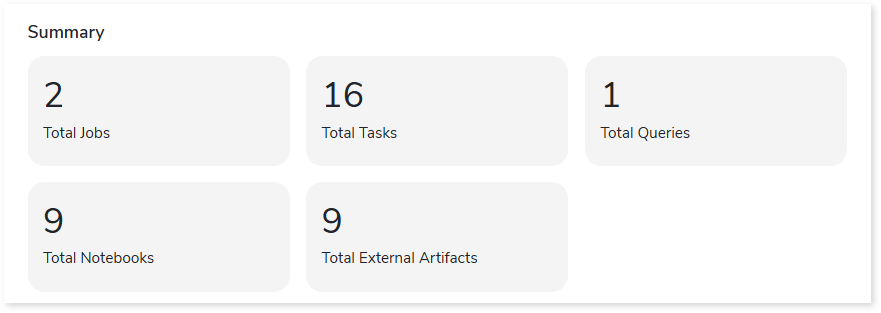
This section presents a consolidated overview of Databricks Jobs and their associated workload inventory, including tasks, queries, notebooks, and more.
Complexity
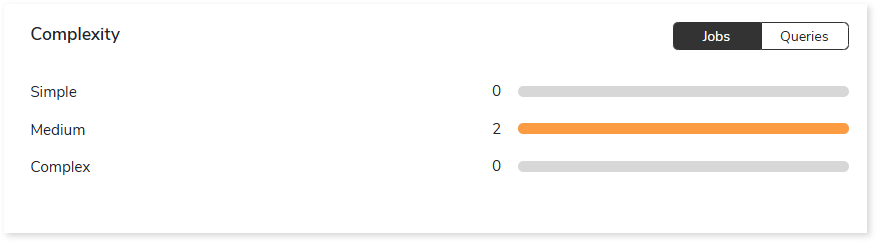
This section provides a summarized graphical representation of Databricks This section provides a summarized graphical representation of Databricks job and query-level complexity, enabling informed decision-making, including budget estimation.
Orchestration Summary
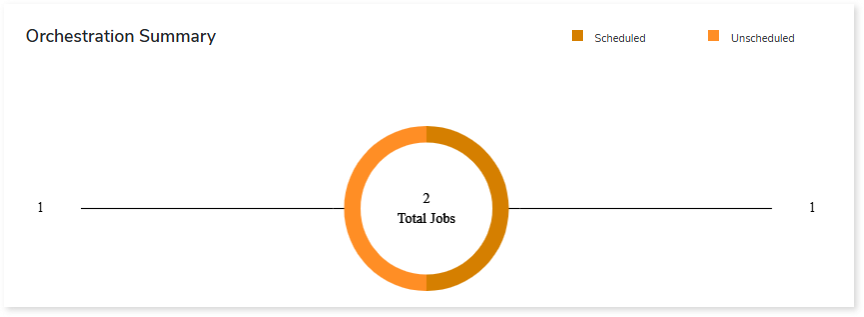
This section provides an overview of total, scheduled, and unscheduled Databricks jobs.
Query Summary
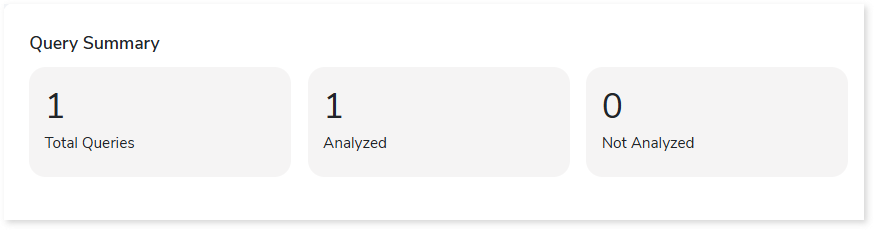
This section provides an overview of total, analyzed, and unanalyzed queries within the entire inventory.
Downloadable Reports
Downloadable reports allow you to export detailed assessment reports of your source data which enables you to gain in-depth insights with ease. To access these assessment reports, click Reports.

Types of Reports
In the Reports section, you can see various types of reports such as Insights and Recommendations, Source Inventory Analysis, and Lineage Analysis reports. Each report type offers detailed information allowing you to explore your assessment results.

Insights and Recommendations
This report provides an in-depth insight into the source input files. It contains the final output including the details of jobs, complexity, files, variables, and so on.
Databricks Job Assessment Report.xlsx: This report provides insights about the source inventory. It helps you plan the next frontier of a modern data platform methodically. It includes information about aggregated inventory, jobs, tasks, orchestrations, and more.
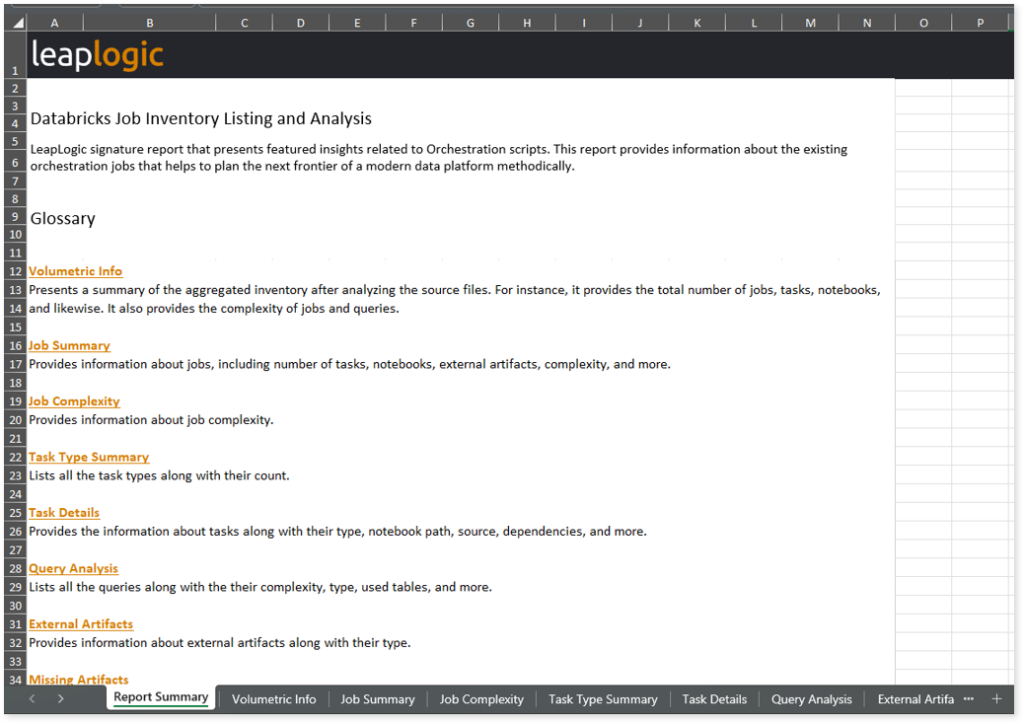
This report contains the following information:
- Report Summary: Provides information about all the generated artifacts.
- Volumetric Info: Presents a summary of the aggregated inventory after analyzing the source files. For instance, it provides the total number of jobs, tasks, notebooks, and likewise. It also provides the complexity of jobs and queries.
- Job Summary: Provides information about jobs, including number of tasks, notebooks, external artifacts, complexity, and more.
- Job Complexity: Provides information about job complexity.
- Task Type Summary: Lists all the task types along with their count.
- Task Details: Provides the information about tasks along with their type, notebook path, source, dependencies, and more.
- Query Analysis: Lists all the queries along with their complexity, type, used tables, and more.
- External Artifacts: Provides information about external artifacts along with their type.
- Missing Artifacts: Lists all the missing artifacts along with the type and relevant information.
- Orchestration Details: Provides information about orchestrations along with their active status, trigger type, and relevant information.
Source Inventory Analysis
It is an intermediate report which helps to debug failures or calculate the final report. It includes all the generated csv reports.

Lineage_Raw.xlsx: This report provides complete dependency information for all nodes and provides an end-to-end view of both data and process lineage. It helps you identify the overall dependency structure and trace data flow across components.
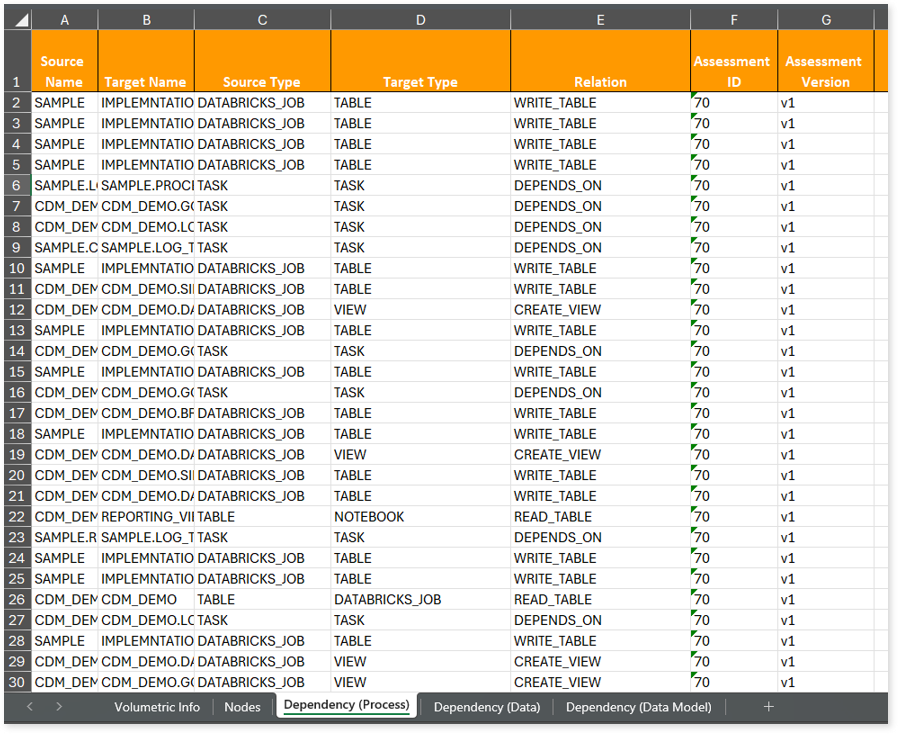
This report contains the following information:
- Volumetric Info: Provides volumetric information about the artifact types including tables, notebooks, tasks, files, views, and Databricks jobs.
- Nodes: Lists all the source and target nodes along with their type. Each node represents a data object in the lineage—such as a table, view, notebook, etc.—making it easier to trace how data is consumed, transformed, and processed across the workflow.
- Dependency (Process): Provides information about the process lineage. It offers detailed visibility into interdependencies between processes—such as notebook, tables, views, and Databricks Jobs—helping you understand how they are connected within the workflow.
- Dependency (Data): Provides information about the data lineage. It captures detailed table-level—including input tables, output tables, and reference tables—offering end-to-end visibility into how data flows and transforms across the workflow.
- Dependency (Data Model): Provides dependency details about the data models. It highlights the end-to-end relationships and dependencies between model elements, helping you understand structure and trace linkages.
To access various outputs such assessment_unparsed_files, file summary, missing artifacts, and more, navigate through the schedular > databricksjobs folders.
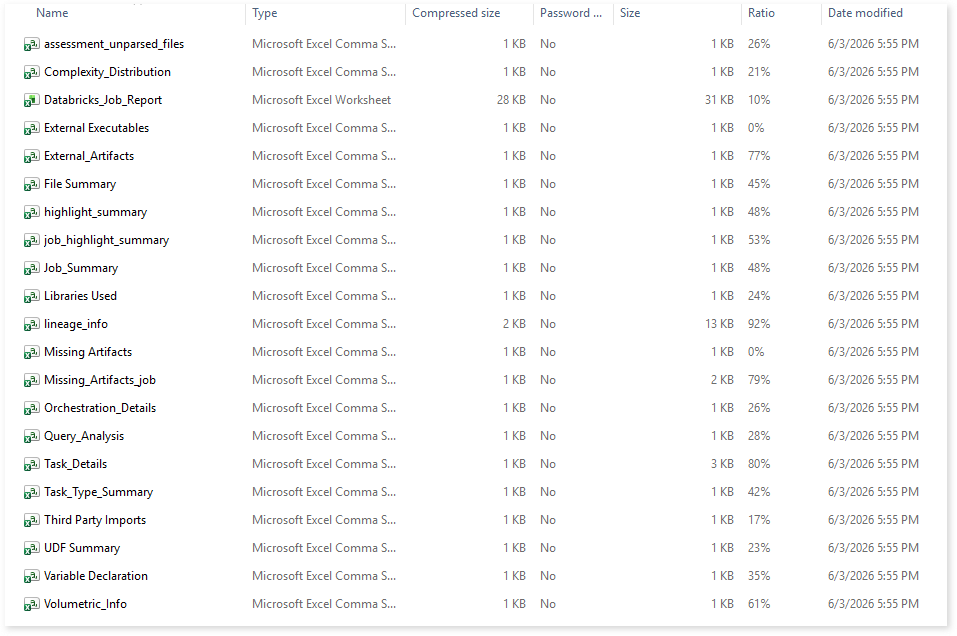
assessment_unparsed_files.csv: This report lists all the unparsed files along with the reason for parsing failure.
File Summary.csv: This report provides a summary of source files, including the total number of lines, statements, imports, and other key metrics.
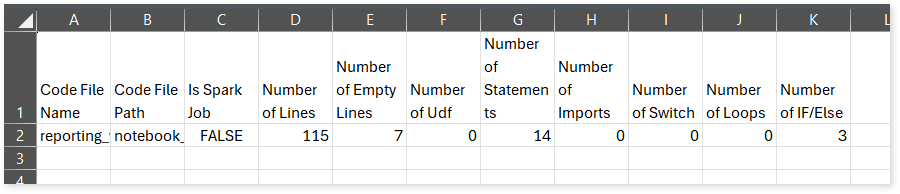
Missing Artifacts.csv: This report lists all the missing artifacts.
lineage_info: This report provides information about source and target nodes, including their types and the relationships between them.
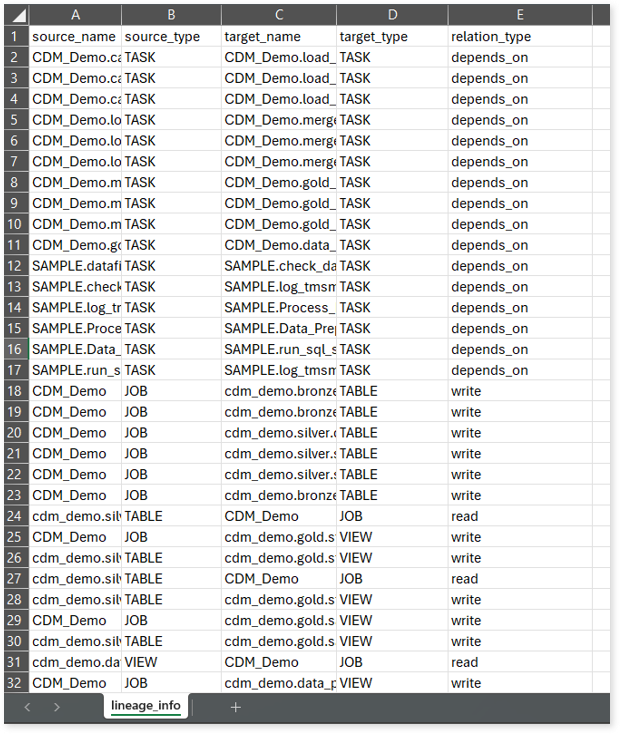
Orchestration Details: This report provides information about orchestrations along with their active status, trigger type, and relevant information.
Lineage Analysis
This section provides lineage-related reports, including entity_link.csv, entity_report.csv, entity_summary.csv, link.csv, script_report.csv reports.
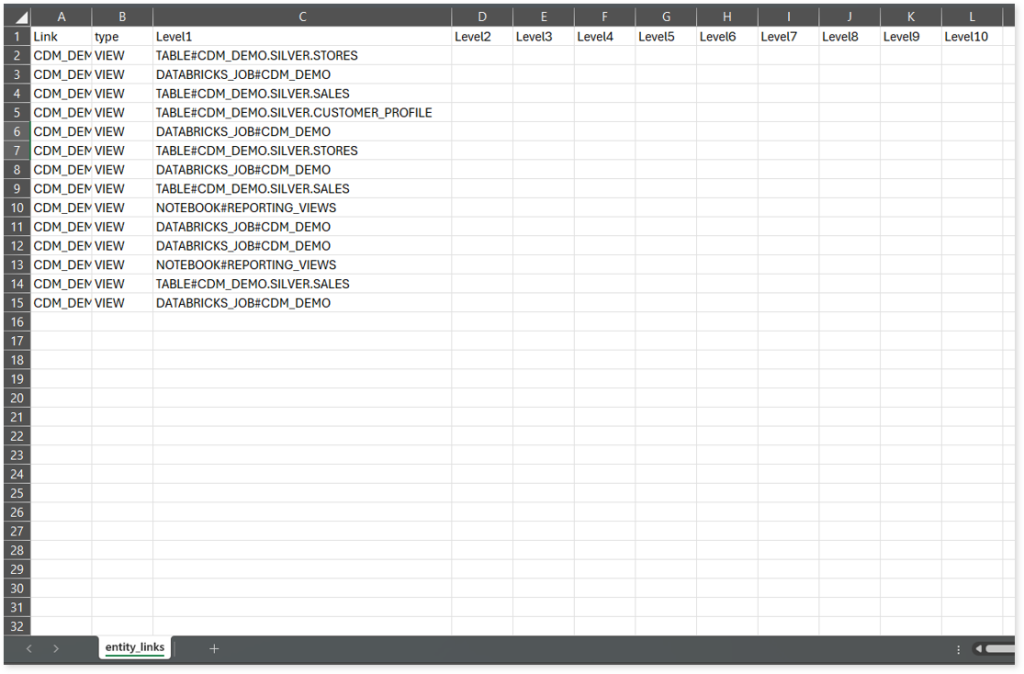
entity_links.csv: This report provides information about how views are connected to entities or tables and how these links extend across multiple levels. Level 1 shows the immediate table to which a view is linked. If that table is further connected to another entity, the next connection appears in Level 2, and so on.
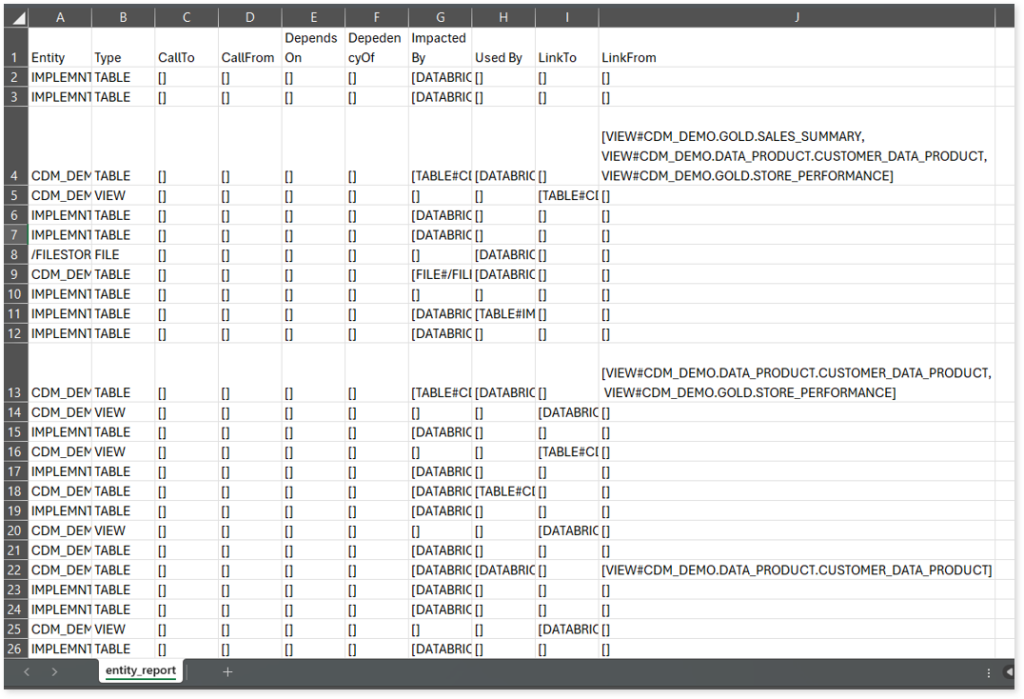
entity_report.csv: This report gives detailed lineage information for each entity in the uploaded source files. It lists all entities along with their types, dependencies, and relationships. The report also shows what each entity depends on, what impacts it, where it is used, and so on.
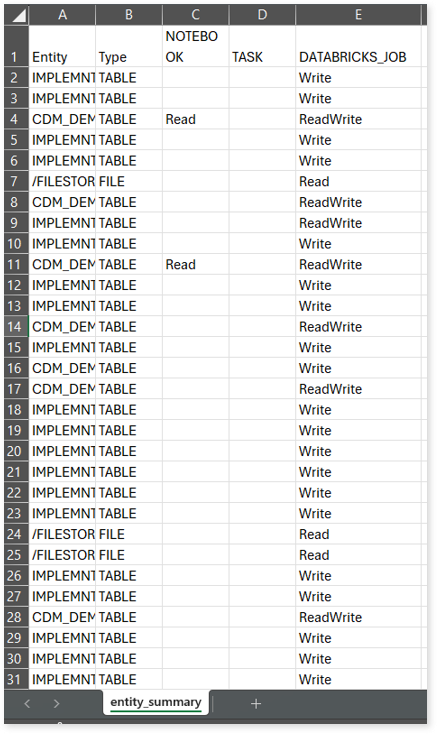
entity_summary.csv: This report provides a list of entities from uploaded source files, indicating where they appear (e.g., Notebook, Task, and Databricks Job) and the operations performed on them—Read, Write, or ReadWrite.
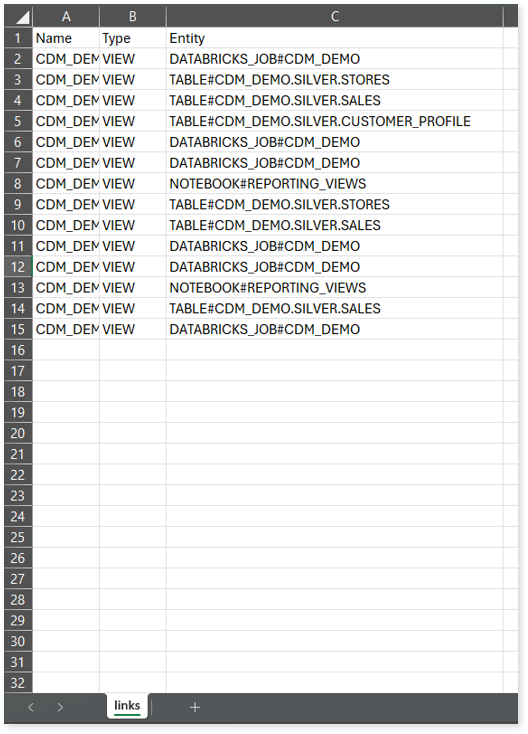
link.csv: This report provides information about entities linked to each view.
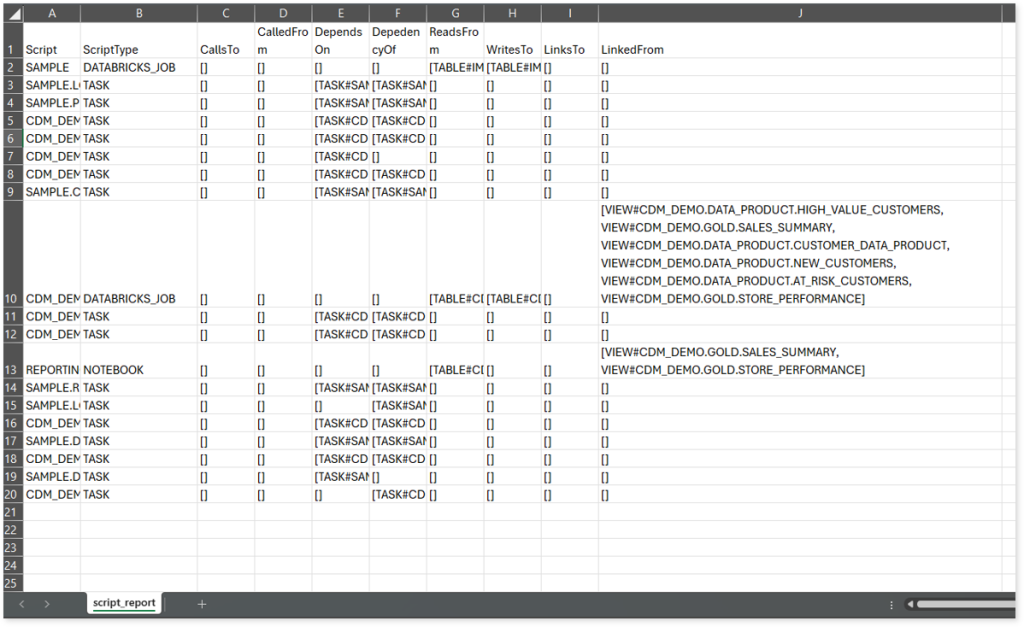
script_report.csv: This report provides detailed lineage information for each script. It lists all scripts along with their type, specifies the processes, entities, or scripts from which each script reads data and those to which it writes, as well as other dependency details.
 Leaplogic