Medallion Architecture
The Medallion Architecture enables you to organize tables into structured layers based on data refinement stages. Tables are classified into Bronze, Silver, and Gold layers, representing the progression from raw data to curated and business-ready datasets. This approach helps structure data based on processing levels and quality, ensuring a consistent and scalable data organization model.
In This Topic:
Classifying Tables into Layers
You can classify tables into Medallion layers using the following methods:
- Configure Classification Rules: Manually assign tables to Medallion layers based on your requirements.
- AI-Assisted Classification: Automatically classify tables into appropriate layers using AI-driven recommendations.
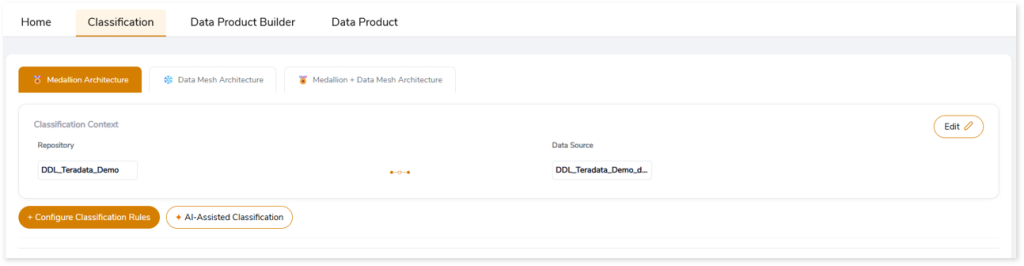
Configuring Classification Rules
To manually classify tables using Configure Classification Rules:
- Click + Configure Classification Rules.
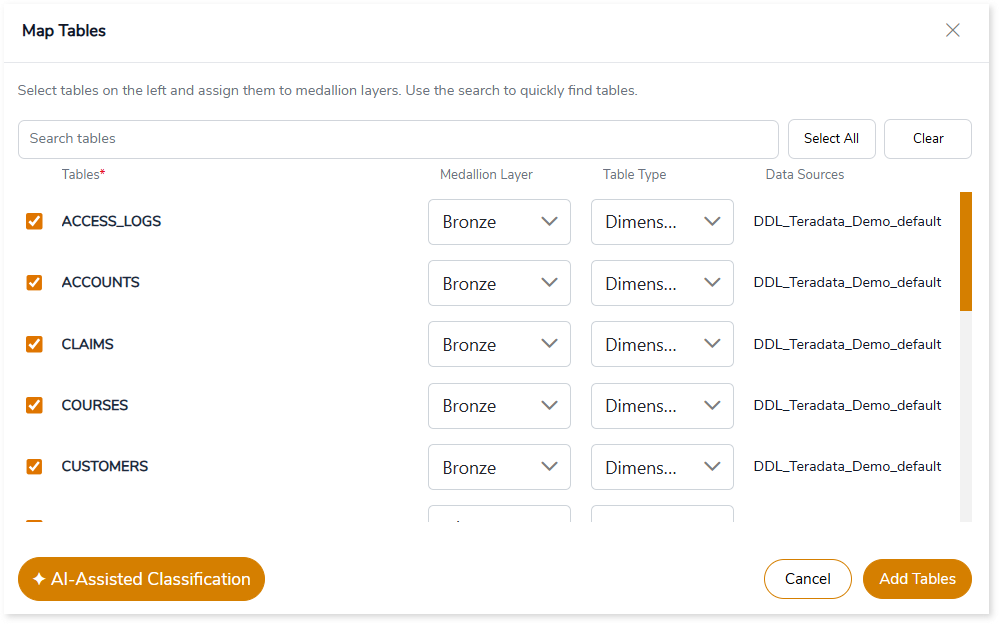
- In the Map Tables window, select the required tables.
- Assign each table to a Medallion layer (Bronze, Silver, or Gold).
- Click Add Tables to apply the classification.
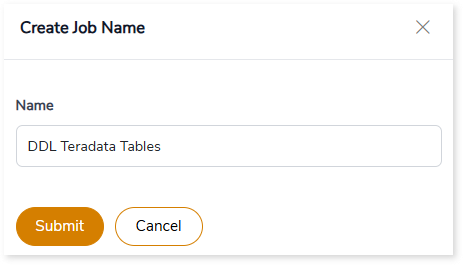
- In the Create Job Name window, enter a Job Name.
- Click Submit to complete the classification
A confirmation message is displayed once the tables are successfully classified.

AI-Assisted Classification
To automatically classify tables using AI-Assisted Classification:
- Click + AI-Assisted Classification.
- The system analyzes the tables and automatically assigns them to the appropriate Medallion layers.
A confirmation message is displayed once the tables are successfully classified.

Viewing Classified Tables
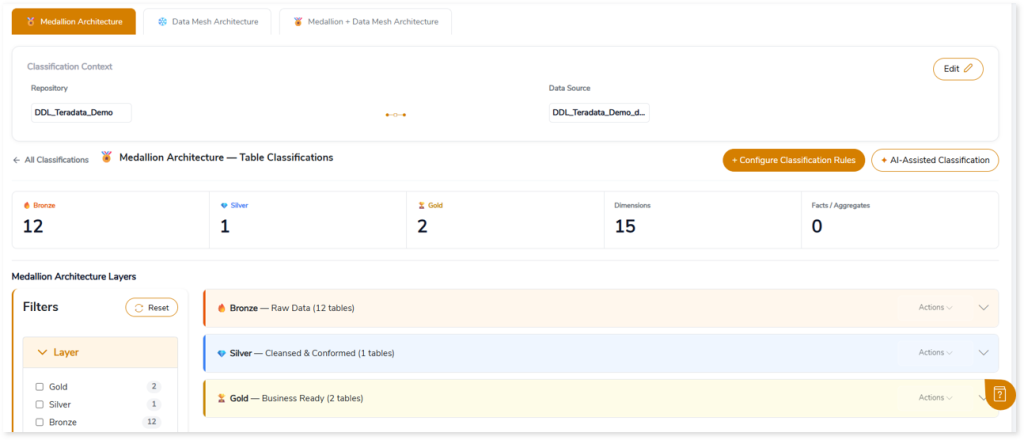
After classification, the system generates the Medallion Architecture – Table Classifications view, providing a consolidated summary of the classified data.
Classification Summary
The summary section provides an overview of the classified data, including:
- Total tables in Bronze, Silver, and Gold layers
- Distribution across table types, such as Dimensions and Facts/Aggregates
This helps you quickly assess how tables are organized within the Medallion architecture.

Viewing Table Details
You can further explore the classified data in the Medallion Architecture Layers section. Each layer—Bronze (Raw Data), Silver (Cleansed & Conformed), and Gold (Business Ready)—is displayed with the total number of tables assigned.
Expand any layer to view detailed table-level information such as data sources, number of columns, PII fields, and more.
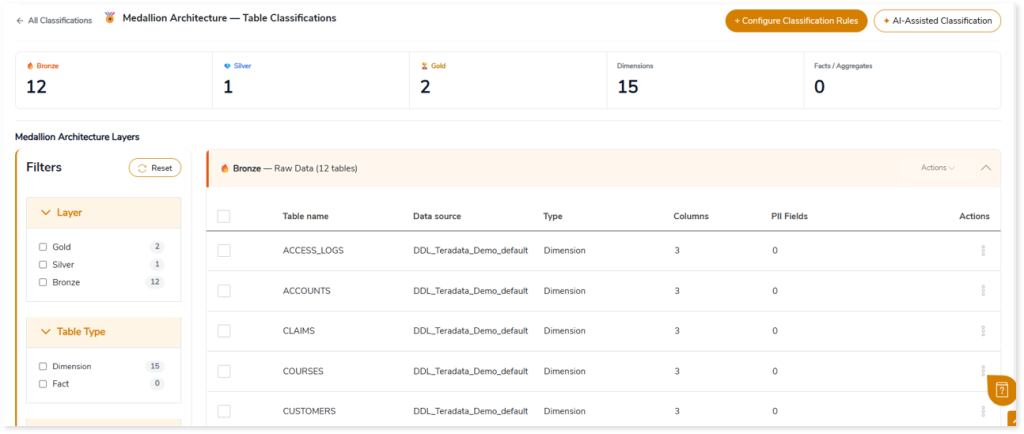
You can also use filters to refine the view based on Layer, Table Type, or Data Source.
 Leaplogic