Entity-Relationship (ER) Model
The Entity-Relationship (ER) Model provides a visual representation of how entities are connected within your dataset. Using intelligent, agent-driven relationship detection, the system identifies dependencies and illustrates how tables interact with one another. This helps you understand upstream and downstream linkages, evaluate data dependencies, and interpret how information flows across related assets.
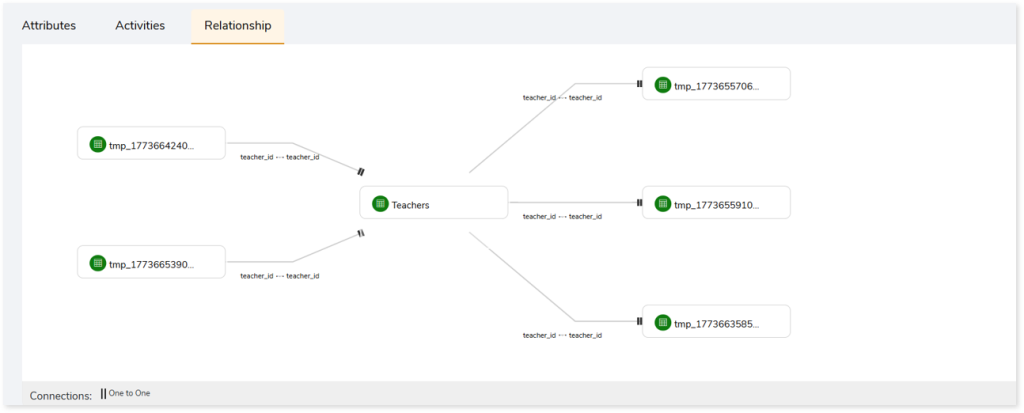
The ER Model displays relationships using a clear, node‑based layout. Each entity appears as a node, with connecting lines indicating how tables relate through shared column values. The view highlights the exact columns that establish each relationship—for example, two tables linked through a common column such as teacher_id (as shown in the image above). It also shows how entities are connected through different relationship types, such as one-to-one or one-to-many.
This view enables faster interpretation of entity relationships and improves your understanding of data structure, referential context, and lineage.
Key Capabilities
The key capabilities include:
- Intelligent identification of entity relationships and dependencies
- Agent-driven mapping of related tables through shared column values
- Clear visualization of entity connections in the Relationship view
- Faster understanding of lineage and table‑level dependencies
Viewing the Entity‑Relationship (ER) Model
You can view the visual ER Model within the Entity Details page, where relationships between entities are depicted through connected nodes.
To view the ER Model:
- Log in to your Impetus LeapLogic Catalog.
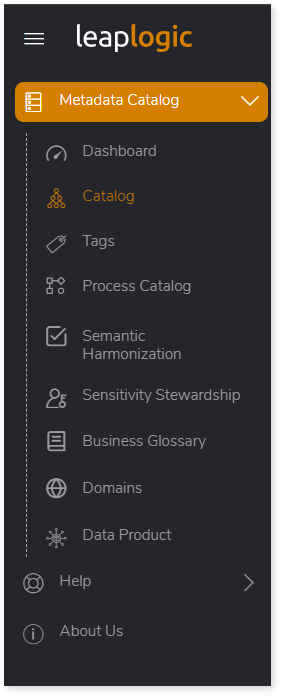
- From the left navigation pane, select Metadata Catalog > Catalog.
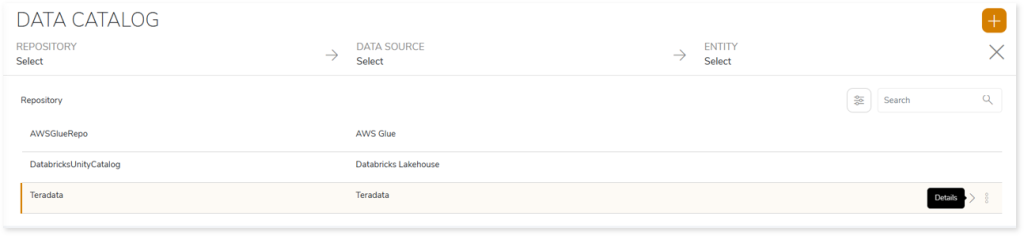
- Click Open Data Catalog.

- Click Details on the preferred repository to open the Data Source.
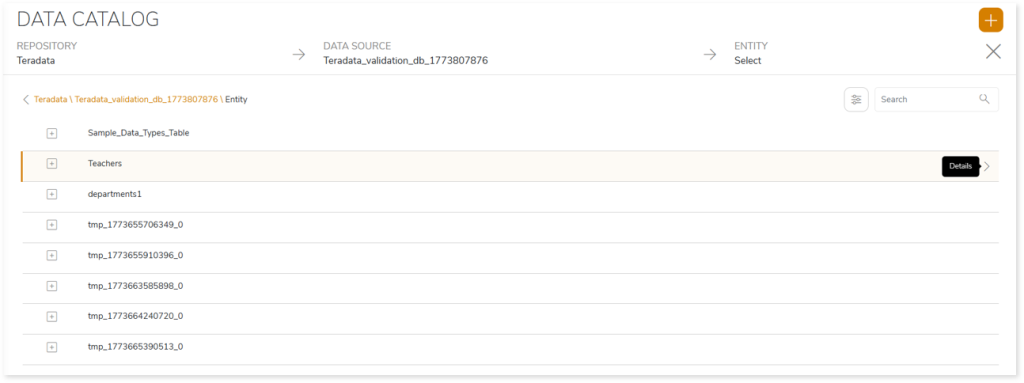
- Click Details on the Data Source to view the list of Entities.
- Click Details on any entity to open its detailed insights.
- This navigates you to the Entity Details page. Select the Relationship tab to view the Entity‑Relationship (ER) Model, where entity connections are visually displayed.
 Leaplogic