Agentic AI-Led PII Detection
Agentic AI-Led PII Detection augments the metadata catalog with intelligent, context-aware mechanisms to identify and classify sensitive data elements across different data sources. Leveraging lightweight autonomous agents, the system scans metadata, schema attributes, and sample data patterns to detect Personally Identifiable Information (PII) with improved precision and minimal manual intervention.
Unlike static rule-based approaches, this capability combines pattern recognition with contextual inference, enabling more reliable identification of fields such as names, contact details, financial identifiers, and quasi-identifiers. It operates seamlessly within existing catalog workflows, ensuring that data discovery and governance remain uninterrupted.
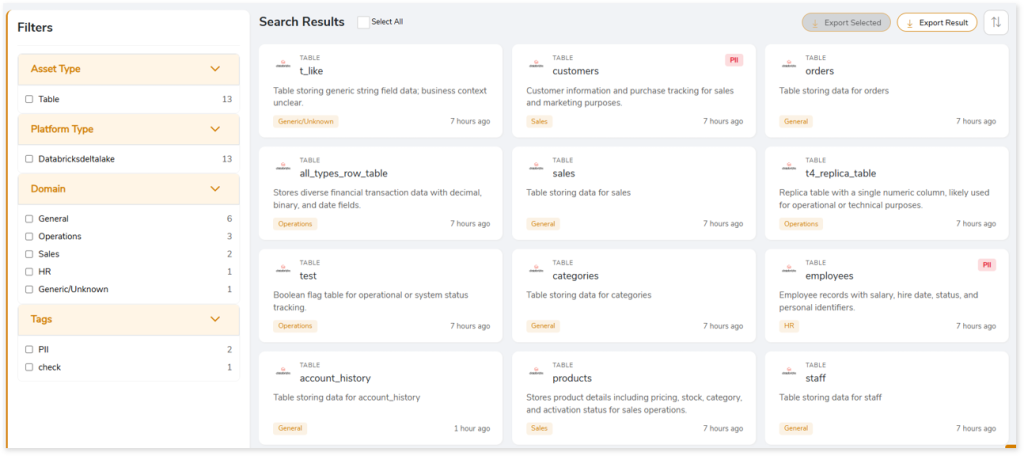
Key Capabilities
The key capabilities include:
- Automated tagging of PII attributes using pre-configured detection rules
- Context-aware classification to reduce false positives and improve accuracy
- Automatic PII detection at column and dataset level
- Manual review and override of AI-generated tags
- Search and filter datasets using sensitivity tags
This feature provides a practical foundation for strengthening data privacy and governance without adding operational complexity.
Viewing PII Details in the Metadata Catalog
The Metadata Dashboard provides a consolidated view of all data assets tagged with Personally Identifiable Information (PII). This allows users to quickly locate sensitive entities and review attribute‑level PII classifications applied by the agentic AI engines.
To view PII‑tagged entities:
- Log in to your Impetus LeapLogic Catalog account.
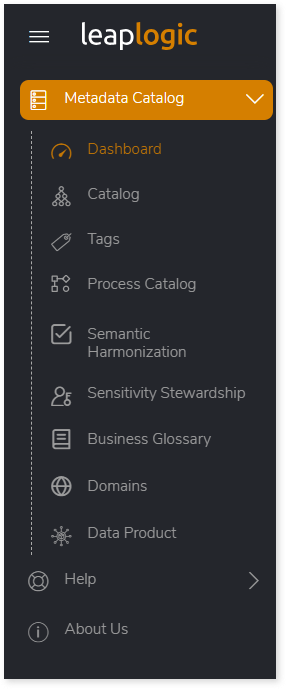
- In the left navigation pane, select Metadata Catalog > Dashboard.
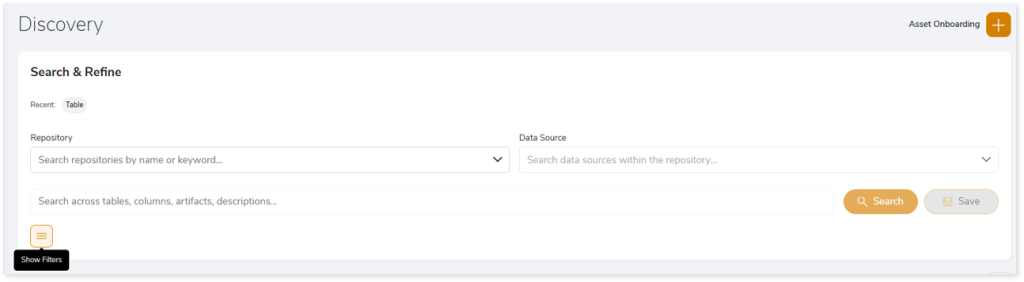
- Click the Show Filters icon to expand the filters panel.
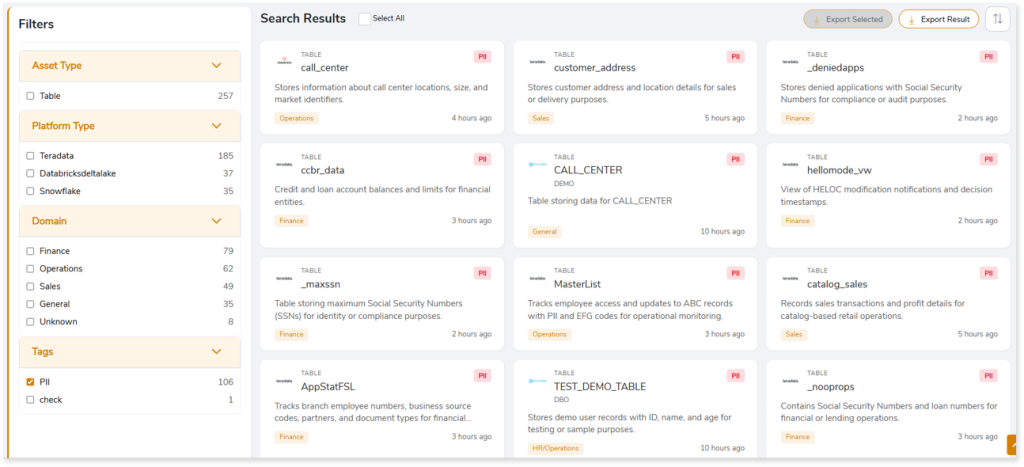
- In the Tags section, select PII.
- The Search Results area displays all tables containing PII‑classified columns or data elements.
- Click any entity card—for example, a table such as customer_address—to open its detailed view.
- This navigates you to the Entity Details page, where you can view:
- Column-level PII tags
- Entity metadata, comments, and business descriptions
- Column count, data types, and profiling insights
- Entity relationship diagrams showing upstream and downstream dependencies
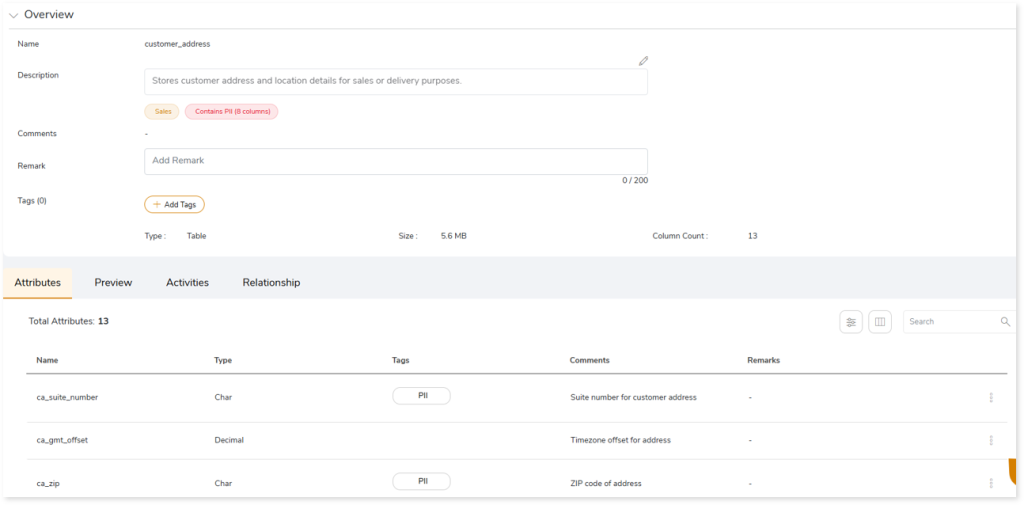
This view provides complete visibility into how PII is distributed across your catalog, enabling informed decision‑making for governance, access control, and compliance workflows.
 Leaplogic