Metadata Dashboard
The Metadata Dashboard provides a centralized view of all metadata discovered from your created repositories and connected data sources. It allows you to quickly search, filter, and explore the tables, views, and related metadata entities that are captured during metadata ingestion. This dashboard helps you understand what metadata is available in each repository and data source, and enables you to locate specific entities with ease.
In This Topic:
Accessing the Metadata Dashboard
To access the Metadata Dashboard:
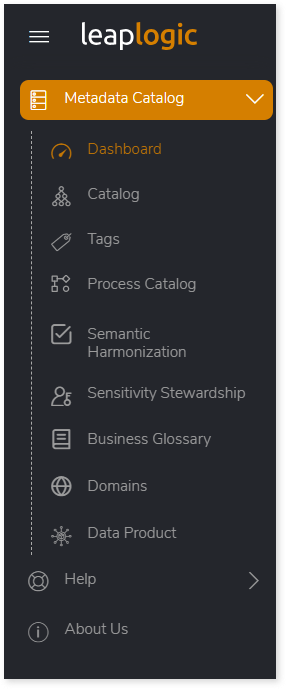
- Log in to your LeapLogic Meadata Catalog account.
- From the left navigation pane, select Metadata.
- Click Dashboard to open the Metadata Dashboard view.
Searching and Exploring Metadata
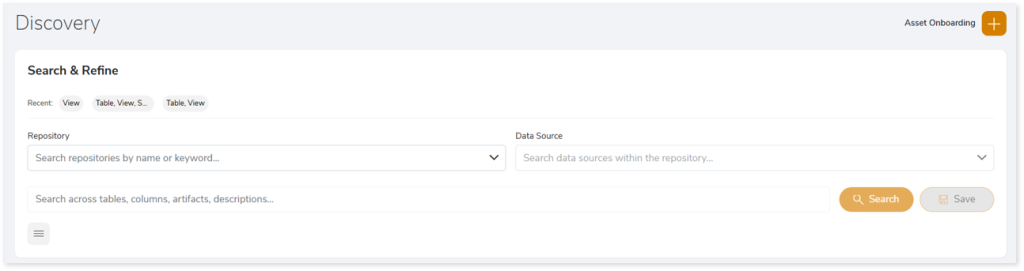
The Metadata Dashboard provides a centralized view for searching, filtering, and exploring all metadata discovered from your connected repositories and data sources. It helps you quickly identify relevant tables, views, and related metadata entities captured during metadata ingestion. With intuitive filters and keyword-based search, you can efficiently narrow results and locate the metadata you need.
Key Capabilities
- View all discovered metadata: Access all tables, views, and other ingested entities from the selected repository.
- Filter metadata: Filter metadata using asset type, platform type, domain, and tags.
- Search across metadata attributes: Search metadata across the selected repository and data source, or use keyword‑based search to find entities by table names, column names, artifacts, and descriptions.
How to Find Specific Metadata Entities
Follow these steps to locate specific tables, columns, or other metadata entities:
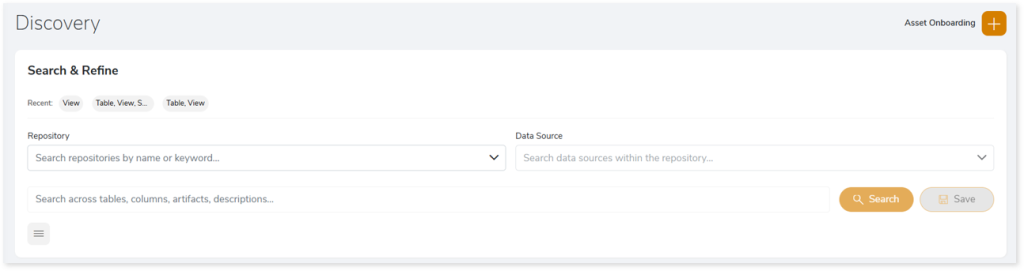
- Select a Repository and Data source.
- Enter a keyword—such as a table name, column name, artifact, or description—in the Search field.
- Click Search to view the related data.
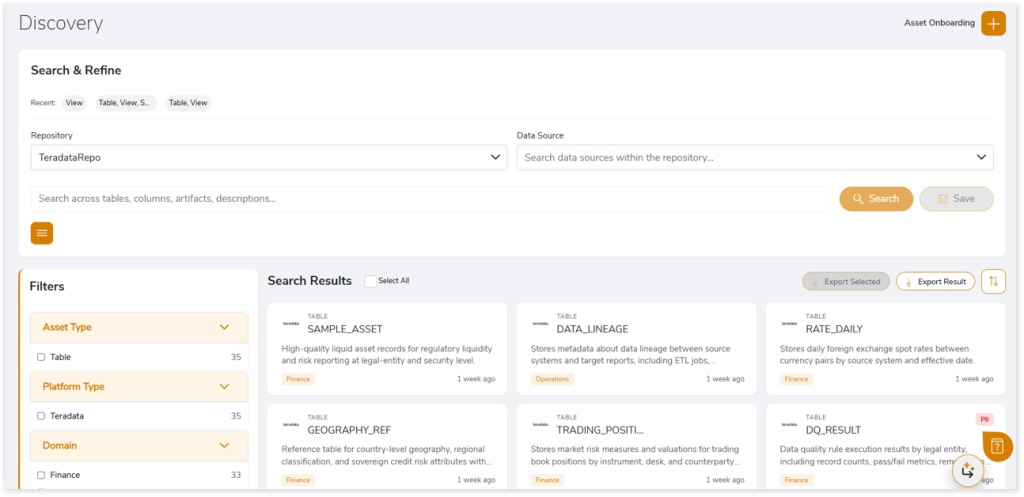
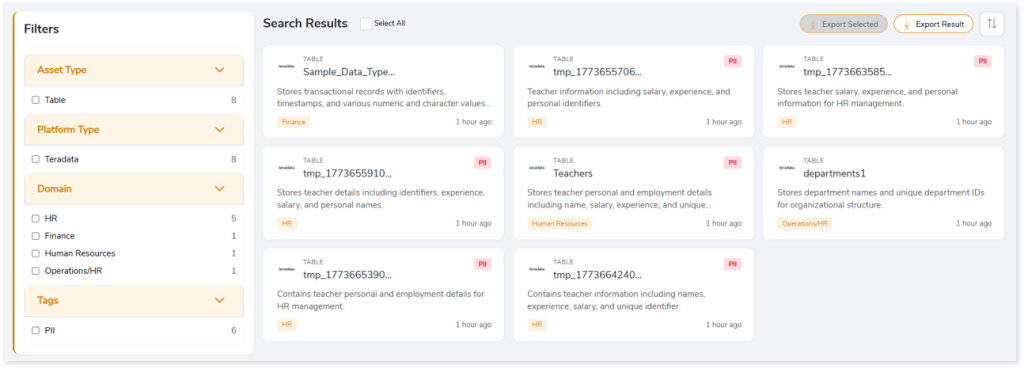
- After clicking Search, the matching results appear as cards showing the entity name, source, and other related details—making it easy to identify and explore the metadata you need.
- Click the Filters icon (
 ) to open the filters panel, where you can refine results by asset type, platform type, domain, and tags.
AI‑Powered Metadata Insights
The Metadata Dashboard leverages agentic AI to deliver a richer, contextual understanding of your data assets. It intelligently maps entities to relevant business domains and concepts, keeps metadata synchronized with evolving source systems, and generates clear, business‑friendly descriptions. The system also automatically identifies and tags sensitive and PII‑related attributes, helping support compliance and responsible data usage.
Exporting Metadata Results
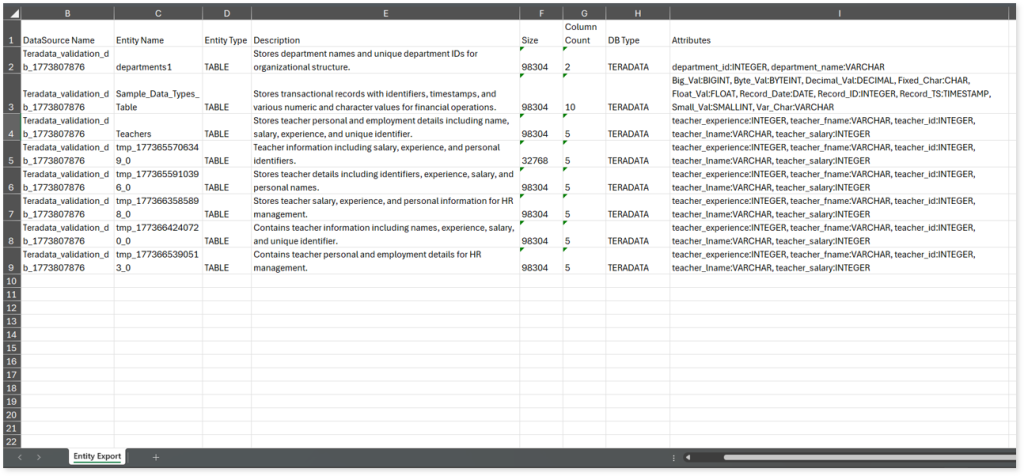
When you click Export Result, the system downloads an Excel report named metadata_export_all. This report includes detailed information about all metadata entities—such as the data source name, entity name, entity type, AI‑generated description, column details, and other attributes.
 Leaplogic