JCL Assessment Report
This topic contains information about the JCL assessment report generated via LeapLogic AI. The assessment assesses workloads and produces in-depth insights that help to plan the migration. The input format for JCL assessment is TXT, or JCL file format.
In This Topic:
Highlights
The Highlights section provides a high‑level overview of the assessment performed on the selected mainframe workloads.
Summary
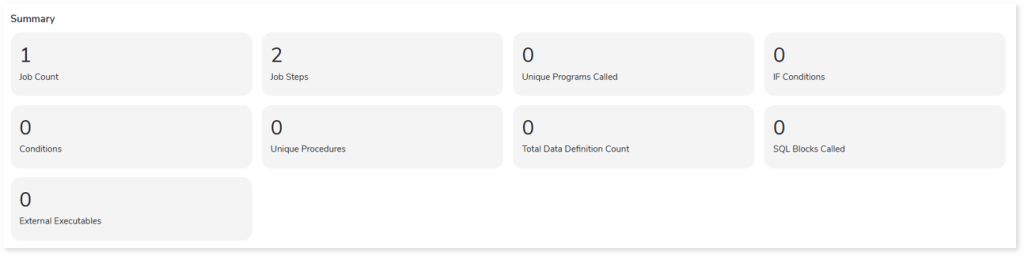
This section presents an overview of the input files and the associated workload inventory. It includes details such as the total number of jobs, job steps, If conditions, conditions, and other key elements identified during analysis.
Downloadable Reports
Downloadable reports allow you to export detailed assessment reports of your source data which enables you to gain in-depth insights with ease. To access these assessment reports, click Reports.

The downloaded Source Inventory Analysis folder contains all the generated CSV files such as Job Summary.csv, Job Step Summary.csv, Job DD Summary.csv, Job Tables Summary.csv, Cobol File Variable Arg Map.csv, BTEQ_Analysis.csv, and more.
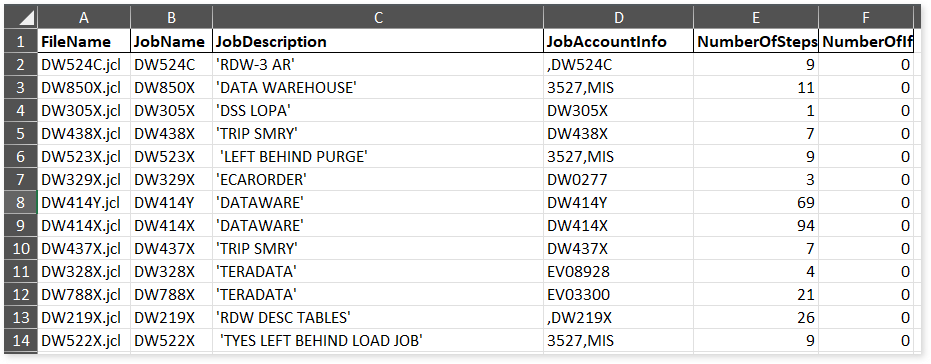
Job Summary.csv: Provides information about JCL jobs, including descriptions, account details, number of steps, and more.
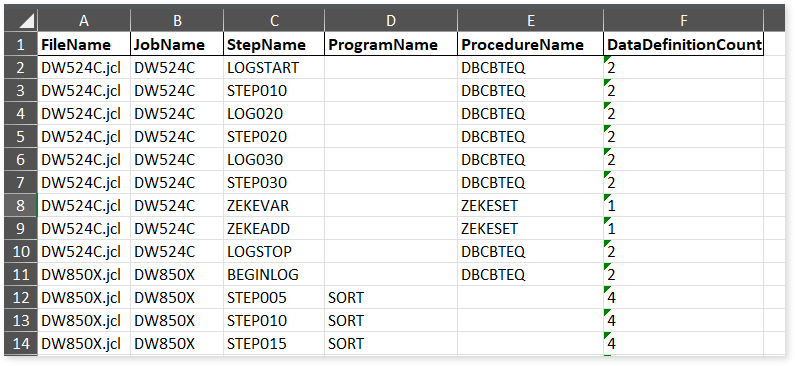
Job Step Summary.csv: Provides information about JCL job steps, including associated jobs, programs, procedures, and the number of data definitions used in each step.
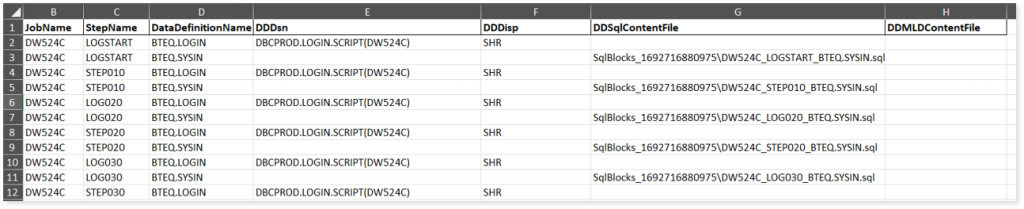
Job DD Summary.csv: Provides information about JCL job Data Definitions, including associated jobs, steps, DISP attributes, and more.
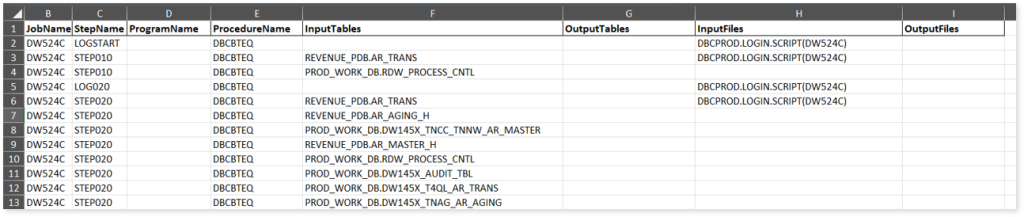
Job Tables Summary.csv: Provides information about tables associated with each step, including input tables, output tables, input files, output files, and more.
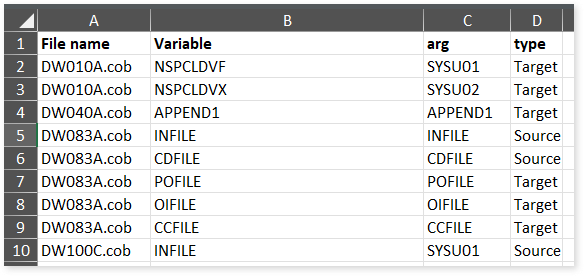
Cobol File Variable Arg Map.csv: Provides information about COBOL file variables, including their corresponding arguments and type.
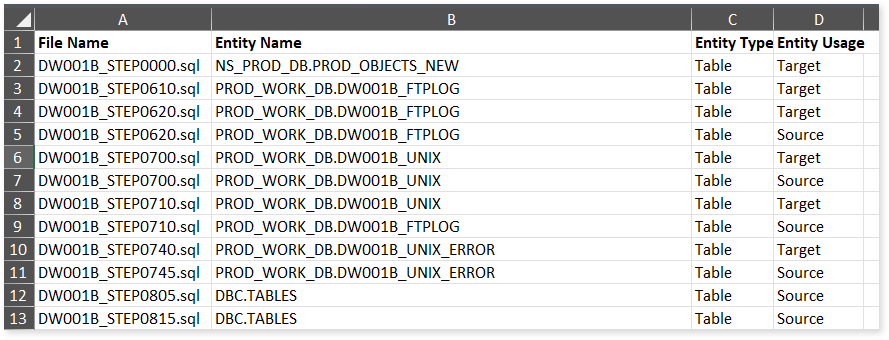
BTEQ_Analysis.csv: Provides information about the BTEQ script, including associated entities, entity types, and usage operations such as INSERT, DELETE, or CALL.
 Leaplogic