Estimating the Total Cost of Ownership
The LeapLogic TCO Estimator is used to generate an estimate of the total cost of ownership (TCO) for your target cloud platform.
To estimate the TCO for your target cloud platform, follow these steps:
- Log in to your LeapLogic account.
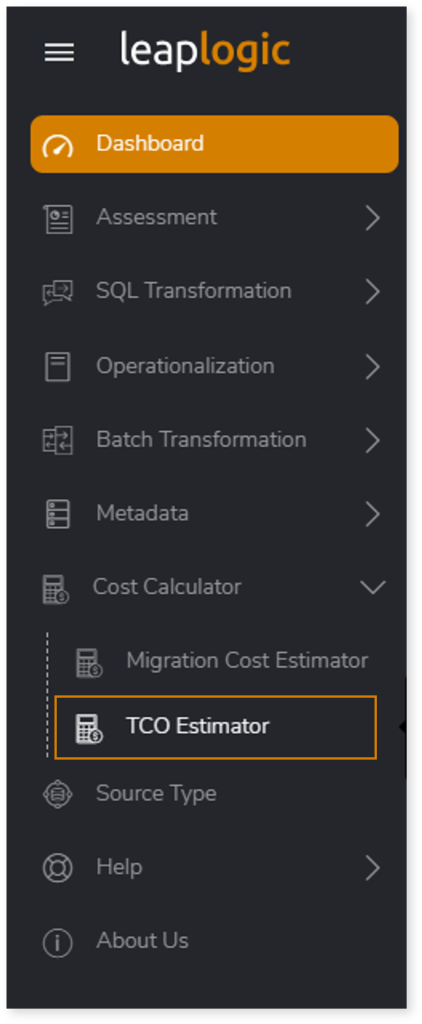
- From the left navigation pane, select Cost Calculator > TCO Estimator.
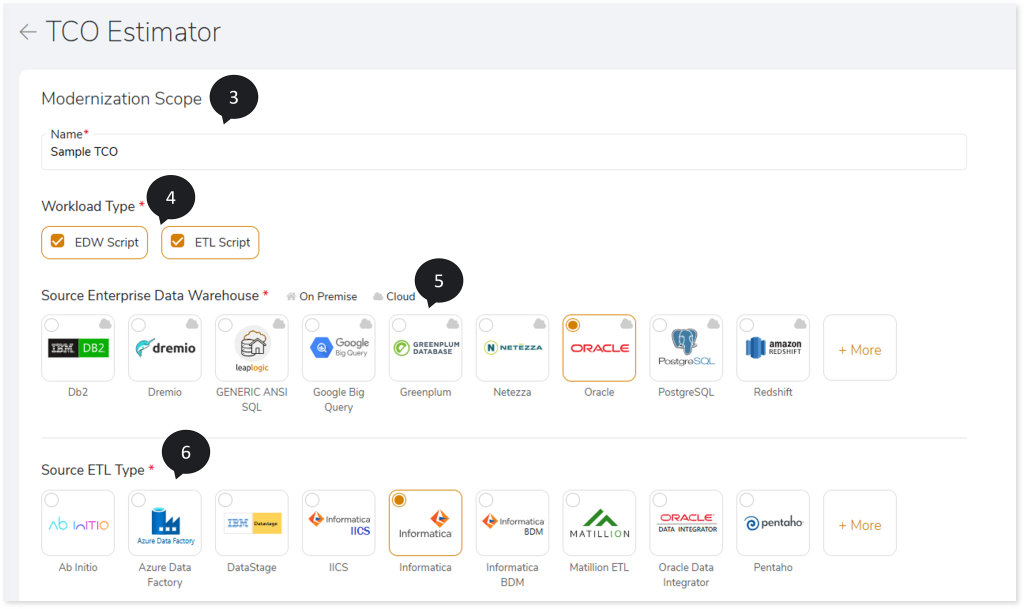
- In Name, provide a preferred name for the TCO Estimator.
- In Workload Type, select the types of workloads you need to modernize, such as EDW, ETL.
- In Source Enterprise Data Warehouse, select the source data store or data warehouse.
- In Source ETL, select the source ETL such as Informatica, DataStage, etc., from which you need to migrate workloads.
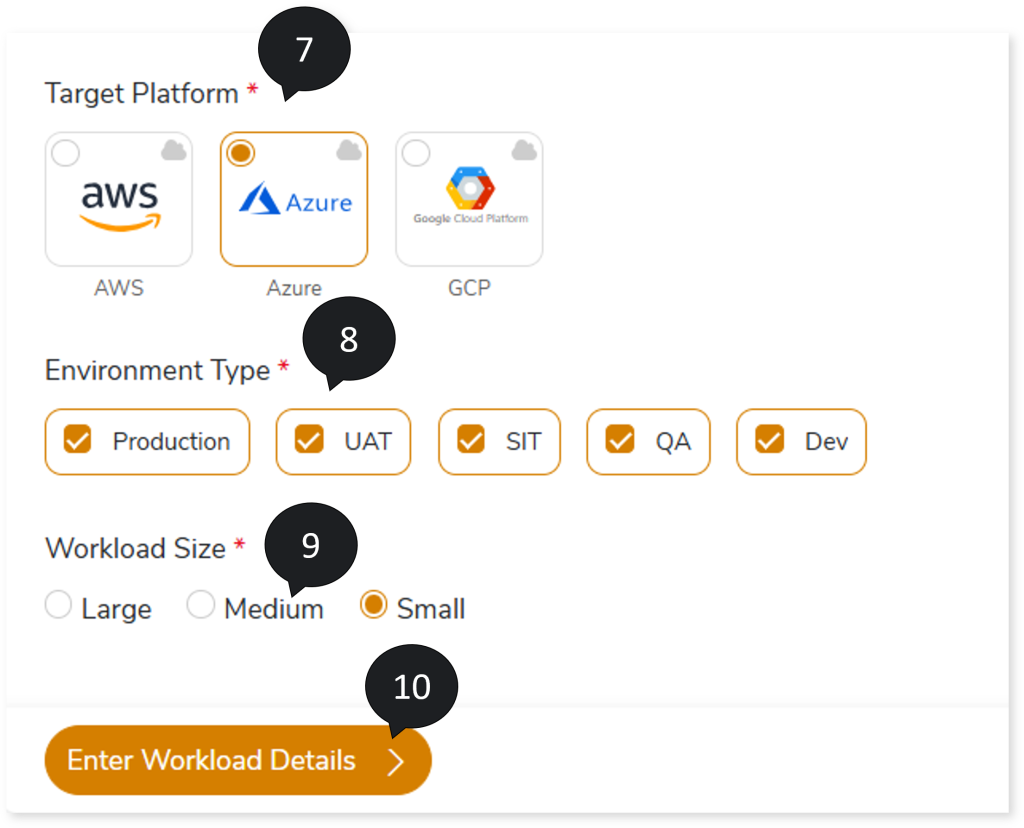
- In Target Platform, select the cloud platform where you want to migrate your workloads.
- In Environment Type, select the environments, such as Production, UAT, SIT, QA, and Dev.
- In Workload Size, select the size of the workloads such as Simple, Medium, or Large.
- Click Enter Workload Details.
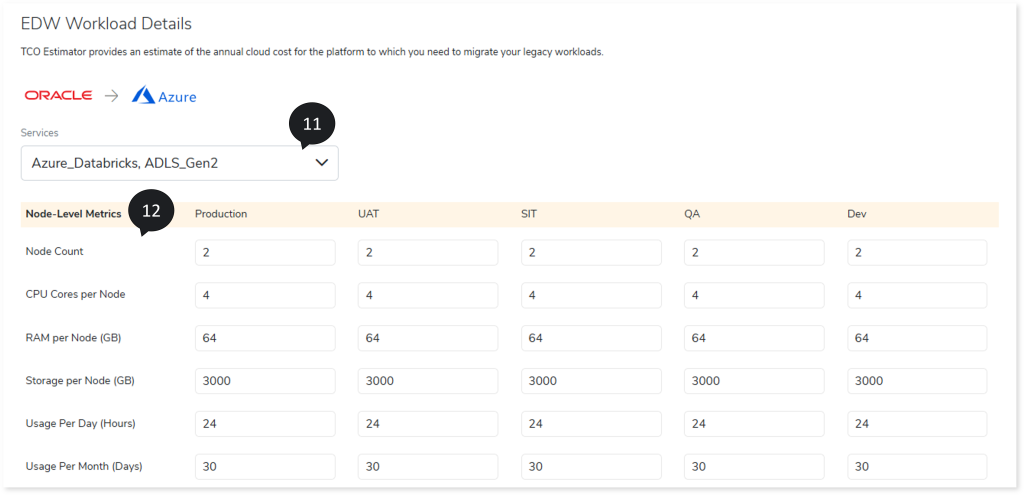
- The EDW Workload Details page opens. Here, configure the EDW source workload details to estimate the TCO for your target cloud platform. Under Services, select the cloud services required for migration to calculate the estimated annual TCO.
- In Node-Level Metrics, specify the hardware configuration and resource allocation for each environment (e.g., Production, UAT, SIT, QA, and Dev). Provide details such as node count, CPU cores per node, RAM per node (GB), storage per node (GB), usage per day (hours), and usage per month (days).
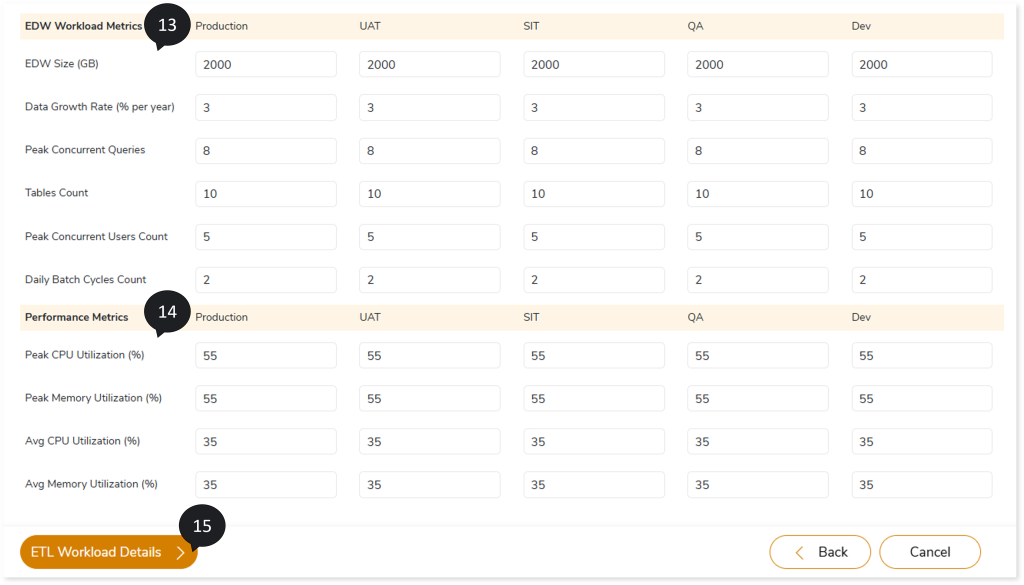
- In EDW Workload Metrics, enter the workload details for each environment (e.g., Prod, UAT, SIT, QA, and Dev), including size, growth rate, number of peak concurrent queries, tables count, concurrent users count, and number of daily batch cycles.
- In Performance Metrics, specify the resource utilization details for each environment (Production, UAT, SIT, QA, and Dev), including values for Peak CPU Utilization (%), Peak Memory Utilization (%), Average CPU Utilization (%), and Average Memory Utilization (%).
- Click ETL Workload Details.
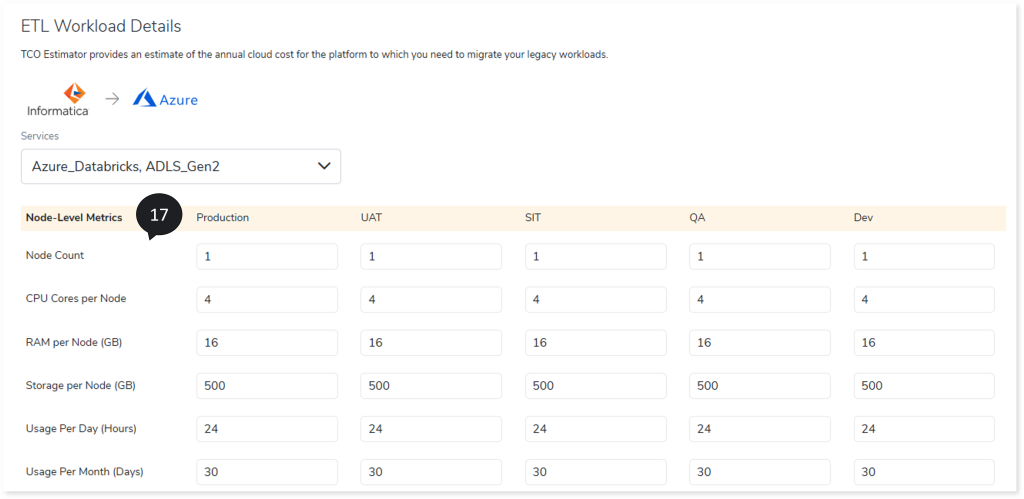
- The ETL Workload Details page opens. Here, configure the ETL source workload details to estimate the TCO for your target cloud platform.
- In Node-Level Metrics, specify the hardware configuration and resource allocation for each environment (Production, UAT, SIT, QA, and Dev), including details such as node count, CPU cores per node, RAM per node (GB), storage per node (GB), usage per day (hours), and usage per month (days).
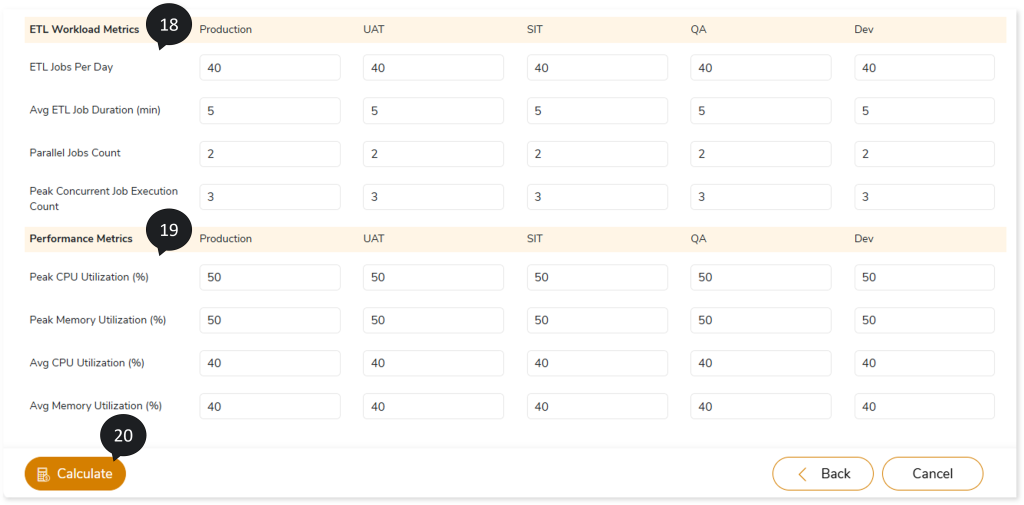
- In ETL Workload Metrics, specify the workload details for each environment (e.g., Prod, UAT, SIT, QA, and Dev), including values for ETL Jobs per Day, average ETL job duration (in minutes), number of parallel jobs, and peak concurrent job execution count.
- In Performance Metrics, specify the resource utilization details for each environment (e.g., Production, UAT, SIT, QA, and Dev), including values for Peak CPU Utilization (%), Peak Memory Utilization (%), Average CPU Utilization (%), and Average Memory Utilization (%).
- Click Calculate to generate the estimated annual TCO for your target migration platform based on the workload details you provided.
- The Summary page opens, showing the estimated TCO calculated from the workload details you provided (such as Node-Level metrics, EDW Workload metrics, Performance metrics, etc.). This helps you understand the expected cloud spend and plan your budget effectively.
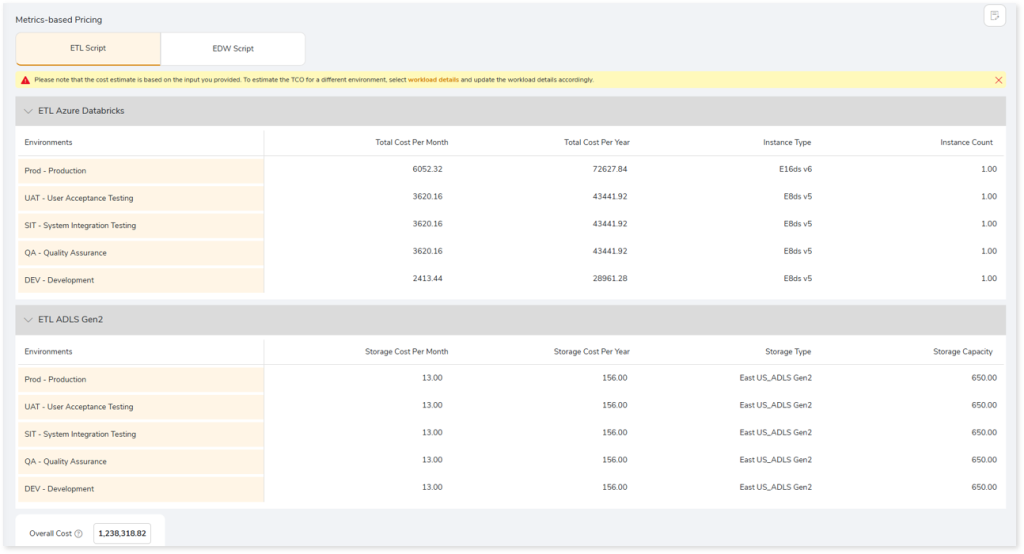
To learn more about the TCO Summary page, refer to the TCO Summary section.
 Leaplogic