Configuring Validation Stage
The Validation stage validates the quality of the migrated data and the transformed queries. Validation is performed based on an automated validation framework to ensure a successful migration and transformation of source data. Double-click the Validation stage to access the configuration page.
In This Topic:
Overview
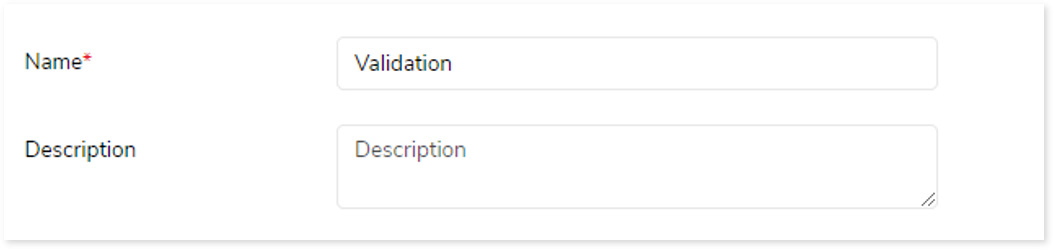
In this section, you can customize the Validation stage’s name and give a suitable description as required. By default, Validation is provided in the Name field. Provide a relevant name and description that helps you to understand the objective and scope of the Validation stage.
Transform
In this section, you need to provide the source and target information required for the validation. Additionally, you can specify the validation type that validates the migrated data and the transformed queries between source and target.
The Validation Stage involves:
Output
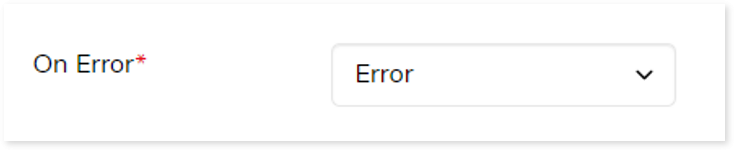
You can configure the output behavior for navigation to the next stage when an error occurs. By default, the output configuration is set to Error if the stage is less than 100% complete, but you can change this to Continue, Stop, Pause, or Loop as required.
- Continue: Proceeds to the next stage even if validation is less than 100% complete.
- Loop: Routes mismatched queries back to the selected conversion stage for reconversion.
- Error: Marks the pipeline as error if validation is less than 100% complete.
- Stop: Stops the execution if validation is less than 100% complete.
- Pause: Pause the execution if validation is less than 100% complete.
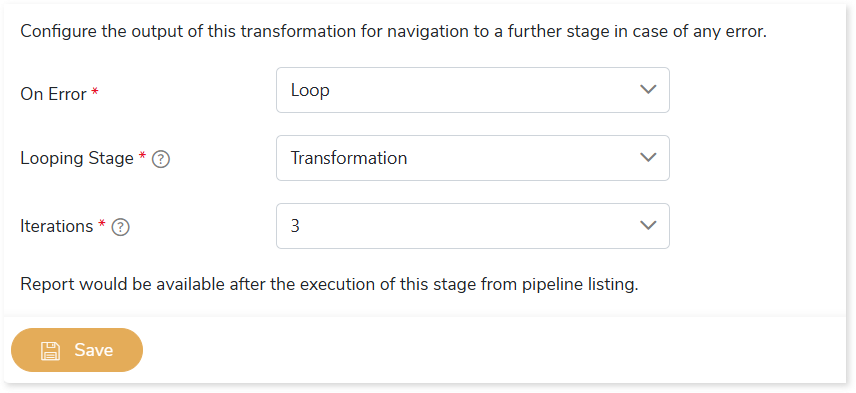
If the output of the validation stage is configured as Loop, then:
- In Looping Stage, select the stage to which mismatched queries should be routed for re-conversion.
- In Iterations, specify the number of retry attempts for mismatched queries (maximum 5). This determines how many times failed queries will be routed to the loopback stage for reconversion.
- Click Save to apply the changes.
 Leaplogic