Configuring Static Code Analysis Stage
The Static Code Analysis stage analyzes the source code without executing it to detect security vulnerabilities, potential errors, and code quality issues. This stage helps identify risks early and ensures compliance with coding standards and best practices.
In This Topic:
Overview
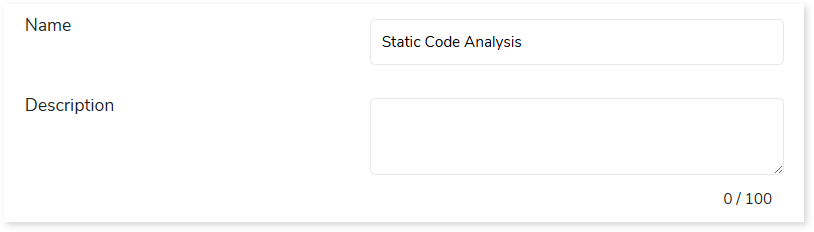
In this section, you can customize the Static Code Analysis stage’s name and give a suitable description as required. By default, Static Code Analysis is provided in the Name field. Provide a relevant name and description in a way that clarifies the purpose and scope of the stage.
Transformation
In this section, you need to provide the required code files and select the appropriate static code analysis tool to perform the analysis. The input to this stage is typically source code files such as Python, SQL, or compressed archives (e.g., ZIP), which can be uploaded directly from the local system.
To configure the Static Code Analysis stage, follow these steps:
- In Code File, upload the source code files you want to analyze.
- In Static Code Analysis Tool, select the tool to analyze code quality and detect security vulnerabilities.
- If the selected Static Code Analysis Tool is SQLFluff, then in SQL Dialect, select the applicable SQL dialect such as BigQuery, Redshift, etc., or ANSI SQL (if not sure). This helps parse and semantically interpret the given SQL queries and further identify any syntax issues, standards violations, or security vulnerabilities.
- Click Save to update the changes.

Output
The output of this stage is a detailed analysis report highlighting issues such as security vulnerabilities, code quality issues, and standards violations. Each issue is categorized based on its severity (Critical, High, Medium, or Low) for each file. You can view a detailed report in the UI or download it as a PDF.
You can also configure the output behavior for navigation to the next stage in case of any error. By default, the output configuration is set to Continue if the stage is less than 100% complete, but you can change this to Error, Stop, or Pause as required.

To view the Static Code Analysis Stage report, visit Static Code Analysis Report.
 Leaplogic