Downloadable Reports
Downloadable reports allow you to export detailed assessment reports of your source data which enables you to gain in-depth insights with ease. To access these assessment reports, click Reports from the top right corner of the View Assessment page.

In the Reports section, you can see various reports such as Insights and Recommendations, Source Inventory Analysis, and Lineage Analysis. Each report type offers detailed information allowing you to explore your assessment results.

Insights and Recommendations
This report provides an in-depth insight into the source input files. It contains the final output including the details of source inventory, queries, and so on.
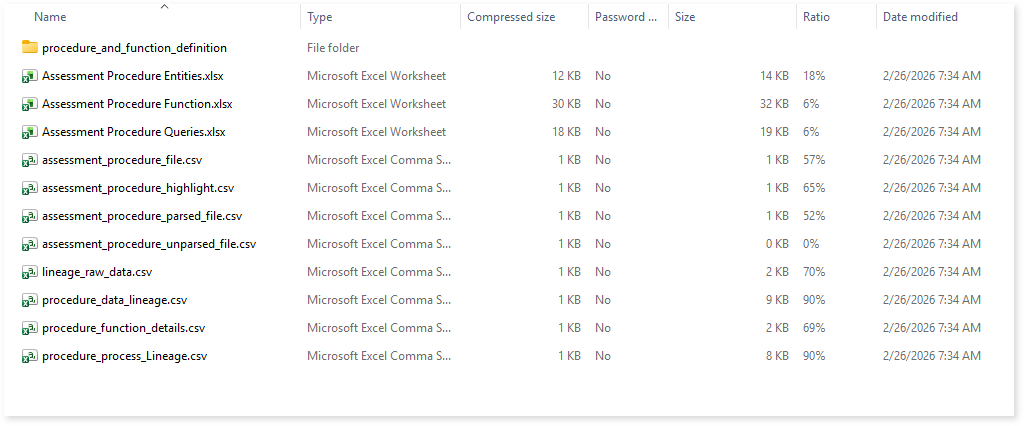
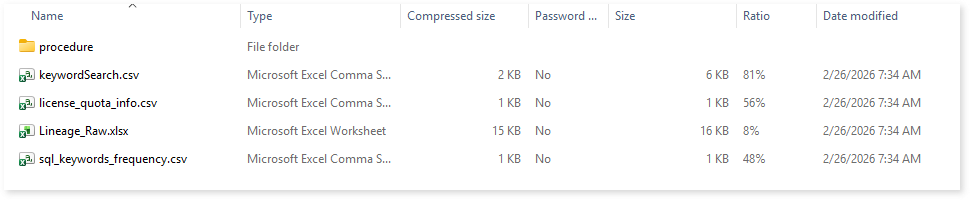
Here, you can see the procedure folder along with Procedure.xlsx report.

Procedure.xlsx: This report provides insights about the source inventory. It includes information about macros, entities, parsed files, and more.
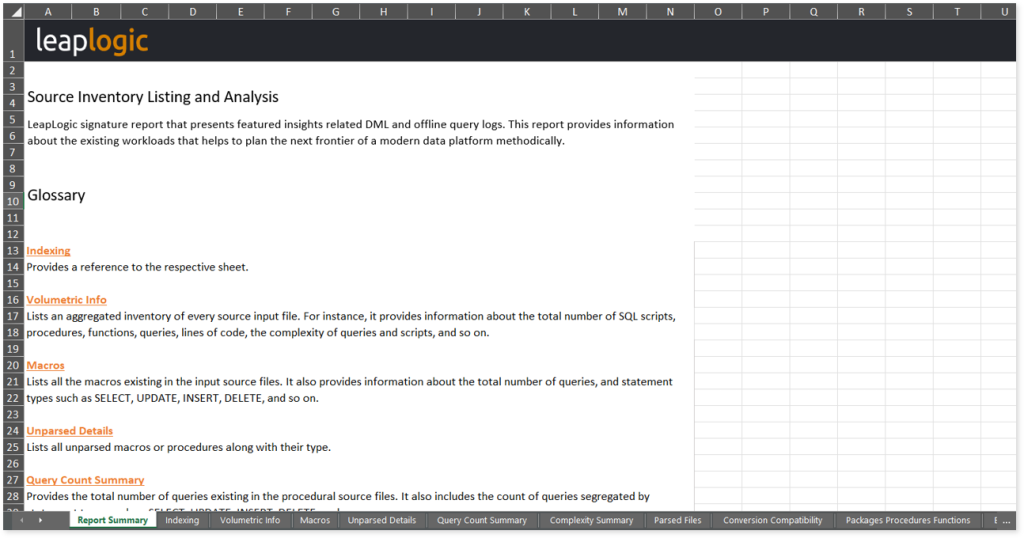
This report contains the following information:
- Report Summary: Provides information about all the generated artifacts.
- Indexing: Provides a reference to the respective sheet.
- Volumetric Info: Lists an aggregated inventory of every source input file. For instance, it provides information about the total number of SQL scripts, procedures, functions, queries, lines of code, the complexity of queries and scripts, and so on.
- Macros: Lists all the macros existing in the input source files. It also provides information about the total number of queries, and statement types such as SELECT, UPDATE, INSERT, DELETE, and so on.
- Unparsed Details: Lists all unparsed macros or procedures along with their type.
- Query Count Summary: Provides the total number of queries existing in the procedural source files. It also includes the count of queries segregated by statement types such as SELECT, UPDATE, INSERT, DELETE, and so on.
- Complexity Summary: Provides a summary of SQL queries, procedures, and functions based on their complexity level.
- Parsed Files: Lists all the parsed files along with the total number of functions, procedures, and queries. It also provides the count and percentage of auto-converted queries.
- Conversion Compatibility: Provides auto conversion details such as the count and percentage of auto-converted queries as well as the total number of queries in each file.
- Packages Procedures Functions: Lists all the existing packages, procedures, and functions in the input files. It also provides the total number of queries, and the number of queries segregated by statement types such as SELECT, UPDATE, INSERT, DELETE, and so on.
- Entities (Tables or Views): Lists all the entities in the input source files along with procedures, functions, blocks, and their usage type.
- Schemas: Lists all the existing schemas.
- SQLs: Lists all the SQL queries along with procedures, functions, blocks, complexities, complexity matrices, SQL statement types, and status of the auto conversion of queries.
- Package Cursor Queries: Lists all the queries containing cursors along with their complexity, complexity matrix, SQL statement type, and status of the auto conversion.
- Functions in SQL: Lists all the functions such as sum, min, max, and so forth, implemented in the source files. It also provides information about the custom functions, and the category of functions such as aggregate functions, custom functions, arithmetic functions, and so on, as well as whether UDF is required or not.
- Entities for DDL: Lists all the entities such as tables and views existing in the DDL files.
Browse through the procedure folder access reports such as procedure entities, functions, lineage, and so on.
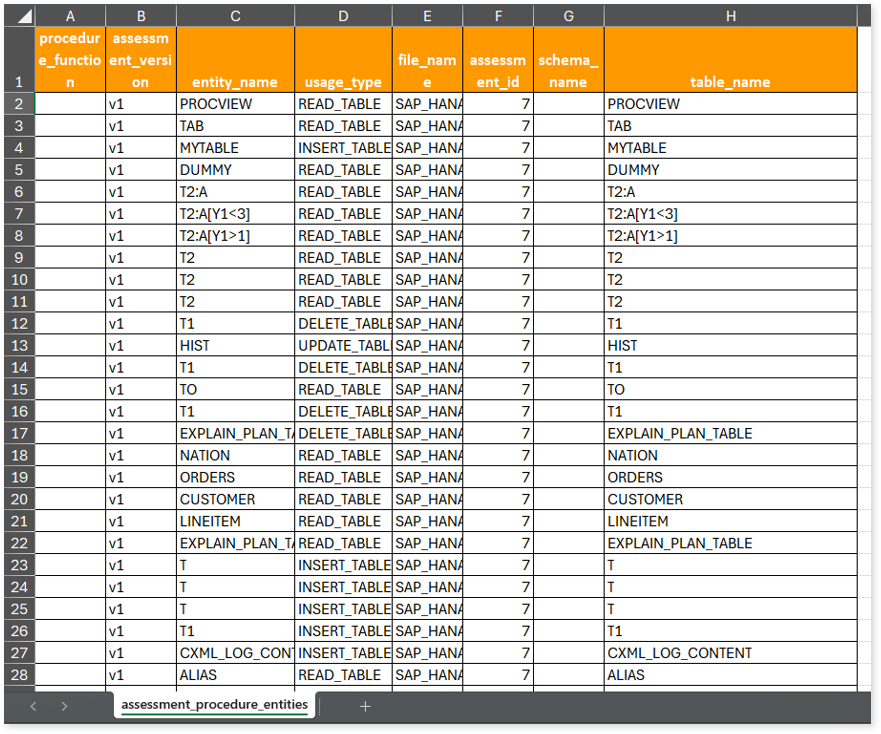
Assessment Procedure Entities.xlsx: This report provides information about entities including their user type, associated file, and more.
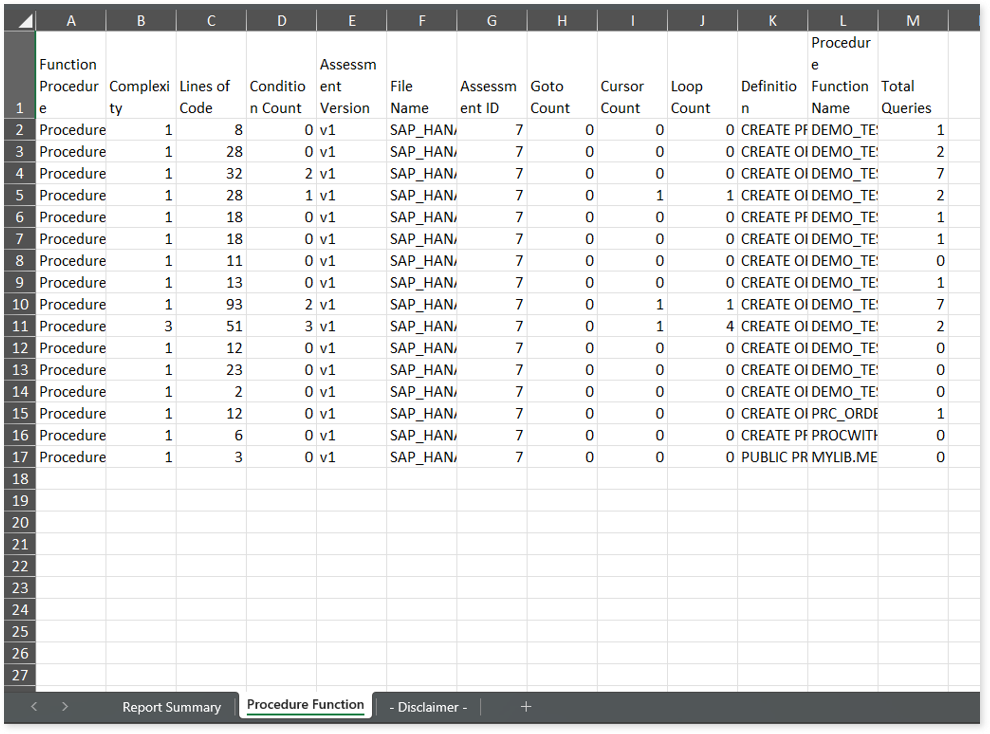
Assessment Procedure Function.xlsx: This report provides information about functions along with statistical information about conditions, goto statements, complexity, and more.
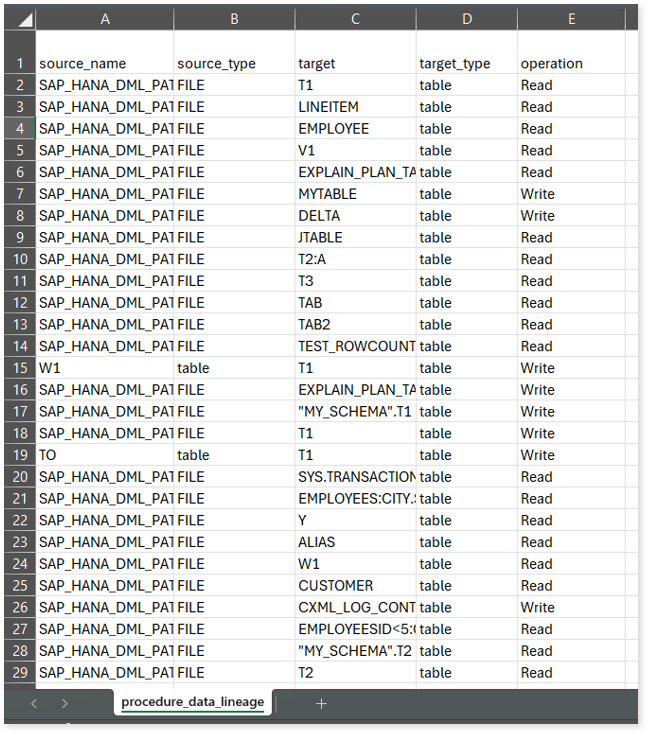
procedure_data_lineage.csv: This report provides information about the data lineage of procedures, including details about source and target types, operations, and more.
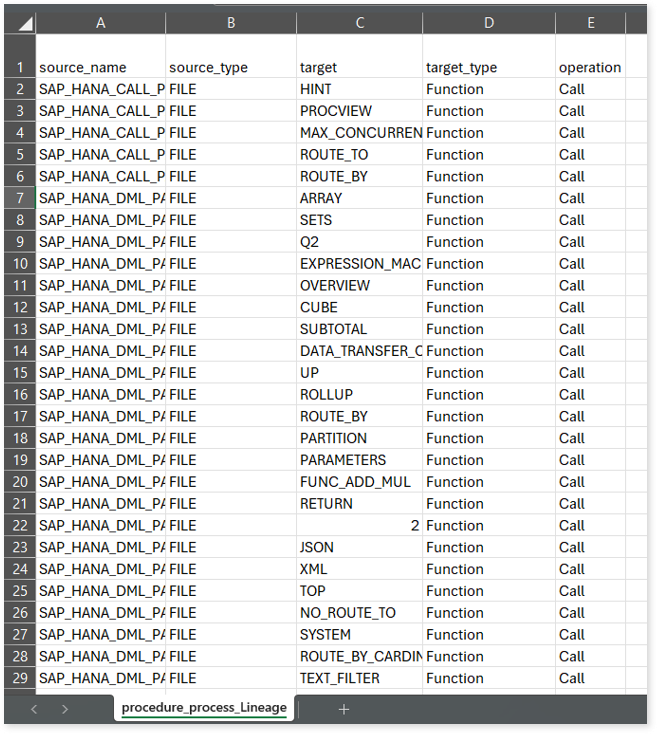
procedure_process_lineage.csv: This report provides information about the process lineage of procedures, including details about source and target types, operations, and more.
Source Inventory Analysis
It is an intermediate report which helps to debug failures or calculate the final report.
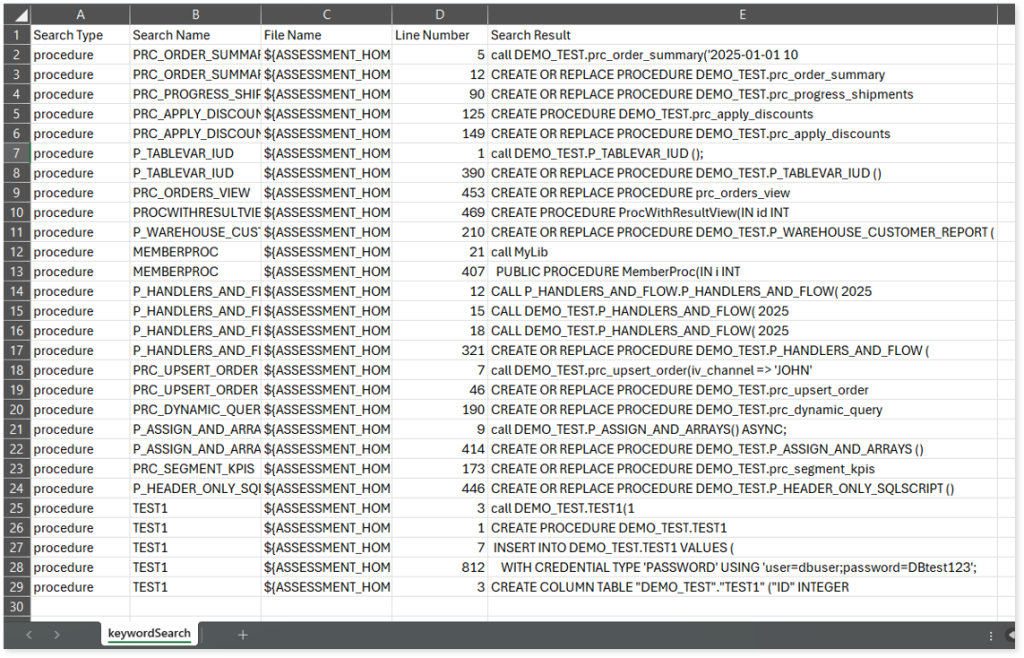
keywordSearch.csv: Provides detailed insights into keyword occurrences— specifically procedures, functions, and macros for Stored Procedure assessment—identified across all uploaded source files. It captures information such as the search type, the file where the keyword was found, the line number of occurrence, and the actual line content where the keyword appears.
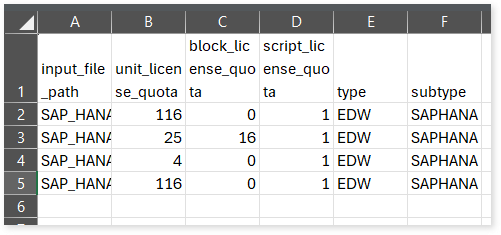
license_quota_info.csv: This report provides information about the anticipated license quota deduction when executing a transformation pipeline or notebook using the same source input file that was used during the assessment. It includes details about the expected quota consumption for units, blocks, and scripts.
Lineage_Raw.xlsx: This report provides complete dependency details for all nodes. It provides an end-to-end data and process lineage that helps to identify the complete dependency structure and the data flow.
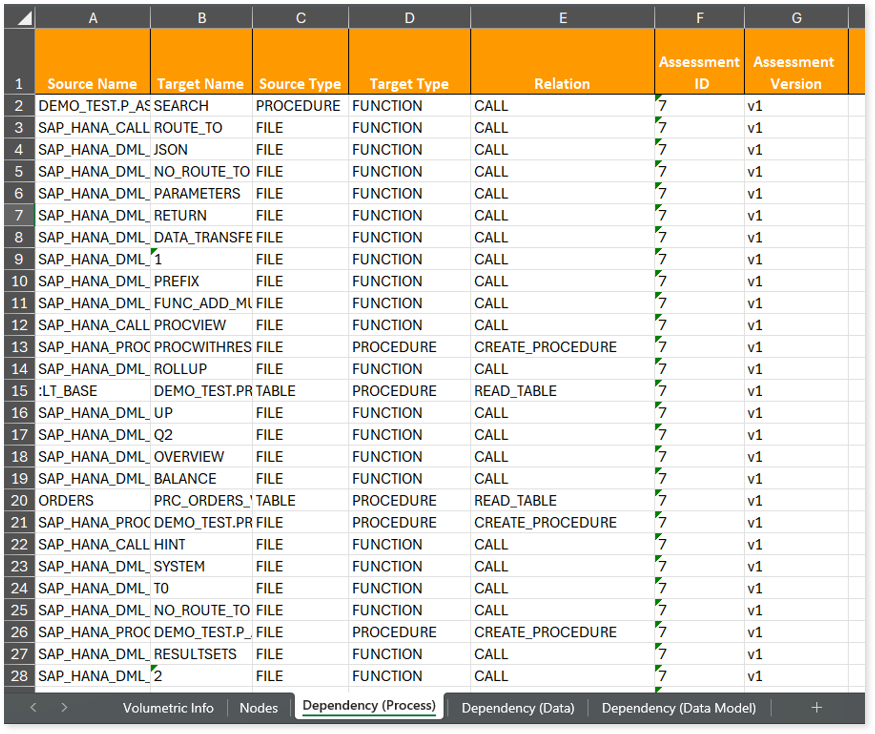
This report contains the following information:
- Volumetric Info: Provides volumetric information about the artifact types such as tables, procedures, files, and functions.
- Nodes: Lists all the source and target nodes along with their type. Each node represents a data object in the lineage—such as tables, functions, etc.—making it easier to trace how data is consumed, transformed, and processed across the workflow.
- Dependency (Process): Provides information about the process lineage. It offers detailed visibility into interdependencies between processes—such as procedures, tables, files, etc.,—helping you understand how they are connected within the workflow.
- Dependency (Data): Provides information about the data lineage. It captures detailed table-level—including input tables, output tables, and reference tables—offering end-to-end visibility into how data flows and transforms across the workflow.
- Dependency (Data Model): Provides dependency details about the data models. It highlights the end-to-end relationships and dependencies between model elements, helping you understand structure and trace linkages.
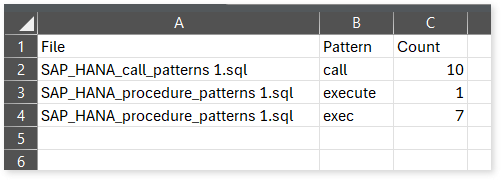
sql_keywords_frequency.csv: This report provides the frequency of patterns such as call, exec, and execute found in stored procedure input files. For example, if function_exec_func appears in a file, it is counted under the exec pattern frequency.
Lineage Analysis
This section provides lineage-related reports, including entity_link.csv, entity_report.csv, entity_summary.csv, link.csv, script_report.csv reports.
entity_links.csv: This report provides information about how views are connected to entities or tables and how these links extend across multiple levels. Level 1 shows the immediate table to which a view is linked. If that table is further connected to another entity, the next connection appears in Level 2, and so on.

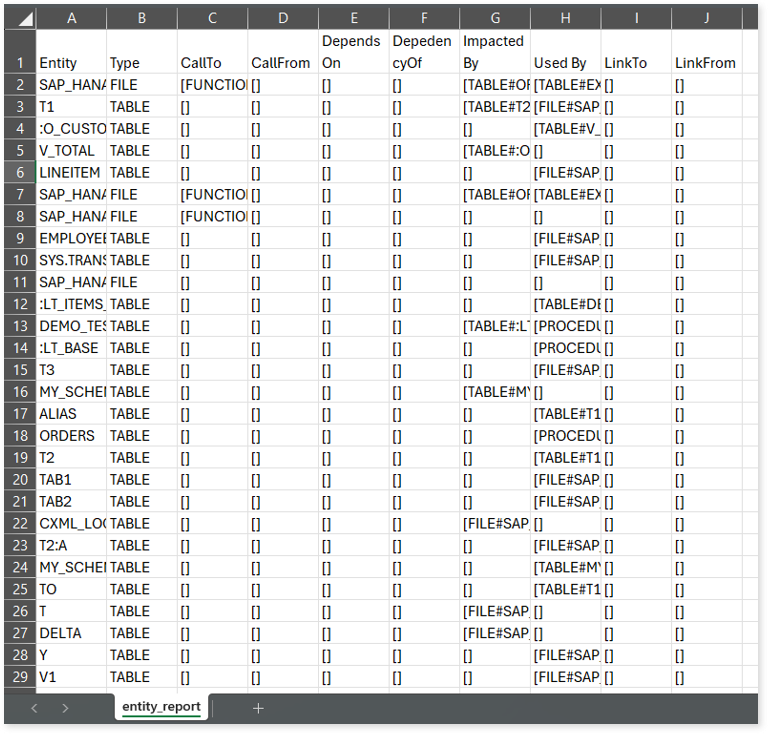
entity_report.csv: This report gives detailed lineage information for each entity in the uploaded source files. It lists all entities along with their types, dependencies, and relationships. The report also shows what each entity depends on, what impacts it, where it is used, and so on.
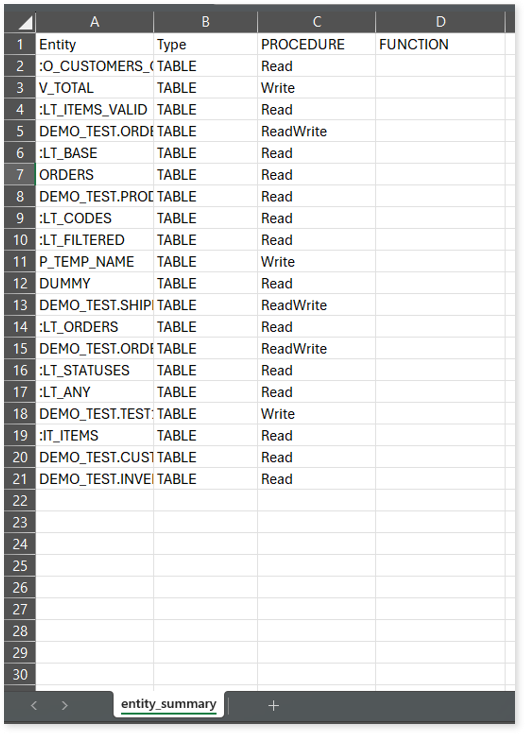
entity_summary.csv: This report provides a list of entities from uploaded source files, indicating where they appear (e.g., procedures and functions) and the operations performed on them—Read, Write, or ReadWrite.
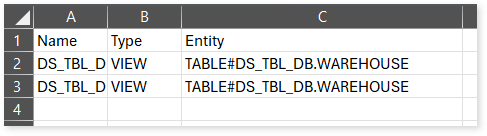
link.csv: This report provides information about entities linked to each view.
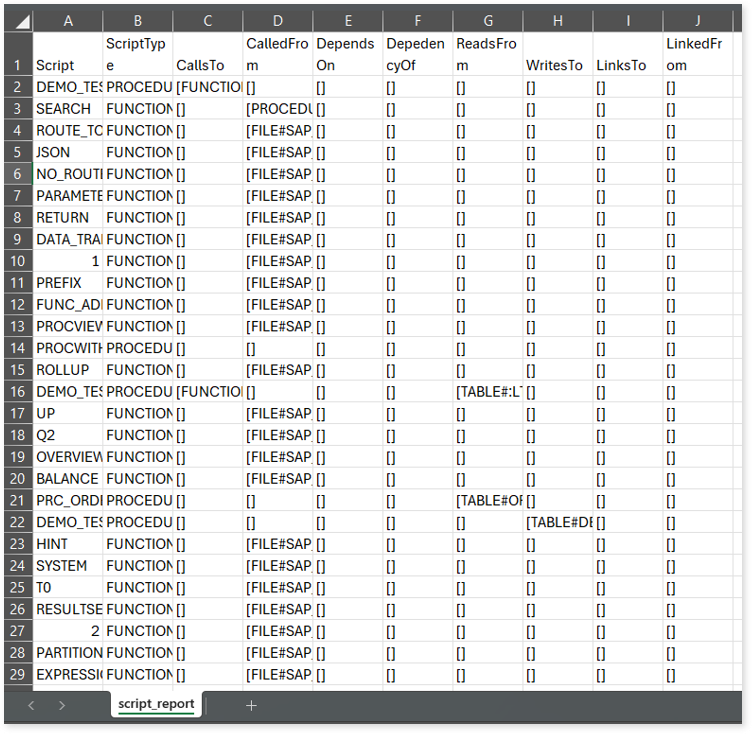
script_report.csv: This report provides detailed lineage information for each script. It lists all scripts along with their type, specifies the processes, entities, or scripts from which each script reads data and those to which it writes, as well as other dependency details.
 Leaplogic