Downloadable Reports
Downloadable reports allow you to export detailed assessment reports of your source data which enables you to gain in-depth insights with ease.
In This Topic:
To export assessment reports, click Reports from the top right corner of the View Assessment page.

In the Reports section, you can see various types of reports such as Insights and Recommendations, Source Inventory Analysis, Assessment Detail Report, and Lineage Analysis. Each report type offers detailed information allowing you to explore your assessment results.
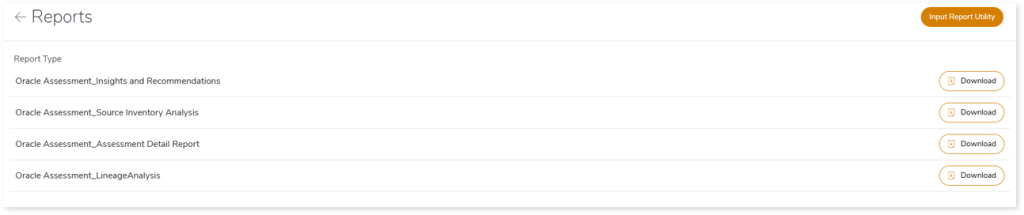
Insights and Recommendations
This report provides an in-depth insight into the source input files. It contains the final output including the details of source inventory, queries, column level lineage, and so on.
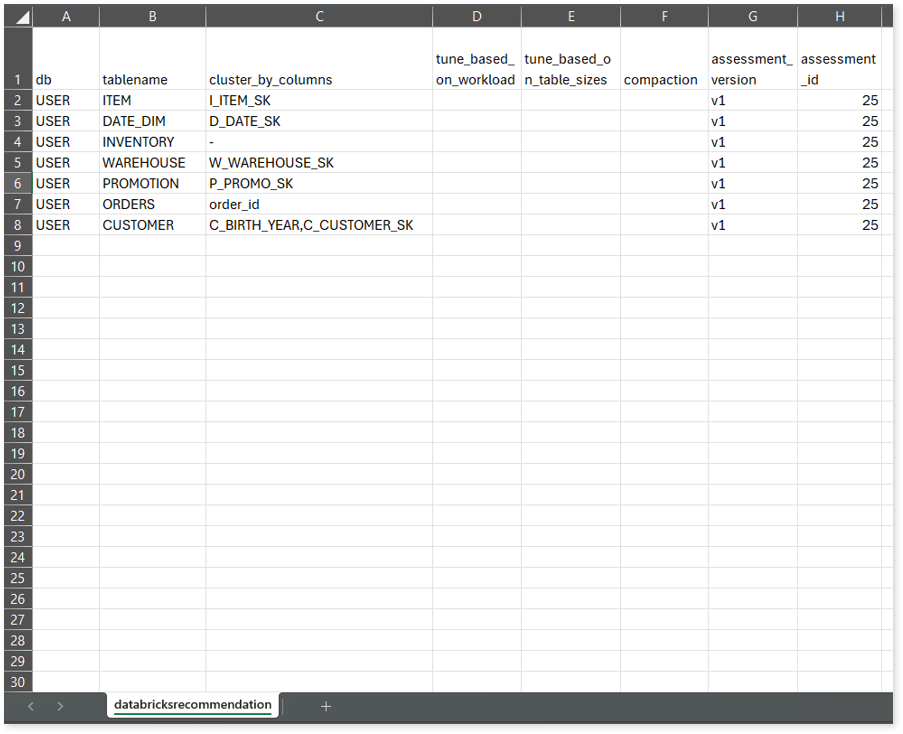
Here, you can see the EDW folder along with databricksrecommendation.csv, DML Assessment.xlsx, and Query Log Assessment.xlsx reports.

databricksrecommendation.csv: This report contains Databricks-specific schema optimization recommendations such as clustering keys, tuning based on workloads, tuning based on table sizes, and more.
DML Assessment.xlsx: This report provides insights about the source inventory. It helps you plan the next frontier of a modern data platform methodically. It includes a report summary, schema recommendations, column level lineage, and more.
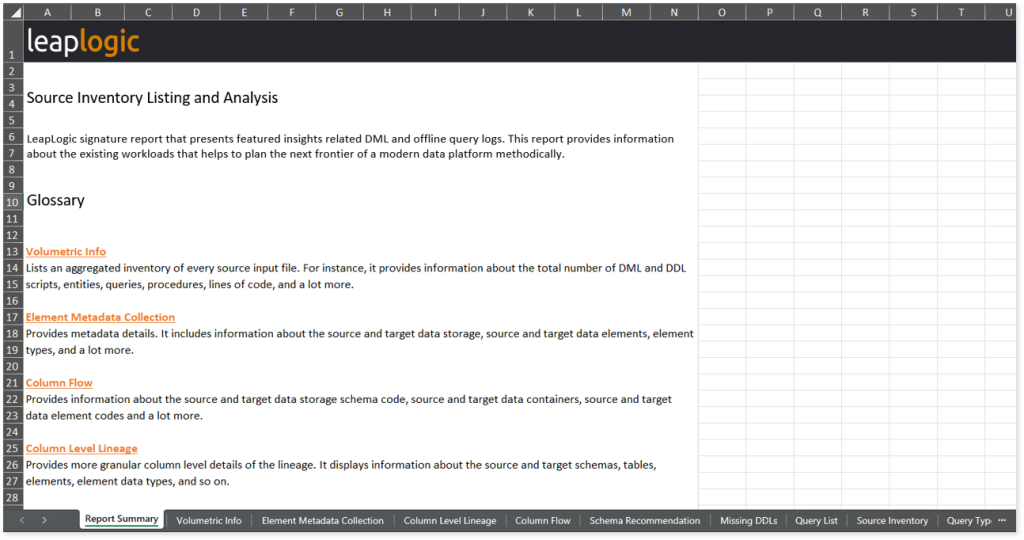
This report contains the following information:
- Report Summary: Provides information about all the generated artifacts.
- Volumetric Info: Lists an aggregated inventory of every source input file. For instance, it provides information about the total number of DML and DDL scripts, entities, queries, procedures, lines of code, and a lot more.
- Element Metadata Collection: Provides metadata details. It includes information about the source and target data storage, source and target data elements, element types, and a lot more.
- Column Flow: Provides information about the source and target data storage schema code, source and target data containers, source and target data element codes and a lot more.
- Column Level Lineage: Provides more granular column level details of the lineage. It displays information about the source and target schemas, tables, elements, element data types, and so on.
- Missing DDLs: Lists all the missing entities in the DDL files.
- Query List: Lists all the queries in the source files along with the complexity.
- Source Inventory: Provides detailed information about the source files. It lists all the files along with information about the components, component types, usages, and so on.
- Procedures List: Lists all the procedures existing in the source files along with the total number of queries and count of queries segregated by statement types such as CREATE, INSERT, DELETE, DROP, and so on.
- Schema Recommendation: Provides the schema recommendation details. It includes information about the tables, primary keys, unique keys, partition keys, partition by, cluster by, buckets, and a lot more.
- Query Type Count: Provides the count of queries segregated by statement types.
- Query Complexity Wise Query Count: Provides query complexity along with the number of queries that have the same query complexity values.
- Query Analysis: Lists all the queries along with information about the input types, scripts, sub-processes, and a lot more.
Query Log Assessment.xlsx: This report provides insights about the query log source inventory. It helps you plan the next frontier of a modern data platform methodically. It includes information about users, applications, queries, and more.
Browse through the EDW folder access reports such as dead codes, analyzed queries, Query Log DML Mapping, Dependency Records, and so on.
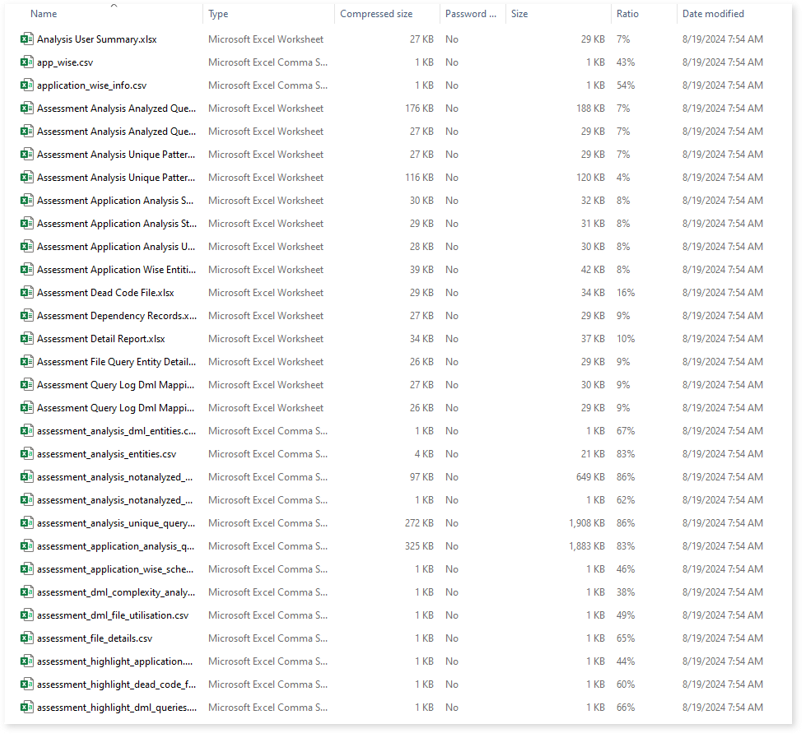
Assessment Dead Code File.xlsx: This report contains information about the dead codes i.e., completely unused codes.
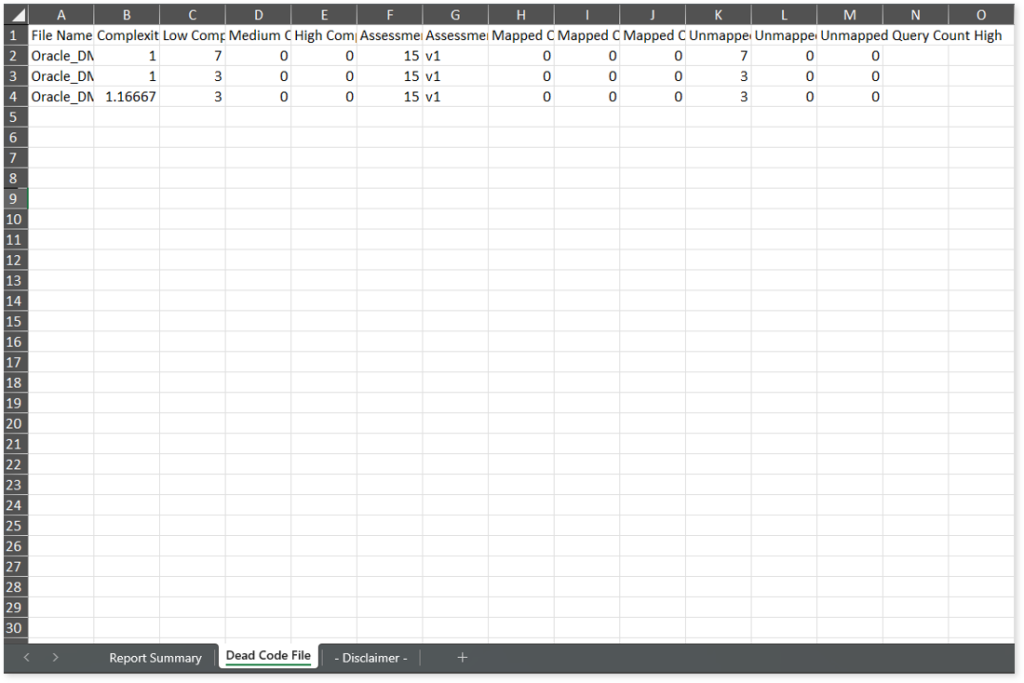
This report contains the following information:
- Report Summary: Provides information about all the generated artifacts.
- Dead Code File: Lists all the existing dead code files. It includes the number of mapped and unmapped queries as well as the low, medium, and high complexity counts. Dead codes are queries that are available in DML scripts but do not have any footprint in query execution logs.
Assessment Analysis Analyzed Queries.xlsx: This report contains information about analyzed queries.
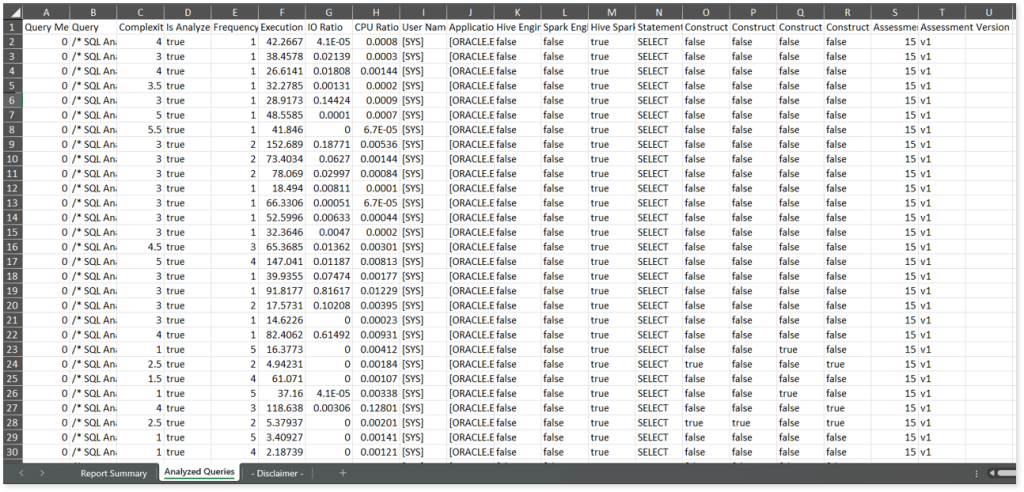
This report contains the following information:
- Report Summary: Provides information about all the generated artifacts.
- Analyzed Queries: Lists all the queries along with information about the time required to execute, I/O and CPU utilization ratios, the status of the query analysis and so on.
Assessment Query Log Dml Mapping.xlsx: This report provides information about DML and execution log mappings.
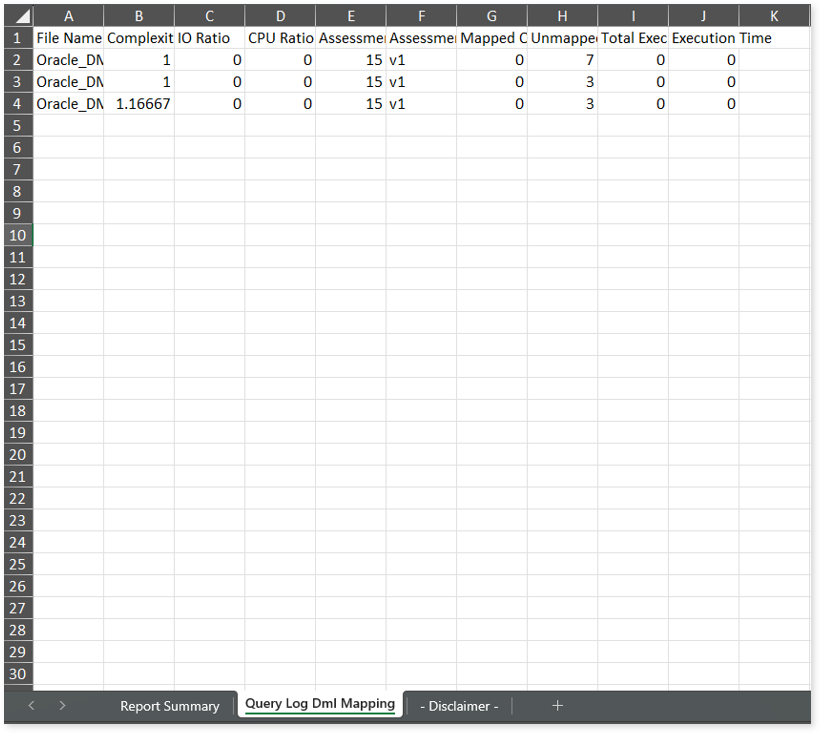
This report contains the following information:
- Report Summary: Provides information about all the generated artifacts.
- Query Log DML Mapping: Provides the count of mapped and unmapped queries in the file. It also includes information about the time required to execute, I/O and CPU utilization ratios, complexities, and so on.
Assessment Dependency Records.xlsx: This report provides information about dependency details of tables in the source files.
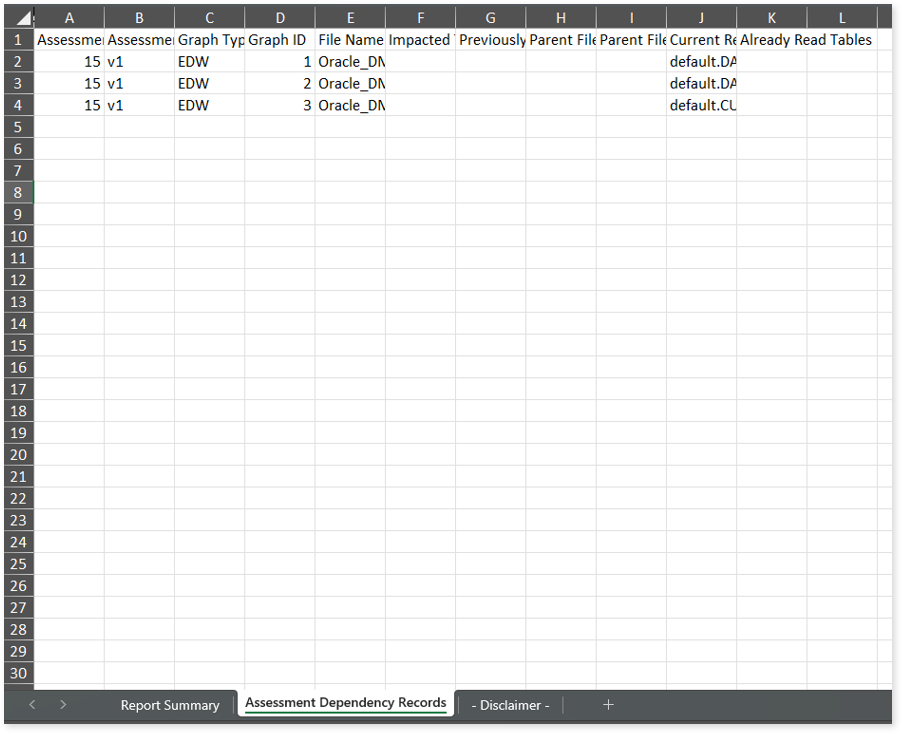
This report contains the following information:
- Report Summary: Provides information about all the generated artifacts.
- Assessment Dependency Records: Displays dependency details of tables in the source files. It provides information about impacted tables, previously used tables, parent files, and so on.
Source Inventory Analysis
It is an intermediate report which helps to debug failures or calculate the final report.
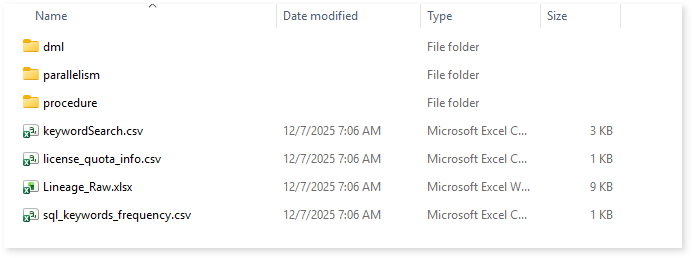
keywordSearch.csv: Provides detailed insights into keyword occurrences— specifically files for DML assessment; procedures, functions, and macros for Stored Procedure assessment; and procedures and macro for EDW Execution Log assessment—identified across all uploaded source files. It captures information such as the search type, the file where the keyword was found, the line number of occurrence, and the actual line content where the keyword appears.
The system dynamically extracts a specific list of keywords (procedures, functions, and macros) from the assessment_procedure_function.csv, procedure_count.csv, and macro_count.csv assessment output reports. These extracted keywords are then used to perform a case-insensitive search across all uploaded artifacts to help you to understand where specific procedures, functions, and macros are referenced.
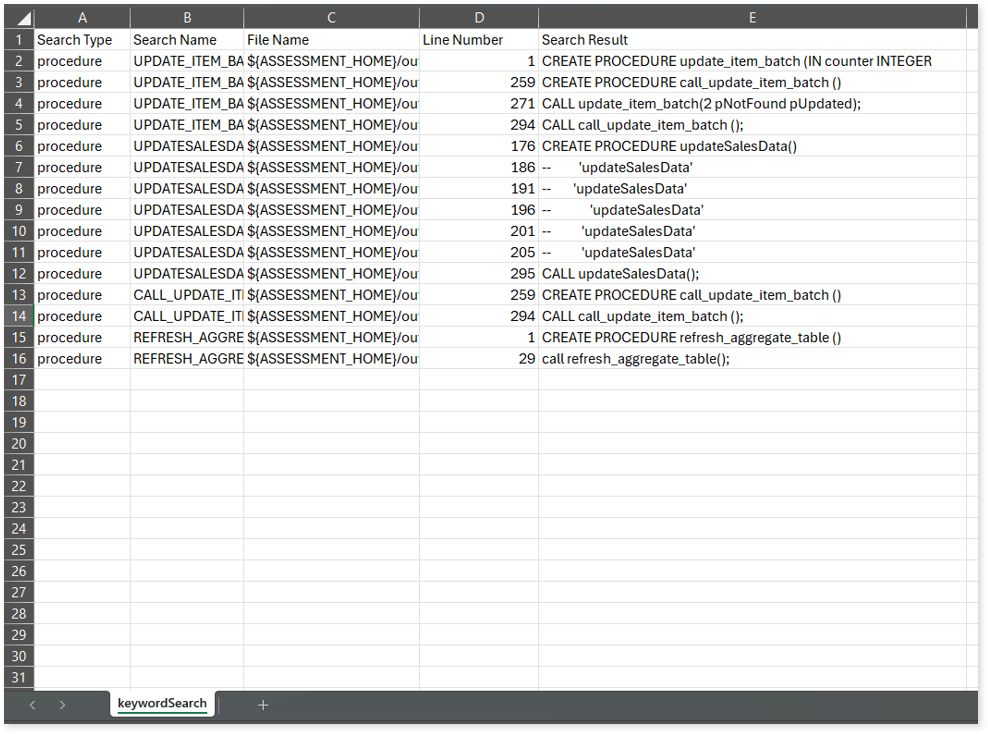
license_quota_info.csv: This report provides information about the anticipated license quota deduction when executing a transformation pipeline or notebook using the same source input file that was used during the assessment. It includes details about the expected quota consumption for units, blocks, and scripts.
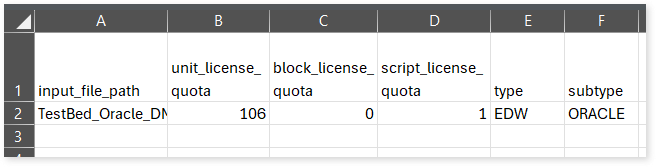
Lineage_Raw.xlsx: This report provides complete dependency details for all nodes. It provides an end-to-end data and process lineage that helps to identify the complete dependency structure and the data flow.
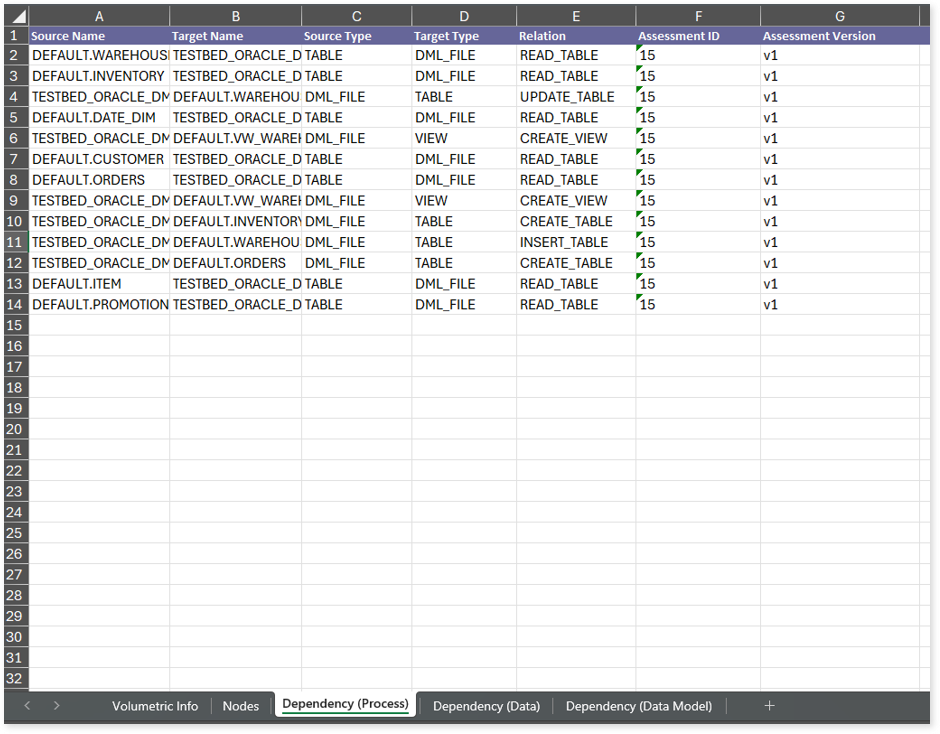
This report contains the following information:
- Volumetric Info: Provides volumetric information about the artifact types such as tables, DML files, and views.
- Nodes: Lists all the source and target nodes along with their type. Each node represents a data object in the lineage—such as tables, files, views, etc.—making it easier to trace how data is consumed, transformed, and processed across the workflow.
- Dependency (Process): Provides information about the process lineage. It offers detailed visibility into interdependencies between processes—such as files, tables, and orchestration steps—helping you understand how they are connected within the workflow.
- Dependency (Data): Provides information about the data lineage. It captures detailed table-level—including input tables, output tables, and reference tables—offering end-to-end visibility into how data flows and transforms across the workflow.
- Dependency (Data Model): Provides dependency details about the data models. It highlights the end-to-end relationships and dependencies between model elements, helping you understand structure and trace linkages.
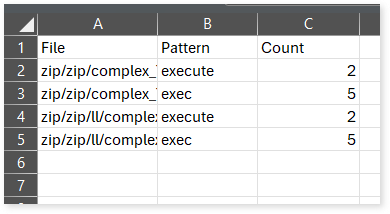
sql_keywords_frequency.csv: This report provides the frequency of patterns such as call, exec, and execute found in DML and stored procedure input files. For example, if function_exec_func appears in a file, it is counted under the exec pattern frequency.
Browse through the dml folder to see the generated CSV reports, inventory sheet, and more.
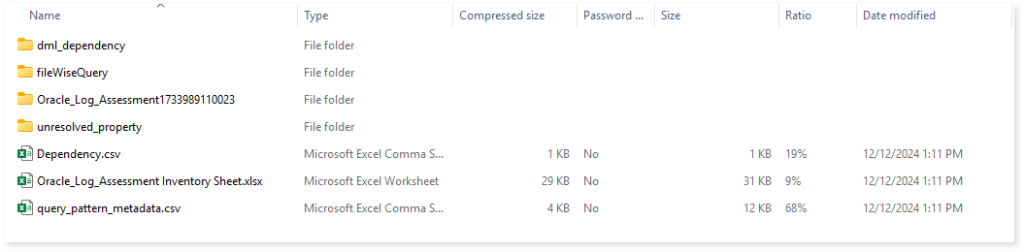
Inventory Sheet.xlsx: This report provides information about tables, scripts, unparsed queries, and unresolved properties.
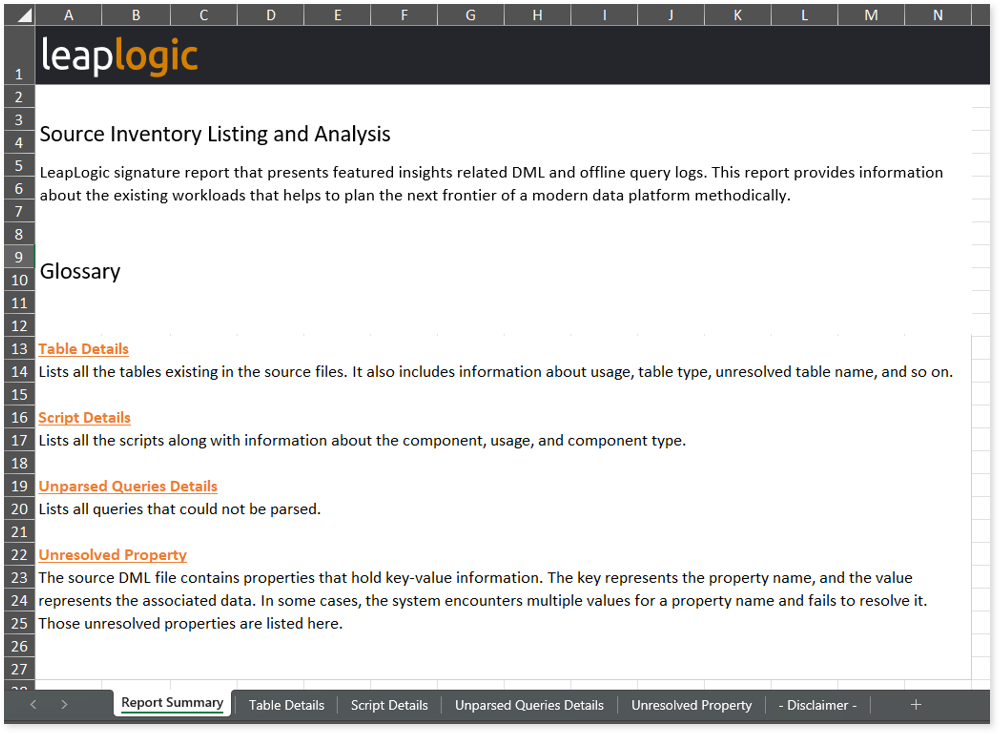
This report contains the following information:
- Report Summary: Provides information about all the generated artifacts.
- Table Details: Lists all the tables existing in the source files. It also includes information about usages, table types, unresolved table names, and so on.
- Script Details: Lists all the scripts along with information about the components, usages, and component types.
- Unparsed Queries Details: Lists all queries that could not be parsed.
- Unresolved Property: The source DML files contains properties that hold key-value information. The key represents the property name, and the value represents the associated data. In some cases, the system encounters multiple values for a property name and fails to resolve it. Those unresolved properties are listed here.
Assessment Detail Report
This report provides detailed information about users, applications, queries, and more.
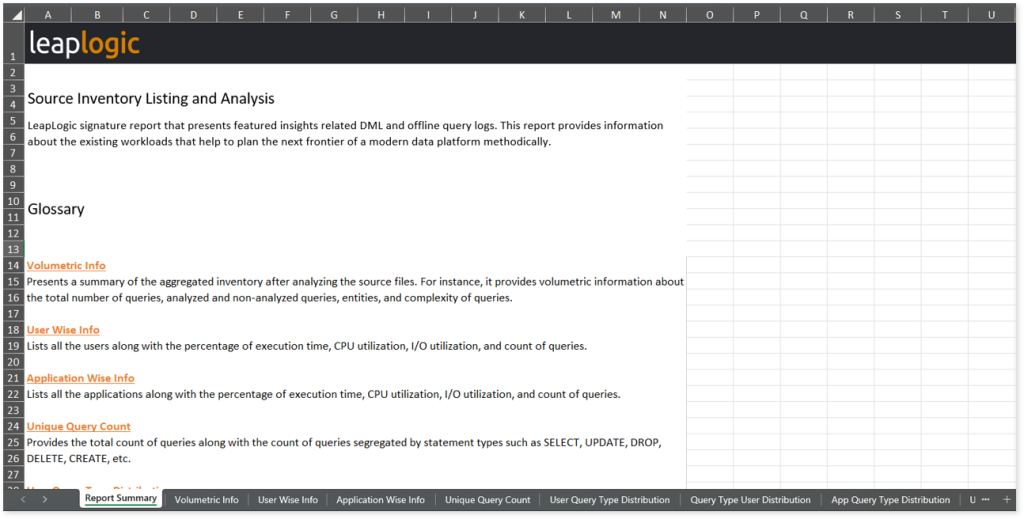
This report contains the following information:
- Report Summary: Provides information about all the generated artifacts.
- Volumetric Info: Presents a summary of the aggregated inventory after analyzing the source files. For instance, it provides volumetric information about the total number of queries, analyzed and non-analyzed queries, entities, and complexity of queries.
- User Wise Info: Lists all the users along with the percentage of execution time, CPU utilization, I/O utilization, and count of queries.
- Application Wise Info: Lists all the applications along with the percentage of execution time, CPU utilization, I/O utilization, and count of queries.
- Unique Query Count: Provides the total count of queries along with the count of queries segregated by statement types such as SELECT, UPDATE, DROP, DELETE, CREATE, etc.
- User Query Type Distribution: Lists all users along with the total count of queries. It also provides the count and percentage of queries segregated by statement types such as SELECT, UPDATE, DROP, DELETE, CREATE, etc.
- Query Type User Distribution: Lists the users along with the count and percentage of queries segregated by statement types such as SELECT, UPDATE, DROP, DELETE, CREATE, etc.
- App Query Type Distribution: Lists all applications along with the total count of queries. It also provides the count and percentage of queries segregated by statement types such as SELECT, UPDATE, DROP, DELETE, CREATE, etc.
- User App Mapping: Lists all users along with their associated applications. It also provides the percentage of execution time, CPU utilization, I/O utilization, and query counts.
Lineage Analysis
This section provides lineage-related reports, including entity_link.csv, entity_report.csv, entity_summary.csv, link.csv, script_report.csv reports.
entity_links.csv: This report provides information about how views are connected to entities or tables and how these links extend across multiple levels. Level 1 shows the immediate table to which a view is linked. If that table is further connected to another entity, the next connection appears in Level 2, and so on.

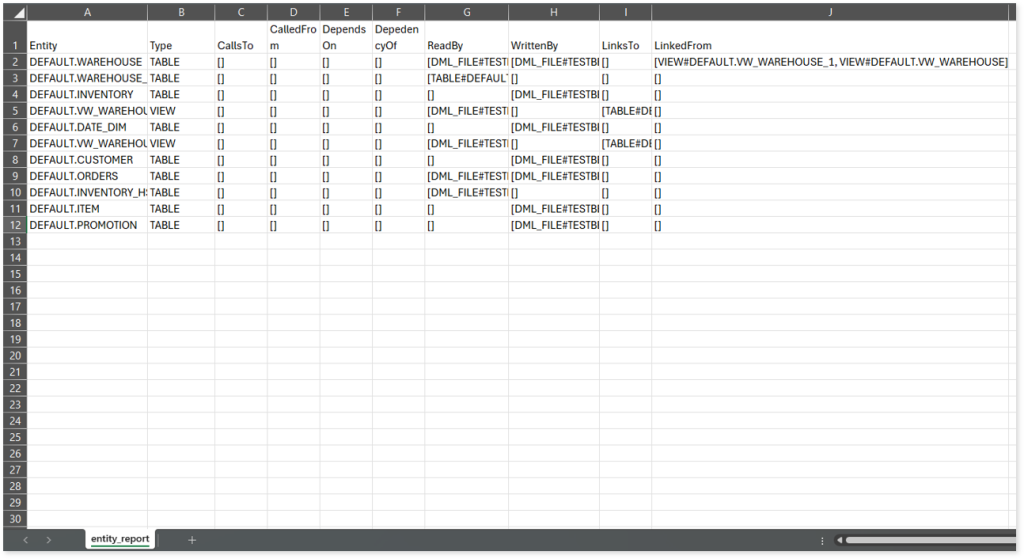
entity_report.csv: This report provides detailed lineage information for each entity within the uploaded source files. It provides a comprehensive list of all entities along with their respective types, identifies the processes or scripts that read from or write to each entity, and includes other dependency details.
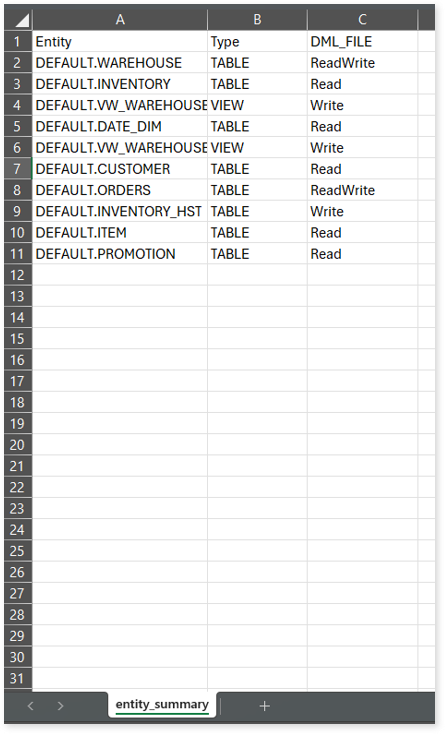
entity_summary.csv: This report provides a list of entities from uploaded source files, indicating where they appear (e.g., DML files) and the operations performed on them—Read, Write, or ReadWrite.
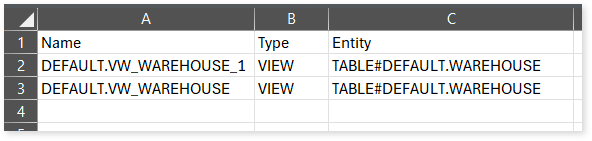
link.csv: This report provides information about entities linked to each view.
script_report.csv: This report provides detailed lineage information for each script. It lists all scripts along with their type, specifies the processes, entities, or scripts from which each script reads data and those to which it writes, as well as other dependency details.

 Leaplogic