Highlights
The highlights section gives you a high-level overview of your assessment summary of the analytics performed on the selected workloads. It includes a graphical depiction of the analyzed workloads, insights, and recommendations.
In this Topic:
Enterprise Data Warehouse (EDW)
Recommendations
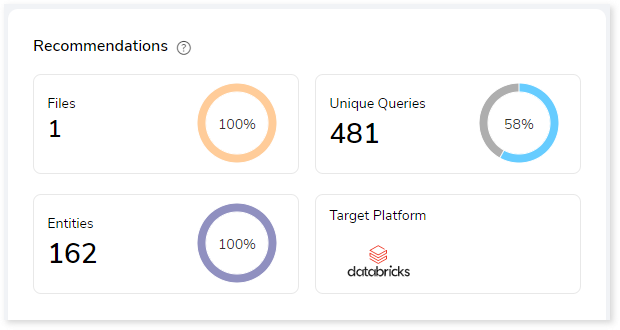
This section provides a snapshot of recommendations generated by the system as per the recommendation settings provided while creating the assessment. It recommends the number of files, queries, and entities that should be migrated.
Files
This section gives a comprehensive recommendation summary of the analyzed files based on the key resource utilization metrics. It displays the total number of files, used files, unused files, used and unused queries. In addition, it offers insights into the complexity of used and unused queries.
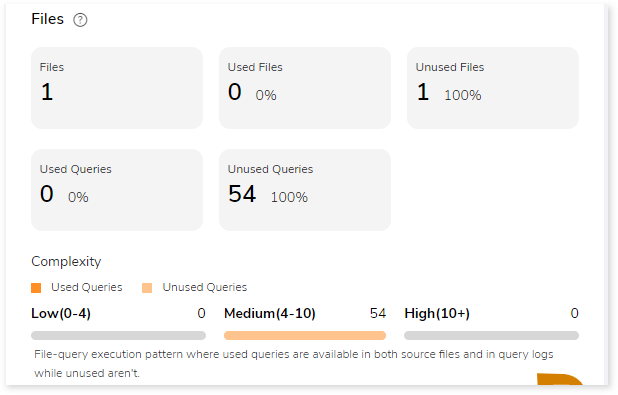
- Files: The total number of files available in the source file.
- Used Files: Displays the number of files where used queries are available in both DML scripts and Execution logs.
- Unused Files: Displays the number of files where used queries are not available in both DML scripts and Execution logs.
- Used Queries: Displays the number of queries that are used in both DML scripts and Execution logs.
- Unused Queries: Displays the number of queries that are used in DML scripts but not in Execution logs.
Queries
It displays a synopsis of the analyzed queries with information about distinct and unique queries, as well as analyzed and unanalyzed queries.
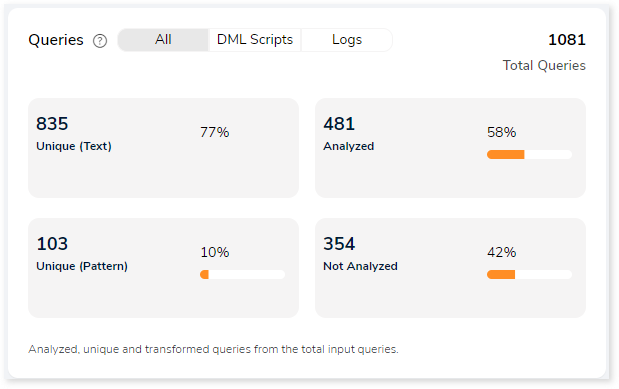
- Unique (Text): Duplicate queries are eliminated, and solitary queries are identified.
- Unique (Pattern): Identify the distinct query structures but the query structure’s values may change.
- Analyzed: Queries that meet the analysis criteria are shown.
- Not Analyzed: Queries that did not meet the analysis criteria are displayed here.
Statement Types
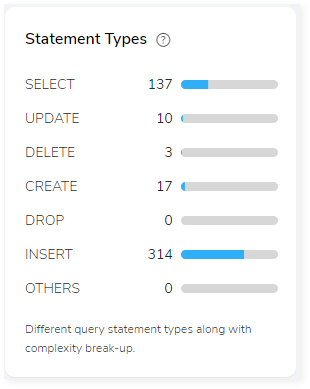
This section displays a summary of analyzed queries based on the query distribution sorted by the different query statement types in the input source file. Moreover, it displays a visual representation of the complexity breakdown across various statement types.
Complexity
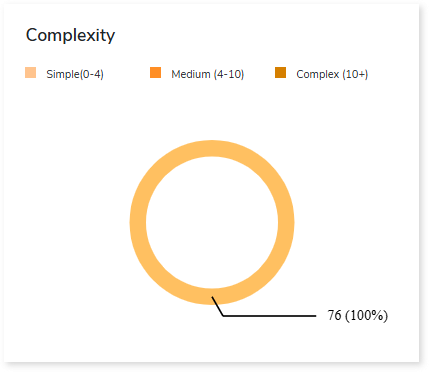
This section provides a summarized graphical representation of queries’ complexity that helps in making different decisions, including budget estimation.
| Complexity Type | Complexity Range | Description |
| Low | 0-4 | Handled directly by the tool, it requires no manual effort. |
| Medium | 4-10 | Most of the queries can be converted directly by the tool, and some require minimum manual effort. |
| High | 10+ | Complexity is high and requires more manual effort to handle. |
Entities
This section provides a synopsis of the analyzed entities with information regarding the Tables and Views in the source file.
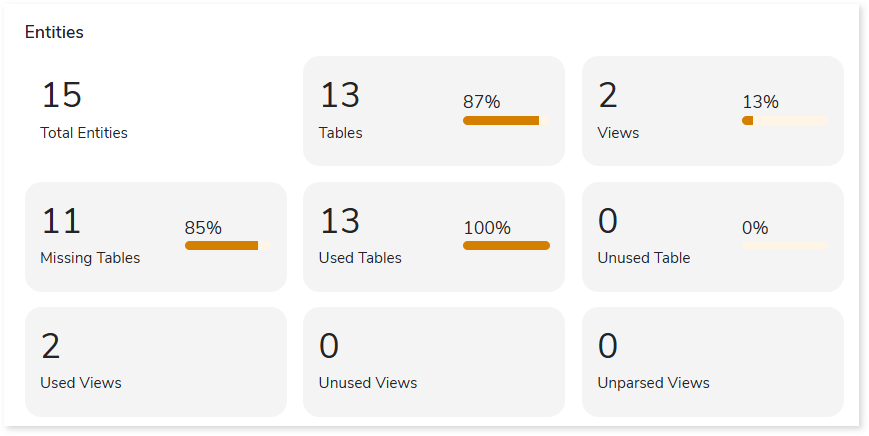
- Tables: Displays number of tables.
- Views: Displays number of views.
- Missing Tables: Tables which are used in DML scripts/ query logs, but no DDL scripts are associated with them.
- Used Tables: Tables which are used in DML scripts/ query logs.
- Unused Tables: Tables which are used in DDL scripts but not used in DML scripts/ query logs.
- Used Views: Displays the number of views.
- Unused Views: Displays the number of unused views.
- Unparsed Views: Displays the number of unparsed views.
Entity Usage Type
This section provides information about the analyzed entities sorted by different entity usage types.
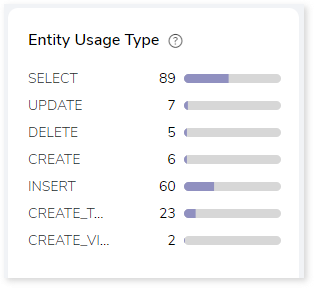
Table Type
This section provides summary of queries segregated by the break-up of table types. Table types are categorized according to the different statement types available in the input workload.
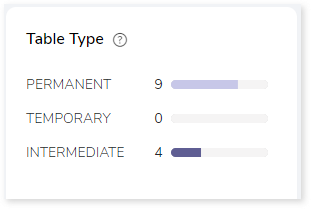
- Permanent: In DML, if the encountered statement types such as READ, UPDATE, and INSERT are considered permanent tables. For instance, tables that are created and perform actions but are not deleted are permanent tables.
- Intermediate: If the statement type CREATE is encountered, it refers to an intermediate table, or whenever a table is created and no actions are being performed, it is considered an intermediate table.
- Temporary: If the statement type CREATE and DROP are encountered, they refer to a temporary table. In other words, a table that is created and then deleted is considered a temporary table.
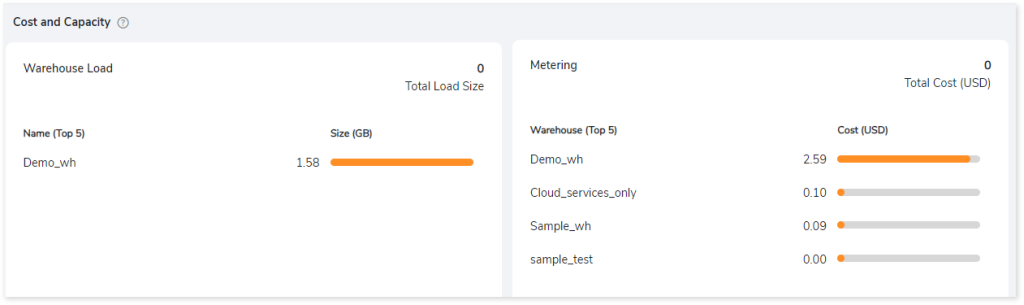
Cost and Capacity
This section provides insights related to used capacity and incurred cost within your Snowflake instance.
Target-specific Optimization
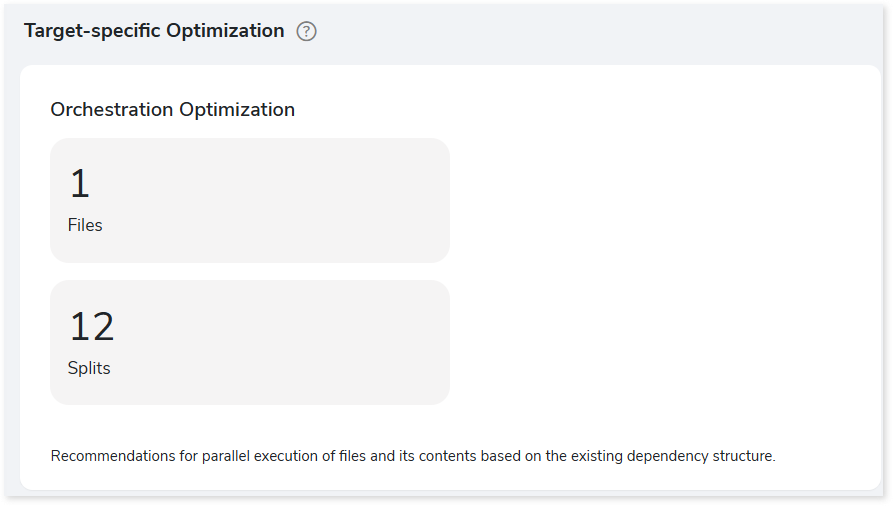
This section provides target optimization recommendations at the schema, and orchestration levels. Schema Optimization focuses on efficient schema design and effective data retrieval. Orchestration Optimization provides information about the parallel execution of files based on their dependency structure.
 Leaplogic