Lineage
End-to-end data and process lineage identify the complete dependency structure through interactive and drill-down options to the last level.
Typically, even within one line of business, multiple data sources, entry points, ETL tools, and orchestration mechanisms exist. Decoding this complex data web and translating it into a simple visual flow can be extremely challenging during large-scale modernization programs. The visual lineage graph adds tremendous value and helps define the roadmap to the modern data architecture. It deep dives into all the existing flows, like Autosys jobs, applications, ETL scripts, BTEQ/Shell (KSH) scripts, procedures, input and output tables, and provides integrated insights. These insights help data teams make strategic decisions with greater accuracy and completeness. Enterprises can proactively leverage integrated analysis to mitigate the risks associated with migration and avoid business disruption.
LeapLogic’s lineage helps to trace the complete data flow in steps. The visual representation helps to track how the data hopped and transformed along the way, with details of parameter changes, etc. It provides backward and forward lineage showing the hops and reference points of data lineage with a complete audit trail of the data points of interest. They also help temporarily ignore peripheral, unwanted data points like system tables, bridge tables, etc. and establish useful correlations between data points to uncover hidden patterns and results. Users can deep dive into certain flows leveraging next-gen features like contextual search, advanced filters according to workload type, an interactive visual interface, graph depth, and more.
Now, let’s see how you can efficiently manage lineage.
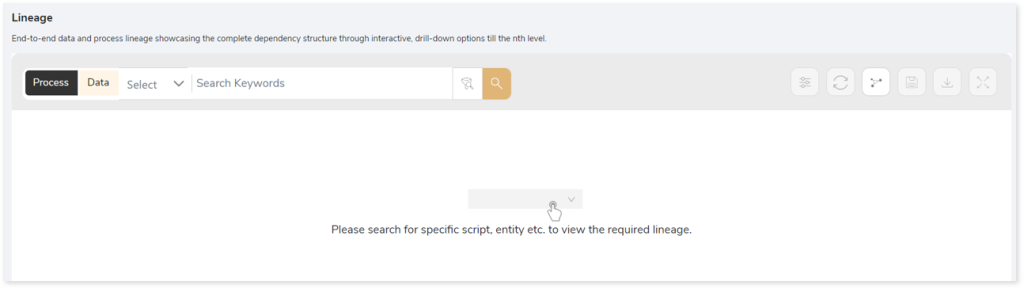
To view the required lineage:
- Select either the Process or Data tab.
- Enter the keywords in the Search Keywords field.
- To generate column-level lineage, turn on Include Columns toggle (available in Data Lineage).
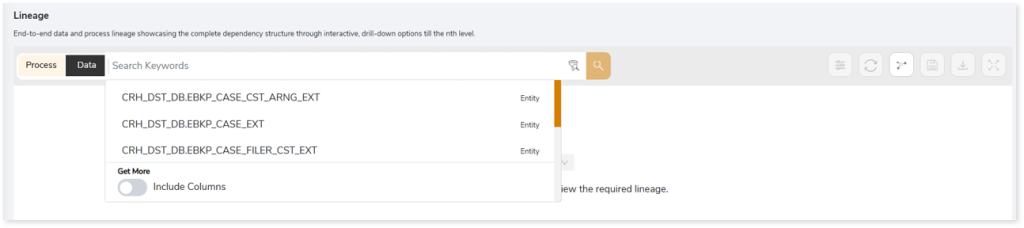
- Click the Search icon to generate the lineage.
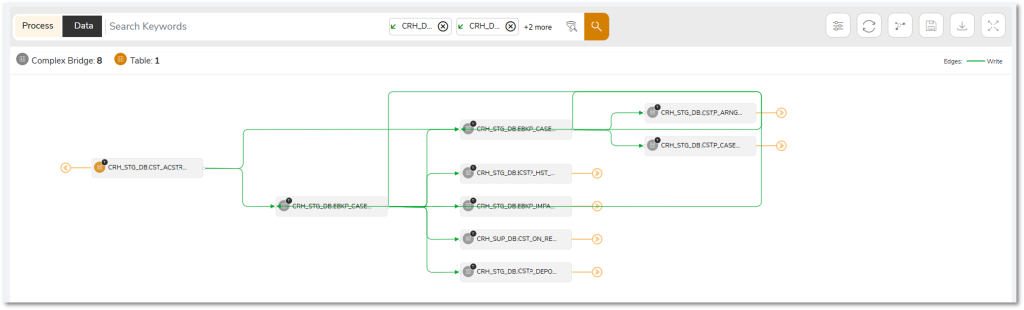
Lineage helps you understand dependencies across processes, tables, and columns:
- Process lineage illustrates the dependencies between two or more processes such as files, views, tables, etc.
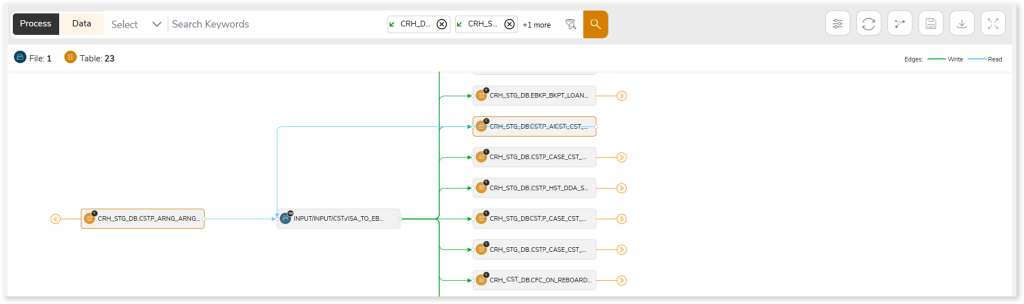
- Data lineage depicts the table-level dependencies and column-level dependencies–input tables, output tables, and reference tables.
- Column-Level lineage shows granular transformations and updates at the minutest level.
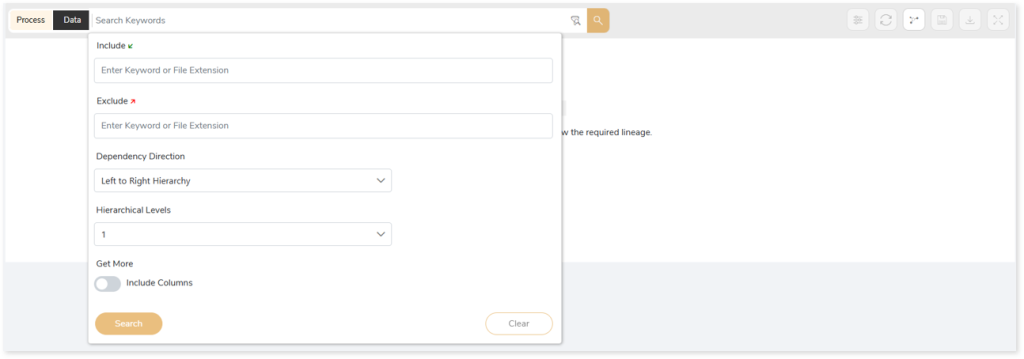
In addition, the filter search icon allows you to include or exclude particular nodes to obtain the required dependency structure. You can also choose the direction of the lineage. By default, the Dependency Direction is Left to Right Hierarchy. You can also choose Right to Left Hierarchy or Bidirectional dependency directions as required. Moreover, you can also increase the Hierarchy Levels to nth level.
Lineage facilitates you visualize how your selected nodes are connected and depend on each other. The nodes and their connecting edges (relationships) help you to understand the overall structure and dependencies.
|
Nodes |
Edges |
 Tables Tables |
 Call Call |
 File File |
 Write Write |
 Job Job |
 Read Read |
 Autosys Box Autosys Box |
 Execute Execute |
 Script Script |
 Others Others |
 Procedures Procedures |
|
 Complex Bridge Complex Bridge |
|
 View View |
|
 Workflows Workflows |
|
Manage Lineage
This feature enables you to view and manage your lineage. You can add, modify, or delete nodes and their relationships to generate an accurate representation of the required dependency structure. There are two ways to update the lineage: either using Complete Lineage report or Lineage Template.
Using Complete Lineage report
Follow the below steps to modify the lineage:
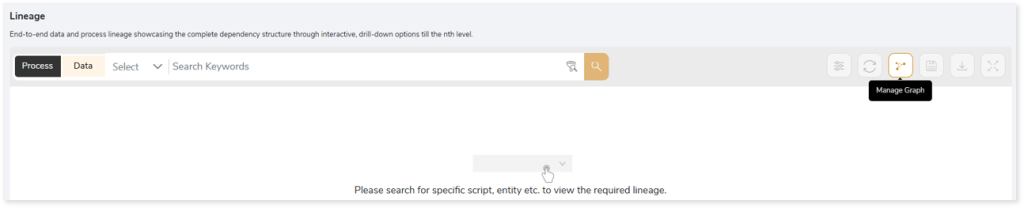
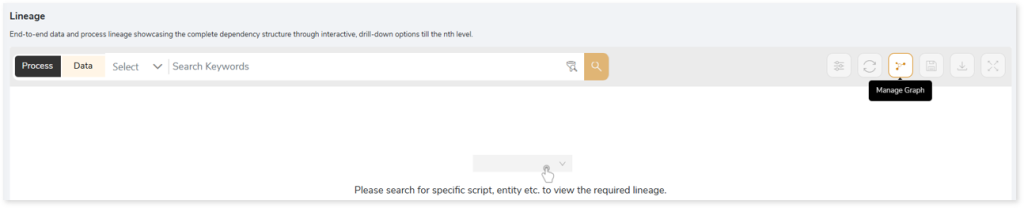
- Click the Manage Graph icon.
- Click Download Complete Lineage to update, add, or delete the nodes and their relationships in the current lineage.
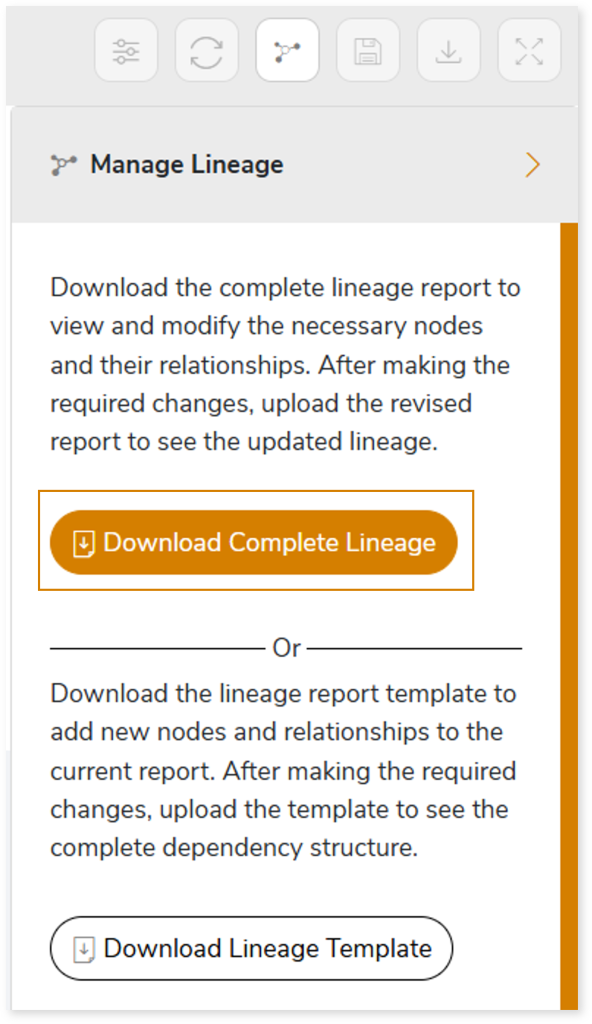
- Once the complete lineage report is downloaded, you can make necessary updates such as updating, deleting or adding the nodes and its relationships.
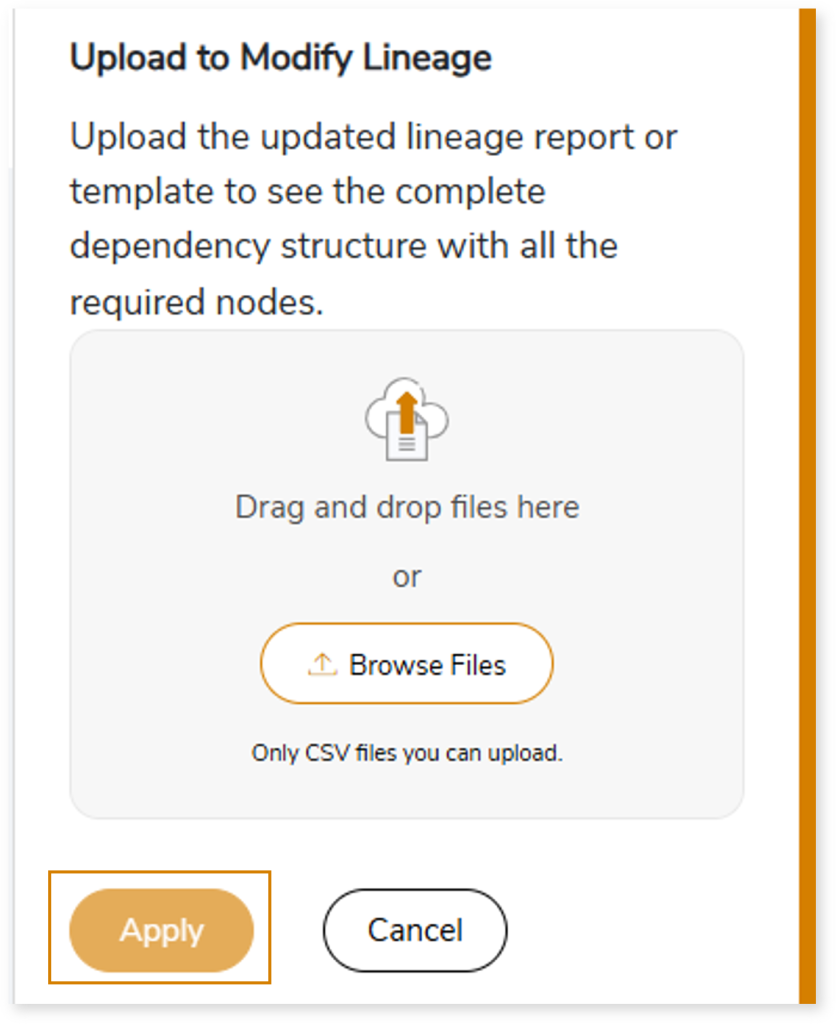
- After making the required changes, upload the updated lineage report in Upload to Modify Lineage.
- Click Apply to incorporate the updates into the dependency structure.
- Generate the required process or data lineage.
Using Lineage Template
Follow the below steps to add new nodes and their relationships to the current lineage report:
- Click the Manage Graph icon.
- Click Download Lineage Template.
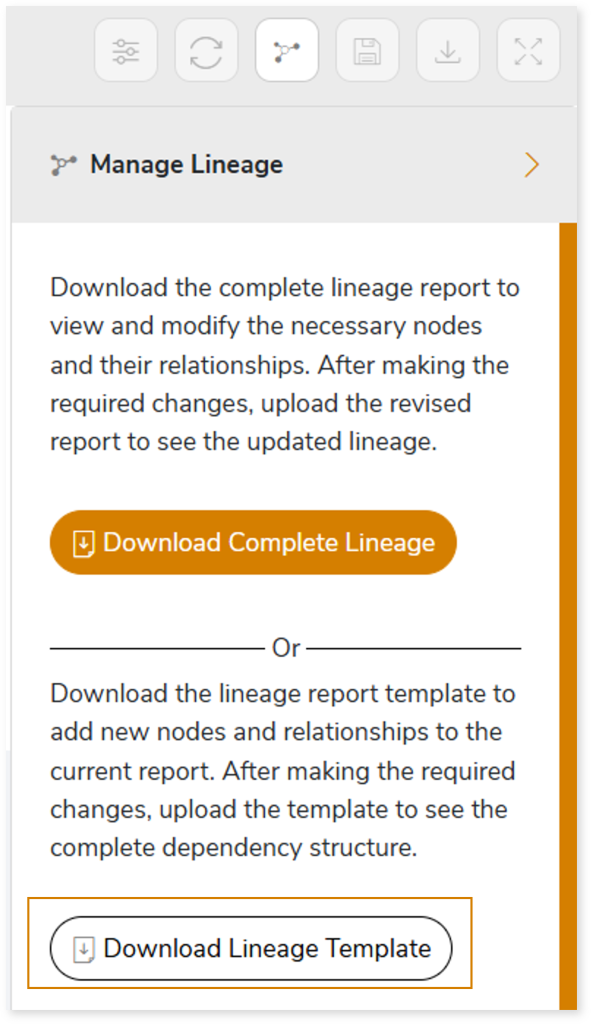
- Once the lineage template is downloaded, you can add new nodes and relationships in the template.
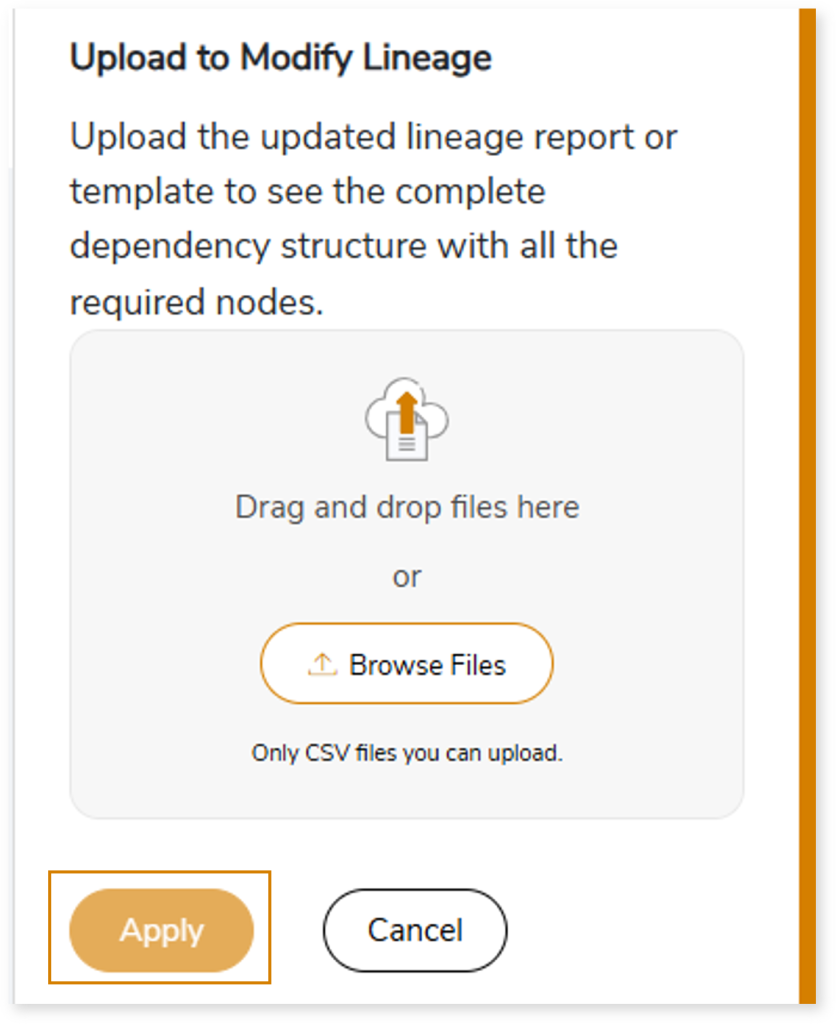
- After making the required changes, upload the template in Upload to Modify Lineage.
- Click Apply to incorporate the updates into the complete dependency structure.
- Generate the required process or data lineage.
You can also apply:
| Feature | Icon | Use |
| Filter |  | Used to filter the lineage. |
| Reload Graph |  | Assists in reloading graphs. |
| Manage Graph |  | To view and manage lineage by adding, modifying, or deleting nodes and their relationships to accurately reflect dependency structures. |
| Save |  | Used to save the lineage. |
| Download |  | Used to download the file. |
| Expand |  | Used to enlarge the screen. |
 Leaplogic